Need help?
Do you have a question about the WHD AMP 4200 and is the answer not in the manual?
Introduction to the WHD AMP 4200 Matrix Amplifier and its key features.
List of items provided with the amplifier.
Covers general safety, usage guide, warning signs, and signal word meanings.
Defines the product as an indoor matrix amplifier for 4 speaker zones.
Notes on improper use, including outdoor operation and temperature limits.
Comprehensive list of electrical, physical, and audio performance parameters.
Check cables and requirements for web interface configuration.
Guidance on 19-inch rack mounting, ventilation, and heat dissipation.
Details on connecting external audio sources via Phoenix or RCA terminals.
How to adjust input sensitivity for different output levels.
Instructions for connecting speakers, including technology mixing and polarity.
Connecting the power cable and selecting the trigger function.
How to configure the amplifier directly via Ethernet without a network.
Automatic IP assignment via DHCP and accessing the web interface.
Default username and password for accessing the configuration.
Steps to reset the device to factory settings and its consequences.
Introduction to the web interface's main screen and navigation elements.
Explains how to mix input signals and assign them to outputs for zoned volume control.
Configuration of high-pass filters for individual outputs.
Adjusting treble and bass settings for each output.
Setting and activating the output limiter and its power levels.
Details on setting frequency, gain, Q factor, and filter type for equalization.
Instructions for managing presets on the device and PC.
Selecting output impedance (4-8 Ohm, 70V, 100V) for each channel.
Configuring the amplifier to enter standby mode automatically.
Settings for Host Name, IP Address, Gateway, Subnet Mask, and DNS.
Securing the web interface with a new password.
Guidelines for creating strong and secure passwords.
Displaying the unit model number and firmware version.
Using front panel buttons for device configuration.
Steps to find the device's IP address using front panel controls.
Adjusting output volume using the device's knobs and buttons.
Performing a reset using the ADJUST/SET button.
Solutions for no sound, humming, cracking noise, and channel shutoff.
Information on recycling and participation in dual systems.
Confirmation that the product meets CE criteria.
Details for WHD GmbH+Co.KG, including addresses and contact methods.
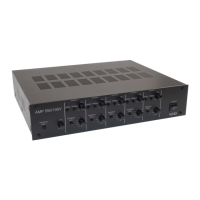
The WHD AMP 4200 is a matrix amplifier designed for indoor use, capable of managing four speaker zones. This device is suitable for both low-resistance (4-8 ohms) and 70V/100V ELA (constant voltage) speaker systems, offering flexibility in various audio installations.
The primary function of the AMP 4200 is to amplify audio signals and distribute them across up to four independent speaker zones. It acts as a central hub for managing audio inputs and outputs, allowing for a customized sound experience in different areas. The amplifier is equipped with a digital signal processor (DSP) that enables advanced audio adjustments, including equalization, crossovers, and limiting, for each channel.
The device supports both direct access configuration and network-based configuration. For direct access, an Ethernet crossover cable can be used to connect the amplifier to a PC or laptop, allowing access to a web-based graphical user interface (GUI) via a default IP address. For network configuration, the AMP 4200 is delivered with DHCP enabled, meaning it automatically obtains an IP address when connected to a network, which can then be used to access the web GUI.
The web GUI provides a comprehensive interface for managing the amplifier's settings. The "Home" menu offers an overview of basic settings, including the device name, IP address, current heat load, and software version. The "Input Matrix" allows users to mix and assign input signals to specific outputs, creating up to four zones with independent volume controls. The "DSP Configuration" section enables detailed sound adjustments for each output, including high-pass filters, treble and bass controls, and limiters to manage amplifier output power. The "Equalizer Configuration" provides three parametric equalizer bands per output, allowing for precise frequency adjustments, gain/attenuation settings, and Q factor (quality) control for narrow or wide frequency ranges. Various filter types like Peak, Bass, Treble, Notch, LPF, and HPF can be activated or deactivated.
The AMP 4200 also features "Preset Management," allowing users to save and recall up to 20 different configurations directly on the device. These presets can also be saved to or loaded from a PC or laptop, facilitating easy backup and restoration of settings. The "Output Configurations" menu enables separate selection of output impedance (4-8 Ohm, 70V, or 100V) for each channel, providing adaptability to different speaker types and installation requirements.
A "Power Saving" feature allows the amplifier to enter stand-by mode after an extended period (approximately 20 minutes) without an input signal when "Auto" is selected. The device can also be reactivated by a 12V trigger signal, useful for integration with other systems like home cinema projectors. The "Network Configuration" section provides settings for the device's network parameters, including host name, IP address, gateway, subnet mask, and DNS servers, with options for both DHCP and manual configuration. For security, the "Password Settings" allow users to protect the web interface with a password.
Beyond the web GUI, the AMP 4200 can also be configured manually using the buttons and controls on its front panel. This includes an ON/OFF button, individual buttons for each of the four output channels, a display, a "BACK" button, and an "ADJUST/SET" rotary button for navigation, selection, and value adjustment.
The AMP 4200 is designed for straightforward operation, whether through its intuitive web interface or direct front-panel controls. When connecting speakers, it is crucial to select the correct impedance (4-8 ohms, 70V, or 100V) for each zone and ensure that the total power of 100V speakers does not exceed 200W per zone. For low-resistance connections, the total impedance of loudspeakers must not be less than 4 ohms. A critical safety note emphasizes never mixing the two technologies (low-resistance and ELA) within a single zone and paying close attention to correct speaker polarity.
The input sensitivity for external audio sources can be adjusted between +6 dBV and 0 dBV using a switch. For devices with low output levels, such as smartphones, setting the switch to 0 dBV amplifies the input signal, ensuring optimal performance.
For network access, the default username and password ("admin" for both) are provided, which should be changed for security. The device's current IP address can be checked on the front display by pressing the "ADJUST/SET" button and turning it to "Device Info."
Manual volume adjustment for each output channel is possible via the front panel. Pressing the button for the desired channel displays its current volume, which can then be adjusted using the "ADJUST/SET" knob. If no button is pressed for approximately 60 seconds, the device reverts to its original display and applies the current settings.
The manual provides troubleshooting guidelines to address common issues:
For more significant issues or to reset the device to its factory settings, a "RESET" function is available. This can be performed by simultaneously pressing the "BACK" button and the "ADJUST/SET" rotary button for more than 5 seconds. A factory reset deletes all settings, saved presets, and sets all outputs to 4-8 ohms in the "Output Configurations" menu.
The manual also emphasizes the importance of proper installation to prevent overheating. When rack-mounting, at least 2U of free space above the device should be left for ventilation. If used as a standing device, the pre-mounted feet provide stability. The device should ideally be mounted in a technical room or a suitable distribution cabinet with ventilation/air conditioning, rather than directly in furniture, to ensure sufficient heat dissipation.
Security is also a maintenance consideration, with strong recommendations for assigning secure passwords according to GDPR guidelines. This includes choosing long passwords (8 characters or more, ideally 20+ for sensitive data), avoiding personal details, coherent words, or repetitions, and instead using arbitrary combinations of upper/lower case letters and numbers. Users are advised to note down their passwords in a secure location.
 General
| Amplifier Class | D |
|---|---|
| Frequency Response | 20 Hz - 20 kHz |
| Total Harmonic Distortion | <0.05% |
| Input Impedance | 10 kOhm |
| Input Sensitivity | 0.775V |
| THD | <0.05% |


 To Next Page