Manual AMP 4200
Valid for
111-425-04-001-00
Version (modifications reseverd)
21.02.2022
Seite 8 of 17
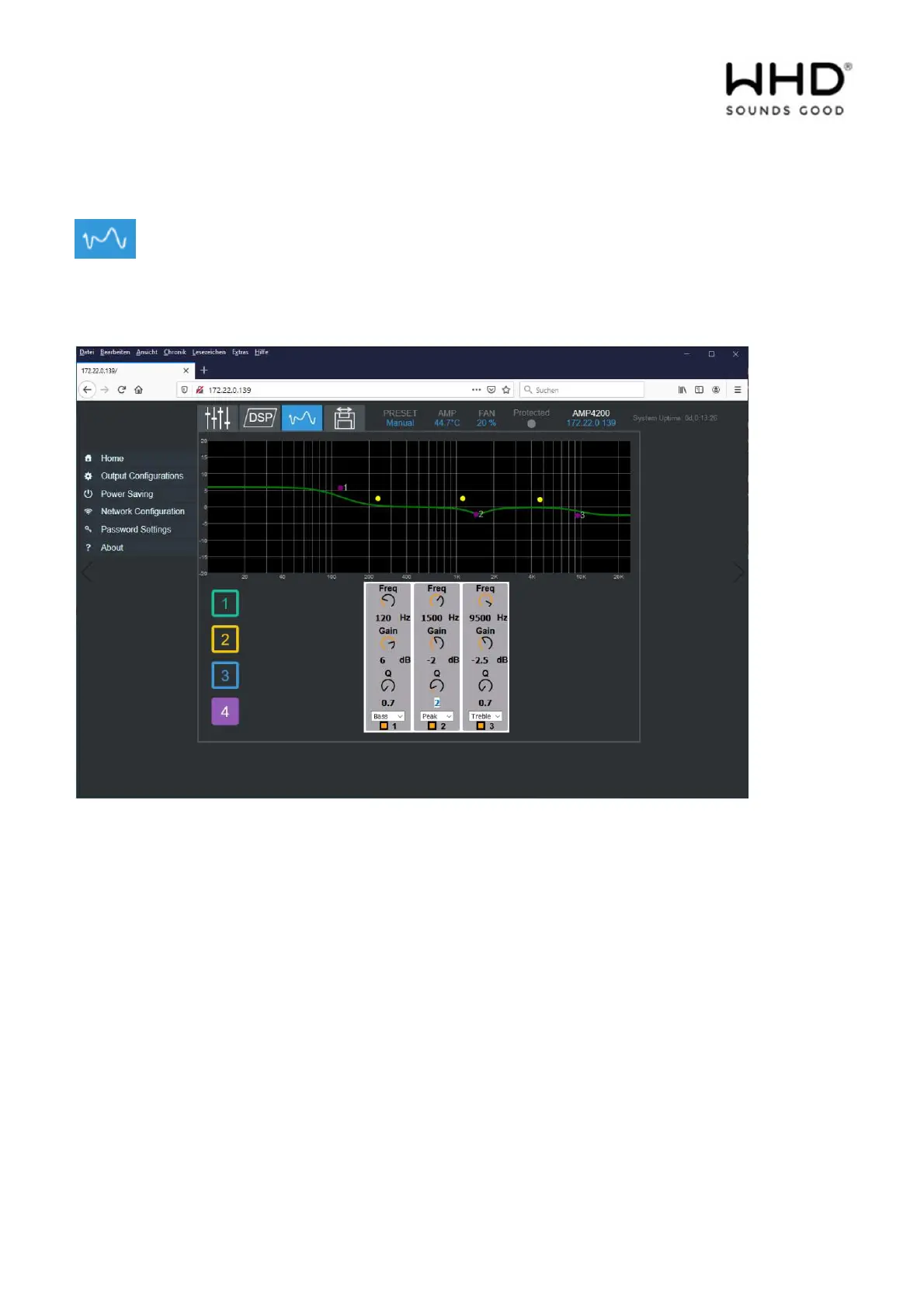
Three parametric equalizer bands are available per output.
Select the output and configure the desired settings.
Freq:
Set the center frequency for a filter for channel 3 for frequency bands.
Gain:
Then set the gain / attenuation factor (-3 dB is half the output signal).
Q factor (quality, between 0.4 to 14):
If you select a Q factor of "0.4", a wider frequency range will be processed than with a factor of "4". If
only a certain frequency range is to be processed as specifically as possible, i.e. narrow-band, please select
a high Q value.
Peak filter:
Select the filter type you want. The choices are: Peak, Bass, Treble, Notch, LPF, HPF. Activate / deactivate
the desired filter via the checkbox.



 To Next Page