Manual
applicable for
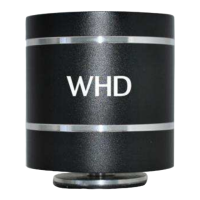
SOUNDWAVER
114-500-01-001-00
WHD - Wilhelm Huber+Söhne GmbH+Co.KG
Bismarckstr. 19
D-78652 Deißlingen
Tel. Zentrale +49 74 20 / 8 89-0
Fax Zentrale +49 74 20 / 8 89-51
E-Mail: info@whd.de
Web: www.whd.de
This product supports all CE-
marking criteria. The declaration of
conformity certificate can be ob-
tained from WHD.
WHD are members of the INTERSEROH association.
We participate in the dual system as well as other
industry-specific solutions. Therefore, plastic, metal
and electronic parts can all be recycled.
Version
(Technical and optical
modifications reserved)
30.04.2013
Safty & Security Informations
Improper handling may void warranty.
In addition to this guidance please comply with your own country-specific safety & security
regulations.
The device is not suitable for outdoor operation.
- Protect the product and the components supplied against dripping or splashing. Make
sure, as with all electronic products that no liquids can access any part of the system. This
may cause a malfunction or fire.
- Do not expose the product to temperatures above 100°C. If the product is exposed to
extreme heat, it can ignite and explode.
- Never put the product near to any type of metal objects (such as keys, paper clips, jewel-
lery, ...).
- Do not expose the product to electrostatic discharges.
- Never use the product during the operation of motor vehicles on public roads or in other
situations in which the inability to hear outside sounds may present a danger to yourself or
others.
- Never put the product near heat sources such as radiators, heat registers, stoves or other
types of devices that produce heat.
! To avoid battery drain, please at all times disconnect Bluetooth devices when they are
not needed.
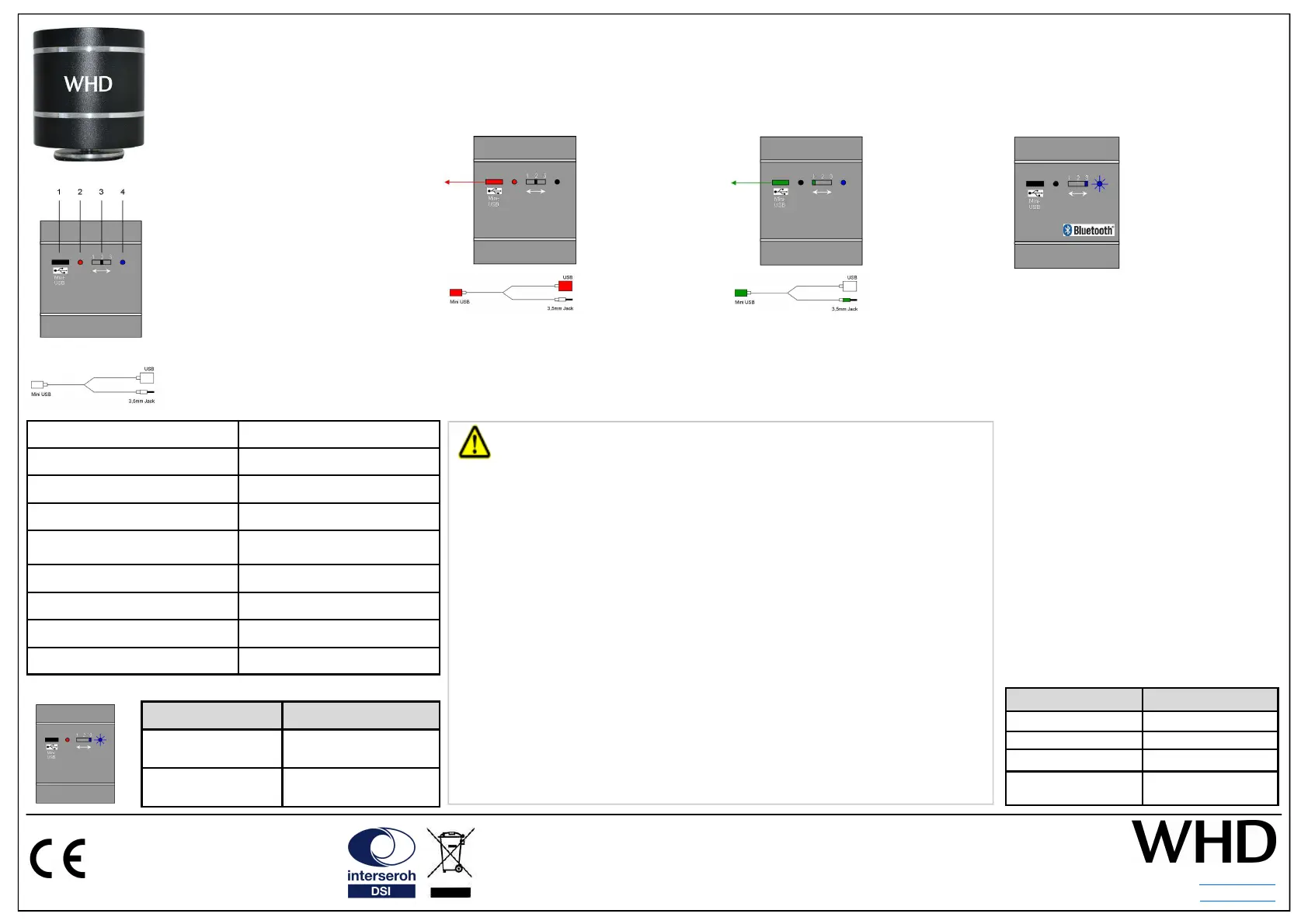
Rear view of the SOUNDWAVER
1 … Mini USB / Line In
2 … Status LED (Power)
Red … Power / Charging
3 … Status Switch (operating mode)
Pos 1 … 3,5mm Audio Jack (Line In)
Pos 2 … OFF
Pos 3 … Bluetooth
4 … Status LED (Bluetooth)
Blue … Blutooth
Adapter cable
1: Mini USB (to SOUNDWAVER)
2: USB & 3,5 mm Audio Jack
Status Signals
Red LED Status
LED ON SOUNDWAVER needs
charging
LED OFF Charging completed
Blue LED Status
Constantly blinking Pairing Mode
Flashes 2x per sec Pairing completed
Flashes any 4 sec Connected
Constantly ON External Audio
(3,5mm Audio Jack)
Charging Bluetooth Operation
To control music (volume/select/…) please
refer to your normal operating procedure
on your audio device.
Proceed with PAIRING according to your
Bluetooth enabled device.
When PAIRING is completed the SOUND-
WAVER confirms with a double “beep”. Pro-
ceed with CONNECTING according to your
Bluetooth enabled device. When the connec-
tion has been established the SOUNWAVER
confirms with a single “beep”.
Pairing in general:
Pairing needs line of sight < 1m between the
SOUNDWAVER and your Bluetooth-enabled
device.
! Activate the Bluetooth Mode of your mo-
bile device and start the SEARCH function
for other Bluetooth equipment. The device
will show as „BTR_SW“. Select and con-
tinue.
! If password is required, type „0000“.
Disconnecting BT enabled device:
Proceed with DISCONNECTING according
to your Bluetooth enabled device and turn
the status switch to the middle (OFF).
Status switch to right
position.
The SOUNDWAVER con-
firms selection with a
single “beep”. The status
LED constantly flashes
blue to signal the PAIR-
ING mode.
Status switch to any
desired position.
1 … 3,5mm Audio Jack
2 … OFF
3 … Bluetooth
Insert the USB cable into
the USB port of a com-
puter or a charger.
When charging has been completed the
LED turns off.
The SOUNDWAVER can be operated whilst
being charged.
Operation
Technical Specifications SOUNDWAVER
Music Power 4 W
Frequence S/N ≥ 75dB
Distortion Maximum <6 %
Bluetooth Standards
Bluetooth CSR 2.1
CLASS 2 / 4 dBm
StandBy Current 10UA
Dimension (H/W/D)
∅ 54 mm x 63 mm
Weight 0,5 kg
Operating Temperature 0 °C … +35 °C
Thank you for buying our vibration speaker with an integrated amplifier.
Please read this manual carefully, especially the safety and security information.
External Audio (3,5mm Audio Jack)
Status switch to left
position.
The status LED is
constantly blue.
Plug the Mini USB
into the SOUND-
WAVER and the
3.5mm Audio Jack to
your external audio
device (CD-Player,
Smart-Phone, …)


 To Previous Page
 Loading...