9
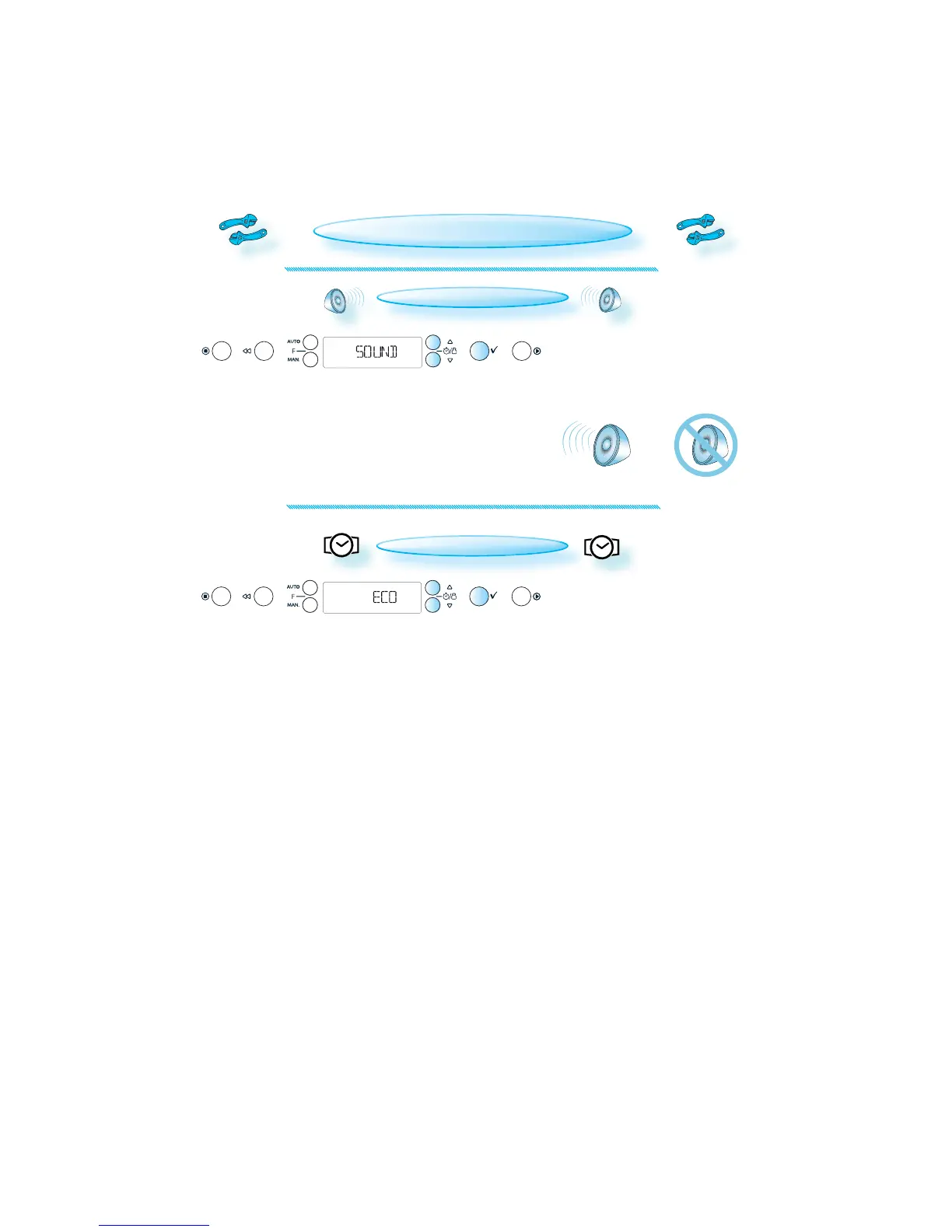
SOUND SETTING
PRESS THE OK BUTTON .
PRESS THE +/- BUTTONS to turn the buzzer ON or O FF.
PRESS THE OK BUTTON again to confirm the change.
ECO
PRESS THE OK BUTTON .
PRESS THE +/- BUTTONS to turn the ECO setting ON or OFF.
PRESS THE OK BUTTON again to confirm the change.
WHEN ECO IS ON, the display will automatically turn off after a while to
save energy. It will automatically light up again when a button is pre-
ssed or the door is opened. At cooking end cavity lamp switches off af-
ter 30 seconds.
WHEN OFF IS SET, the display will not turn off and the 24 h clock will al-
ways be visible. At cooking end cavity lamp switches off after 3 minu-
tes.
CHANGING SETTINGS







 To Next Page