7
GB
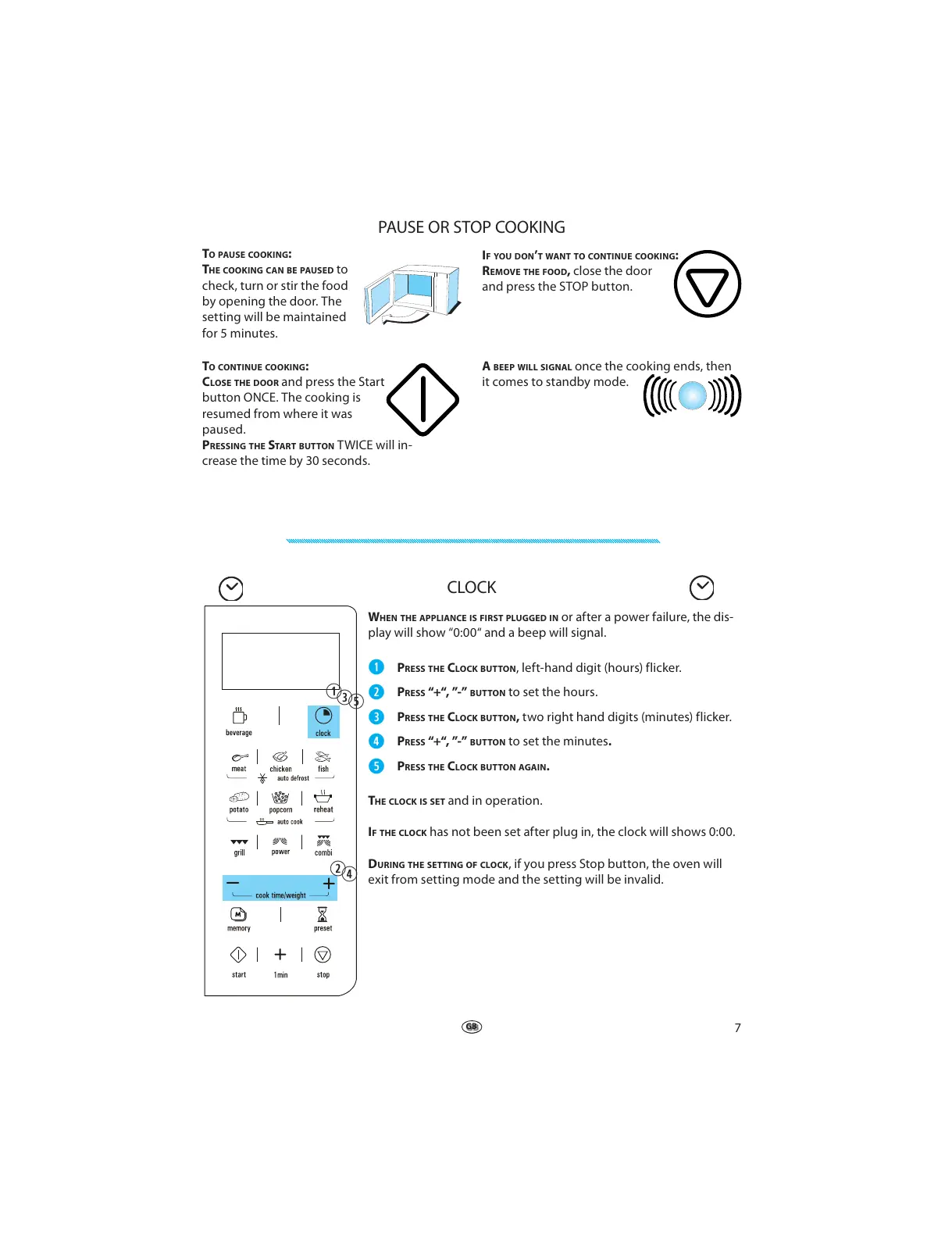
PAUSE OR STOP COOKING
TO PAUSE COOKING:
THE COOKING CAN BE PAUSED to
check, turn or stir the food
by opening the door. The
setting will be maintained
for 5 minutes.
I
F YOU DON’T WANT TO CONTINUE COOKING:
REMOVE THE FOOD, close the door
and press the STOP button.
T
O CONTINUE COOKING:
CLOSE THE DOOR and press the Start
button ONCE. The cooking is
resumed from where it was
paused.
PRESSING THE START BUTTON TWICE will in-
crease the time by 30 seconds.
A
BEEP WILL SIGNAL once the cooking ends, then
it comes to standby mode.
T
HE CLOCK IS SET and in operation.
IF THE CLOCK has not been set after plug in, the clock will shows 0:00.
DURING THE SETTING OF CLOCK, if you press Stop button, the oven will
exit from setting mode and the setting will be invalid.
CLOCK
WHEN THE APPLIANCE IS FIRST PLUGGED IN or after a power failure, the dis-
play will show “0:00“ and a beep will signal.
q
PRESS THE CLOCK BUTTON , left-hand digit (hours) flicker.
w
PRESS “+“, ”-” BUTTON to set the hours.
e
PRESS THE CLOCK BUTTON, two right hand digits (minutes) flicker.
r
PRESS “+“, ”-” BUTTON to set the minutes.
t
PRESS THE CLOCK BUTTON AGAIN.
q
e
t
w
r



 To Next Page