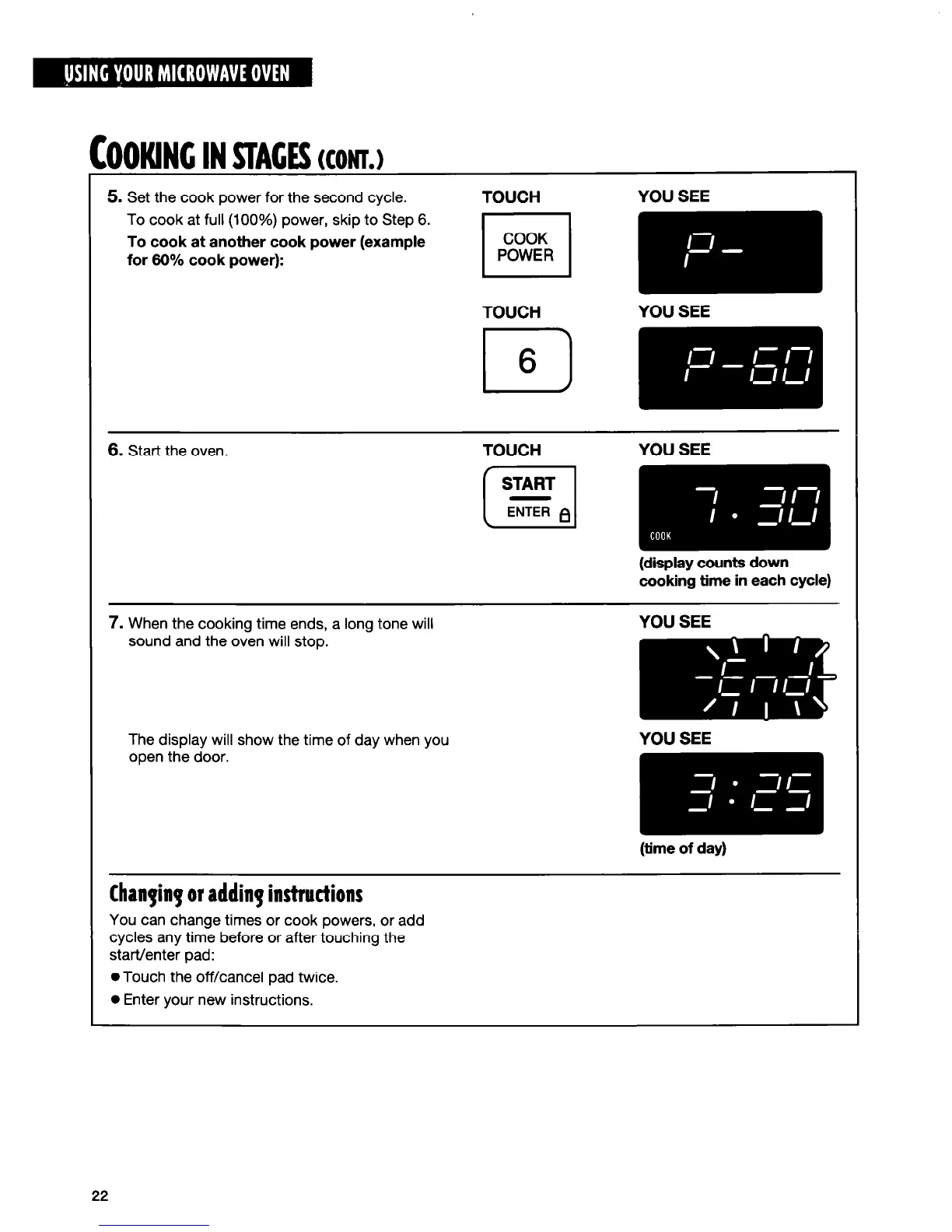
5. Set the cook power for the second cycle.
TOUCH
YOU SEE
To cook at full (100%) power, skip to Step 6.
I I
To cook at another cook power (example
for 60% cook power):
TOUCH
YOU SEE
El
6
COOKING IN STAGES (CONT.)
6.
Start the oven.
TOUCH
YOU SEE
[-q m
(display counts down
cooking time in each cycle)
7. When the cooking time ends, a long tone will
sound and the oven will stop.
The display will show the time of day when you
open the door.
YOU SEE
(time of day)
Chanpinp or adding instructions
You can change times or cook powers, or add
cycles any time before or after touching the
start/enter pad:
0 Touch the off/cancel pad twice.
l
Enter your new instructions.
22




 To Next Page