12
GB
CLOCK
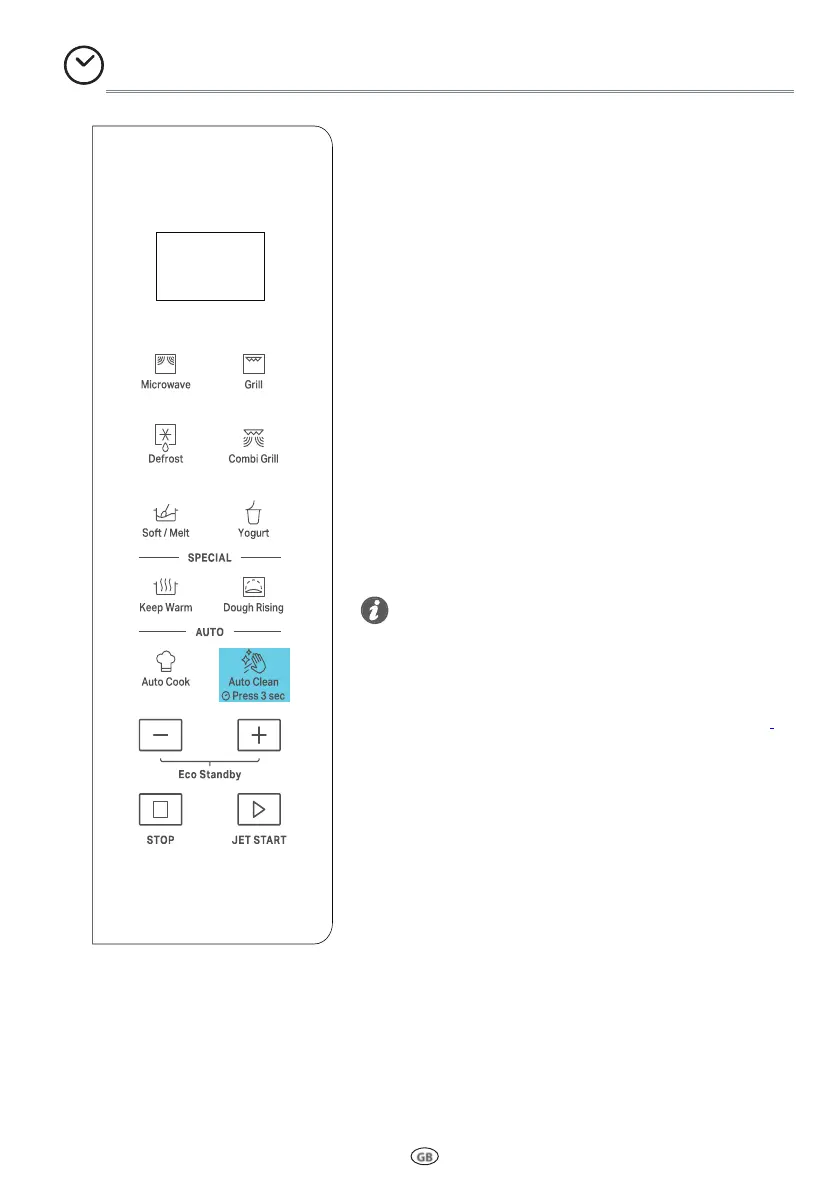
To seT The CloCk of your appliance:
q
In standby, press the Auto Clean button for 3
seconds.
w
Press + / - to set the hour.
e
Press Clock/JET START button to conrm.
r
Press + / - to set the minute.
t
Press Clock/JET START to conrm the setting.
Every time after cooking process is completed, the
screen shows “End” and issued a prompt until ope-
ned the door to return standby (no operation for
10 minutes automatically return to standby).
• When plugged in, the screen shows“12:00” ( “12”
flashing ), 1 minute later return to standby (befo-
re returning standby can directly set clock).
• In the process of cooking set, no operating system
automatically return to standby mode in 1 minute.
Tips and suggestions:



 To Next Page