IMPORTANT: Do not try to light the oven burner
during a power failure.
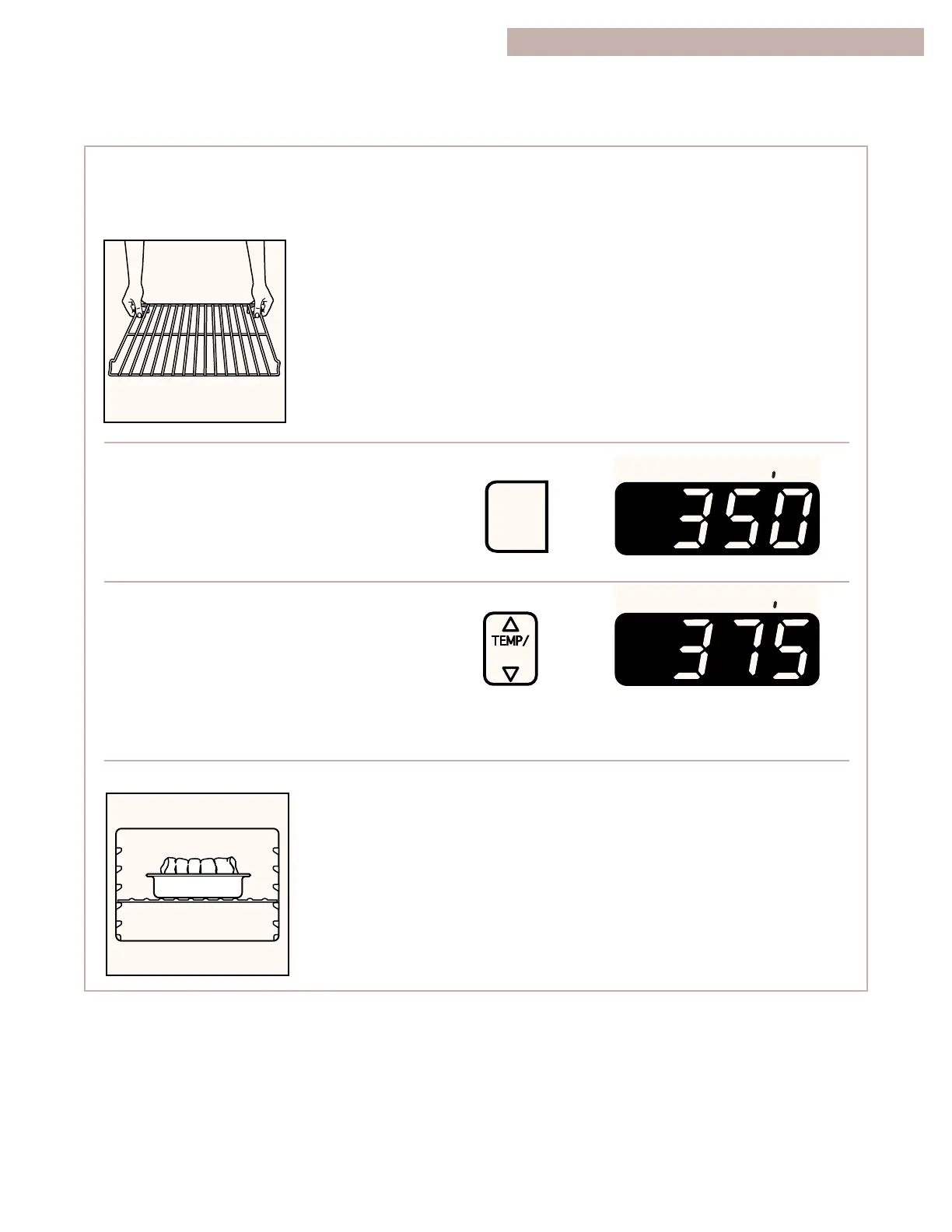
1. Place the racks where you need them. For
more information, see
“Positioning racks and
pans” in “Using the
Oven” earlier in this
section.
NOTE: Do not place
food directly on the
oven door or the oven
bottom.
2. Choose the bake setting.
The bake indicator light will light up.
3. Set the temperature (optional).
Do this step if you want to set a
temperature other than 350°F. Press ▲
to raise the temperature or ▼ to lower the tem-
perature in 5°F amounts. You can set a tempera-
ture anywhere from 170˚F to 500˚F. Use these
pads until the desired temperature shows on the
display.
4. When roasting, put your food in the oven.
You do not have to
preheat the oven when
roasting, unless your
recipe recommends it.
PRESS YOU SEE
(example for bake at 375°F)
Roasting meats and poultry
•
For even cooking, place the meat on a rack in a
shallow pan. This keeps the meat out of the
drippings and allows the heat to circulate better.
•
Use a meat thermometer for the most accurate
doneness. Insert it so the tip is in the center of
the largest muscle or thickest portion of the
meat or poultry. Make sure the thermometer is
not touching bone, fat, or the bottom of the pan.
USING YOUR RANGE



 To Next Page