EasyManua.ls Logo

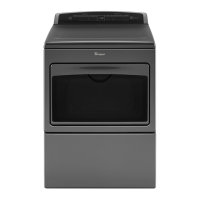
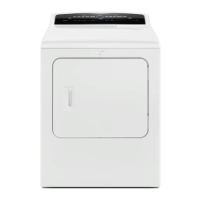
Whirlpool WED75HEFW - User Manual

Whirlpool WED75HEFW
18 pages
Print Icon
To Next Page IconTo Next Page
Loading...
W10804688A
W10804689A - SP
If you have any problems or questions, visit us at www.whirlpool.com
Pour tout problème ou question, consulter www.whirlpoolappliances.ca
Use & Care Guide
Guide d’utilisation et d’entretien
Electronic Dryer
Sécheuse électronique
Question and Answer IconNeed help?

Do you have a question about the Whirlpool WED75HEFW and is the answer not in the manual?

Summary

Dryer Safety

General Safety Messages

Explains safety symbols and hazard words like DANGER and WARNING.

Risk of Fire Warning

Details hazards related to installation and venting materials that can cause fire.

California Proposition 65 Warnings

Lists chemicals known to cause cancer or reproductive harm in California.

Massachusetts Installation Requirements

Specific installation rules for the state of Massachusetts.

Gas Safety Warnings

Covers handling gas leaks, using gas detectors, and proper installation.

Important Safety Instructions

General Precautions

Lists basic precautions to reduce risk of fire, electric shock, or injury.

Accessories

15 Pedestal

Describes a pedestal to raise the washer/dryer for comfortable height.

Stack Kit

Allows the dryer to be installed on top of the washer for space saving.

Drying Rack

Provides a stationary surface for drying items like sweaters and shoes.

Vent System and Airflow

Airflow Requirements and Warnings

Details vent material requirements and fire hazards associated with improper venting.

Achieving Good Airflow

Provides tips for maintaining good airflow, including cleaning and vent system checks.

Dryer Cycle Usage

Automatic Cycles for Fabric Care

Explains how automatic cycles save energy and improve fabric care through sensing.

Steam Dryer Performance Tips

Offers advice on using steam cycles effectively and fabric considerations.

Control Panel and Features

Power Button

Describes the function of the POWER button to turn the dryer on/off.

Cycle Control Knob

Explains how to select cycles using the control knob.

Start;Pause Control

Details how to start or pause a cycle using the START/PAUSE control.

LED Display and Indicators

Explains the information shown on the LED display and the status indicators.

Cycle Options

Lists and describes available options like Static Reduce, Steam, EcoBoost, etc.

Power and Cycle Controls

Power Button Operation

Details how to turn the dryer on and off, and cancel cycles.

Cycle Selection

Explains using the cycle control knob to select various cycles.

Starting and Pausing Cycles

Describes how to initiate and temporarily stop a dryer cycle.

Dryer Settings and Options

Understanding the LED Display

Explains cycle status indicators, time display, and temperature/dryness settings.

Advanced Cycle Options

Details options like Static Reduce, Steam, EcoBoost, Drum Light, Cycle Signal, and Control Lock.

Automatic Cycle Guide

Cycle Descriptions

Details automatic cycles, their settings, and recommended uses for different fabric types.

Load Size Recommendations

Provides guidance on filling the dryer drum for optimal drying performance.

Manual Cycle Guide

Quick Dry and Timed Dry Cycles

Explains how to use manual cycles and adjust drying time and temperature.

Drying Temperature Selection

Guides on selecting appropriate temperatures for different fabric types.

Steam Cycle Guide

Steam Refresh Cycle

Describes the Steam Refresh cycle for reducing odors and wrinkles.

Load Size Recommendations

Provides guidance on filling the dryer drum for optimal drying performance.

Using Your Dryer

Cleaning the Lint Screen

Instructions on how to clean the lint screen before each load for efficiency.

Loading the Dryer

Guidance on properly loading laundry into the dryer drum.

Dryer Operation Steps

Outlines the basic steps to start and operate the dryer, including power and cycle selection.

Adjusting Dryer Settings and Options

Customizing Cycle Settings

Explains how to adjust dryness level, temperature, and select options like Static Reduce.

Starting and Completing Cycles

Details how to start a cycle, remove clothes promptly, and manage cycle progress.

Adjusting Automatic Dryness Levels

Guides on changing default dryness settings for consistent results.

Cycle Status Indicators

Understanding Cycle Progress Lights

Explains the meaning of various indicators showing the dryer's cycle status.

Additional Features

Using the Drying Rack

Provides instructions on how to install and use the drying rack for specific items.

Dryer Care

Dryer Location and Interior Cleaning

Instructions for maintaining a clear dryer area and cleaning the drum.

Lint Screen Cleaning

Detailed steps for cleaning the lint screen before each load and as needed.

Accumulated Lint Removal

Guidance on removing lint from the dryer cabinet and exhaust vent.

Non-Use, Storage, and Moving Care

Storage and Non-Use Precautions

Advice on preparing the dryer for periods of non-use or storage to prevent damage.

Moving and Winterizing

Instructions for safely moving the dryer and preparing it for freezing temperatures.

Special Instructions for Steam Models

Water Inlet Hose Maintenance

Recommendations for inspecting and replacing the water inlet hose.

Winterizing Steam Dryers

Steps to winterize steam dryer models by shutting off water and draining hoses.

Troubleshooting Dryer Operation

Dryer Not Running

Solutions for when the dryer fails to start, including door closure and power issues.

Dryer Not Heating

Troubleshooting steps for a dryer that runs but does not produce heat.

Unusual Noises

Identifies causes and solutions for various noises like humming, thumping, or rattling.

Troubleshooting Dryer Results

Poor Drying Performance

Addresses issues like clothes not drying satisfactorily or taking too long.

Troubleshooting Dryer Issues

Cycle Time Too Short

Solutions for cycles ending prematurely or not drying sufficiently.

Lint and Stains on Load

Addresses lint on clothes, stains on load, and stains on the drum.

Wrinkled Loads

Tips for preventing wrinkles and addressing loads that come out wrinkled.

Troubleshooting Codes and Indicators

Dryer Displaying Error Codes

Explains diagnostic codes like 'PF', 'L2', and 'F# E#' indicating service needs.

Check Vent Indicator

Troubleshooting steps when the 'Check Vent' indicator is lit.

Control Lock Indicator

Information on the 'Loc' or 'Lc' indicator and how to enable/disable Control Lock.

Whirlpool Laundry Limited Warranty

How to Obtain Service

Steps to take before contacting service and information needed for warranty claims.

What is Covered

Details the duration and scope of the limited warranty for parts and labor.

What is Not Covered

Lists exclusions from the limited warranty, such as misuse or cosmetic damage.

Summary

Dryer Safety

General Safety Messages

Explains safety symbols and hazard words like DANGER and WARNING.

Risk of Fire Warning

Details hazards related to installation and venting materials that can cause fire.

California Proposition 65 Warnings

Lists chemicals known to cause cancer or reproductive harm in California.

Massachusetts Installation Requirements

Specific installation rules for the state of Massachusetts.

Gas Safety Warnings

Covers handling gas leaks, using gas detectors, and proper installation.

Important Safety Instructions

General Precautions

Lists basic precautions to reduce risk of fire, electric shock, or injury.

Accessories

15 Pedestal

Describes a pedestal to raise the washer/dryer for comfortable height.

Stack Kit

Allows the dryer to be installed on top of the washer for space saving.

Drying Rack

Provides a stationary surface for drying items like sweaters and shoes.

Vent System and Airflow

Airflow Requirements and Warnings

Details vent material requirements and fire hazards associated with improper venting.

Achieving Good Airflow

Provides tips for maintaining good airflow, including cleaning and vent system checks.

Dryer Cycle Usage

Automatic Cycles for Fabric Care

Explains how automatic cycles save energy and improve fabric care through sensing.

Steam Dryer Performance Tips

Offers advice on using steam cycles effectively and fabric considerations.

Control Panel and Features

Power Button

Describes the function of the POWER button to turn the dryer on/off.

Cycle Control Knob

Explains how to select cycles using the control knob.

Start;Pause Control

Details how to start or pause a cycle using the START/PAUSE control.

LED Display and Indicators

Explains the information shown on the LED display and the status indicators.

Cycle Options

Lists and describes available options like Static Reduce, Steam, EcoBoost, etc.

Power and Cycle Controls

Power Button Operation

Details how to turn the dryer on and off, and cancel cycles.

Cycle Selection

Explains using the cycle control knob to select various cycles.

Starting and Pausing Cycles

Describes how to initiate and temporarily stop a dryer cycle.

Dryer Settings and Options

Understanding the LED Display

Explains cycle status indicators, time display, and temperature/dryness settings.

Advanced Cycle Options

Details options like Static Reduce, Steam, EcoBoost, Drum Light, Cycle Signal, and Control Lock.

Automatic Cycle Guide

Cycle Descriptions

Details automatic cycles, their settings, and recommended uses for different fabric types.

Load Size Recommendations

Provides guidance on filling the dryer drum for optimal drying performance.

Manual Cycle Guide

Quick Dry and Timed Dry Cycles

Explains how to use manual cycles and adjust drying time and temperature.

Drying Temperature Selection

Guides on selecting appropriate temperatures for different fabric types.

Steam Cycle Guide

Steam Refresh Cycle

Describes the Steam Refresh cycle for reducing odors and wrinkles.

Load Size Recommendations

Provides guidance on filling the dryer drum for optimal drying performance.

Using Your Dryer

Cleaning the Lint Screen

Instructions on how to clean the lint screen before each load for efficiency.

Loading the Dryer

Guidance on properly loading laundry into the dryer drum.

Dryer Operation Steps

Outlines the basic steps to start and operate the dryer, including power and cycle selection.

Adjusting Dryer Settings and Options

Customizing Cycle Settings

Explains how to adjust dryness level, temperature, and select options like Static Reduce.

Starting and Completing Cycles

Details how to start a cycle, remove clothes promptly, and manage cycle progress.

Adjusting Automatic Dryness Levels

Guides on changing default dryness settings for consistent results.

Cycle Status Indicators

Understanding Cycle Progress Lights

Explains the meaning of various indicators showing the dryer's cycle status.

Additional Features

Using the Drying Rack

Provides instructions on how to install and use the drying rack for specific items.

Dryer Care

Dryer Location and Interior Cleaning

Instructions for maintaining a clear dryer area and cleaning the drum.

Lint Screen Cleaning

Detailed steps for cleaning the lint screen before each load and as needed.

Accumulated Lint Removal

Guidance on removing lint from the dryer cabinet and exhaust vent.

Non-Use, Storage, and Moving Care

Storage and Non-Use Precautions

Advice on preparing the dryer for periods of non-use or storage to prevent damage.

Moving and Winterizing

Instructions for safely moving the dryer and preparing it for freezing temperatures.

Special Instructions for Steam Models

Water Inlet Hose Maintenance

Recommendations for inspecting and replacing the water inlet hose.

Winterizing Steam Dryers

Steps to winterize steam dryer models by shutting off water and draining hoses.

Troubleshooting Dryer Operation

Dryer Not Running

Solutions for when the dryer fails to start, including door closure and power issues.

Dryer Not Heating

Troubleshooting steps for a dryer that runs but does not produce heat.

Unusual Noises

Identifies causes and solutions for various noises like humming, thumping, or rattling.

Troubleshooting Dryer Results

Poor Drying Performance

Addresses issues like clothes not drying satisfactorily or taking too long.

Troubleshooting Dryer Issues

Cycle Time Too Short

Solutions for cycles ending prematurely or not drying sufficiently.

Lint and Stains on Load

Addresses lint on clothes, stains on load, and stains on the drum.

Wrinkled Loads

Tips for preventing wrinkles and addressing loads that come out wrinkled.

Troubleshooting Codes and Indicators

Dryer Displaying Error Codes

Explains diagnostic codes like 'PF', 'L2', and 'F# E#' indicating service needs.

Check Vent Indicator

Troubleshooting steps when the 'Check Vent' indicator is lit.

Control Lock Indicator

Information on the 'Loc' or 'Lc' indicator and how to enable/disable Control Lock.

Whirlpool Laundry Limited Warranty

How to Obtain Service

Steps to take before contacting service and information needed for warranty claims.

What is Covered

Details the duration and scope of the limited warranty for parts and labor.

What is Not Covered

Lists exclusions from the limited warranty, such as misuse or cosmetic damage.

Overview

This document is a comprehensive Use & Care Guide for a Whirlpool Electronic Dryer, available in both English and French. It provides detailed instructions for safe operation, maintenance, and troubleshooting, ensuring optimal performance and longevity of the appliance.

Function Description

The Whirlpool Electronic Dryer is designed to efficiently dry laundry using a combination of heat and airflow. It features both Automatic and Manual drying cycles, catering to various fabric types and load sizes. The dryer senses moisture and air temperature during Automatic Cycles, automatically shutting off when the selected dryness level is reached, which helps save energy and enhance fabric care. Manual Cycles, such as Timed Dry and Quick Dry, allow users to set specific drying times and temperatures for occasional damp loads or items requiring a drying rack. Some models also include Steam Cycles, designed to refresh dry loads, loosen wrinkles, and reduce odors without the need for washing.

Usage Features

The dryer's control panel is designed for ease of use, featuring a sensitive surface that responds to a light touch. Users can turn the dryer on/off, select cycles, and adjust settings with simple touches.

  • Cycle Selection: A cycle control knob allows selection from a variety of Automatic Cycles (Heavy Duty, Normal, Bulky, Casual, Delicates, Towels, Sanitize) and Manual Cycles (Quick Dry, Timed Dry, Steam Refresh). Each cycle has default settings for temperature and dryness level, which can be customized and remembered by the dryer.
  • Adjustable Settings:
    • Temperature: For Manual Cycles and Steam Refresh, users can select a dry temperature (High, Medium, Low, Extra Low, Air Only) based on fabric type, following garment label instructions. Automatic Cycles use preset, non-adjustable temperatures.
    • Dryness Level: Available for Automatic Cycles (except Sanitize), this setting allows users to choose between More, Normal, or Less dryness, influencing when the dryer shuts off. The NORMAL dryness level is recommended for optimal energy savings.
    • Damp Dry Signal: An optional feature that sounds beeps when the load is damp but not completely dry, useful for removing items that don't require full drying. It's a default for the Bulky cycle to prompt manual repositioning of large loads.
    • Wrinkle Shield™ Option: Adds up to 140 minutes of periodic tumbling after a cycle to help reduce wrinkling. On some models, a "With Steam" setting can be added after 60 minutes to further smooth out wrinkles.
  • Additional Options:
    • Static Reduce: Introduces a small amount of moisture and tumbles the load to reduce static, adding approximately 8 minutes to the cycle.
    • Steam: Activates a steam option at the end of Heavy Duty, Towels, Normal, or Bulky cycles to smooth out wrinkles, compatible with High or Medium heat settings.
    • EcoBoost™ Option: Increases energy savings by using a slightly lower heat level, extending drying times by about 40 minutes. This option is only available for the Normal cycle.
    • Drum Light: Turns the LED drum light on or off, and also activates automatically when the door is open, turning off after about 5 minutes.
    • Cycle Signal: Toggles the end-of-cycle signal on or off. It can also be held for one second to turn all button sounds on or off.
    • Control Lock: Locks the dryer controls to prevent accidental changes during a cycle. It can be activated or deactivated by holding for 3 seconds.
  • Cycle Status Indicators: The display features indicators (Wet, Sensing, Damp, Static Reduce, Cool Down, Steaming, Done, Wrinkle Shield) that show the progress of the drying cycle.
  • Check Vent Indicator: This indicator lights up if a blocked vent or low airflow issue is detected during Automatic or Steam cycles, prompting users to check their vent system.
  • Drying Rack: An accessory for items that should not be tumbled, such as sweaters and tennis shoes. It is used with Manual Dry/Timed Dry cycles, providing a stationary drying surface while the drum rotates.

Maintenance Features

Regular maintenance is crucial for the dryer's efficiency and safety, as outlined in the guide.

  • Lint Screen Cleaning: The lint screen, located in the door opening, must be cleaned before or after each load. Users are instructed to pull it straight up, roll lint off with fingers, and avoid rinsing or washing it. For residue buildup, a nylon brush with hot water and liquid detergent should be used every 6 months or more frequently.
  • Dryer Interior Cleaning: The dryer drum can be cleaned using a mild hand dish detergent with warm water and a soft cloth, or a microfiber cloth with hot water in a spray bottle. This helps remove stains, particularly from unstable dyes in clothing.
  • Dryer Location Maintenance: The area around the dryer should be kept clear of items that could block airflow, including piles of laundry.
  • Exhaust Vent Cleaning: Lint should be removed from the entire length of the exhaust vent system at least every 2 years, or more often depending on usage, by qualified service personnel. The exhaust hood should also be kept free of lint and debris.
  • Water Inlet Hose (Steam Models): For steam models, the water inlet hose and hose screen should be replaced after 5 years of use to reduce the risk of failure. Periodic inspection for bulges, kinks, cuts, wear, or leaks is recommended.
  • Winterization: Instructions are provided for winterizing the dryer if it will be stored or moved in freezing weather, involving unplugging, shutting off water, and disconnecting/draining the water inlet hose.
  • Troubleshooting Guide: A comprehensive troubleshooting section helps users identify and resolve common issues such as the dryer not running or heating, unusual noises, unsatisfactory drying results, and error codes. It offers possible causes and solutions, encouraging users to visit the Whirlpool website or contact customer service if problems persist.

The guide emphasizes safety throughout, with warnings about fire and explosion hazards, proper installation by qualified personnel, and the importance of using heavy metal venting materials. It also includes specific instructions for installations in Massachusetts and California Proposition 65 warnings.

Whirlpool WED75HEFW Specifications

General IconGeneral
Colorwhite
Dryer Capactity7.4 cubic feet
Number of Cycles6
Cycle Selectionsnormal, heavy duty, timed dry, quick dry, delicates
Optionseco boost, cycle signal, control lock
Stackableyes
Ventingyes
Temperature Settings4
Temperature Selectionshigh, medium, low, air low
Temperature Controlyes
Child Lockyes
Cycle Signalyes
Interior Lightno
Drying Rackno
Moisture Sensor Optionyes
Steamno
Weight and Dimensions IconWeight and Dimensions
Depth31 inches
Height39 inches
Width27 inches
Net Weight0.1 pounds

Related product manuals