6
CONTROLS
Buttons
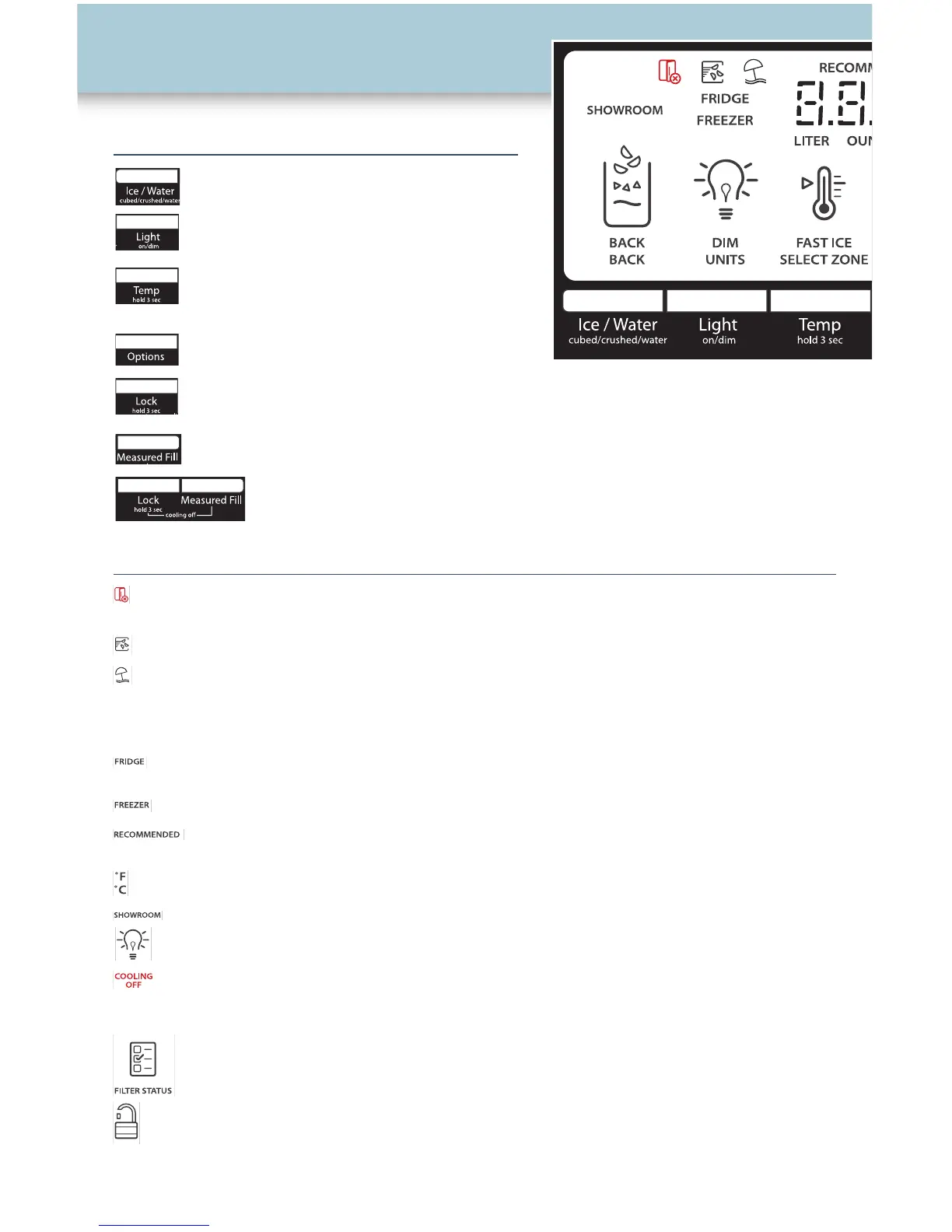
Ice/Water - To select Water, or Crushed
or Cubed Ice
Light - To adjust the dispenser light
Temp - To turn on Temp feature and
to display and adjust the temperature
Options - To select Fast Ice, Filter Status
or Vacation Mode features
Lock - To lock and unlock all function buttons and the dispensers
Measured Fill - To dispense a preselected volume of water.
Lock/Measured Fill - To turn OFF Cooling
Display Screen
Door Ajar - Indicates either a door or drawer is open. An alarm will sound when the
door has been ajar for 5 minutes or longer.
Fast Ice - Indicates Fast Ice is on. Increases ice production over a 24-hour period.
Vacation Mode - Indicates Vacaton Mode is on. The freezer will defrost less often to
conserve energy.
Temperature - Indicates the set point
• Fridge - Displays when the refrigerator compartment temperature is
displayed
• Freezer - Displays when the freezer compartment temperature is displayed
• Recommended - Displays when the freezer temperature selected is 0˚F
(-18°C) and refrigerator temperature selected is 37˚F (3°C)
• ˚C /˚F - Degrees Celsius or Fahrenheit
Showroom - Used when refrigerator is on display in a retail store
Light - Indicates the light is on and the brightness level
Cooling is Off - Indicates that cooling has been turned off
Water Filter -
• Percentage of water filter life remaining
• Order replacement water filter
• Replace water filter
Lock - Indicates the controls and dispensers are disabled



 To Next Page