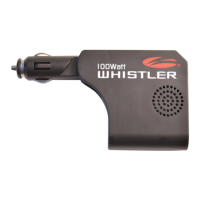
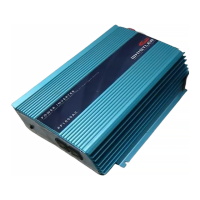
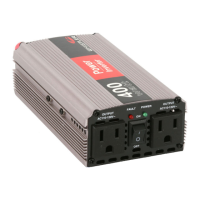
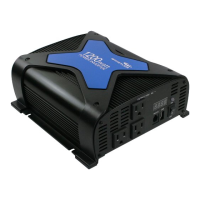
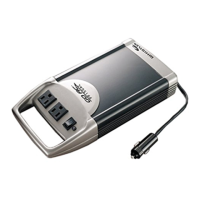
The Whistler XP200i / XP400i Power Inverter is designed to convert low-voltage direct current (DC) from a 12-volt power source into 115-volt alternating household current (AC). This allows users to operate various AC appliances and equipment from their car, boat, or RV, making it suitable for mobile offices, entertainment centers, weekend use, and as a backup power source during outages.
Function Description:
The inverter operates in two stages. First, a DC to DC converter increases the 12-volt DC input voltage to 145 volts DC. In the second stage, this high-voltage DC is converted to 115 volts (60 Hz AC) using advanced power MOSFET transistors in a full bridge configuration. The resulting output waveform is a "modified sine wave," which is similar to the power generated by utilities and is compatible with a broad range of applications.
The XP200i model provides 200 watts of continuous power, while the XP400i model offers 400 watts of continuous power. Both models are designed to handle an initial surge of power, known as "starting load" or "peak load," which is required by equipment with motors or tubes to get them up and running. Once powered up, these devices settle into a "continuous load" that requires less electrical power. The inverter is engineered to provide power output (excess current) approximately two times its rated wattage capacity for a very brief period to accommodate these startup surges. However, it is primarily designed to operate equipment and appliances with startup load wattage ratings no higher than its maximum continuous wattage rating.
Both inverters feature AC output sockets for plugging in standard household appliances. They also include USB power ports (5V 2.1A Max) for charging compatible devices, which can be powered independently of the AC inverter function. A Power On LED indicates when the inverter is receiving power and operating.
Usage Features:
To begin using the inverter, ensure the rocker switch is in the center OFF (O) position. For the XP200i, connect the hardwired 12V adapter power cord firmly into a lighter socket. For the XP400i, connect the supplied battery cables to the power input terminals at the rear of the inverter, ensuring a secure connection by tightening the screws (without tools). The black cable connects to the Negative (-) terminal on both the inverter and the 12-volt power source, and the red cable connects to the Positive (+) terminal on both the inverter and the power source. For appliances requiring over 150 watts (XP400i model), direct connection to the battery using hardwire cables is recommended to prevent damage to the power cord or cigarette lighter wiring.
Once connected, turn the inverter rocker switch to the Inv+USB (I) position. A green LED indicator light will illuminate, confirming power to the inverter. Before plugging in an appliance, ensure it is turned off. Plug the appliance into one of the AC receptacles, then turn the inverter to the Inv+USB (I) position and turn on the appliance. The USB ports can be activated independently by turning the rocker switch to the USB (II) position; in this mode, the indicator LED will not illuminate.
The inverter includes several safety features for reliable operation. An automatic shut-down feature activates if the battery input voltage drops below 10 volts or exceeds 15 volts, or if the continuous power draw exceeds the inverter's design parameters. A thermal cut-off feature automatically shuts down the unit if its internal temperature exceeds safe operating limits. Additionally, a low battery voltage alarm will sound when the input voltage drops below 11 volts, and the inverter will automatically shut down if the voltage falls below 10.5 volts to protect the battery from complete draining. In the event of an automatic shut-down or continuous alarm, the inverter should be turned OFF (O) until the problem source is identified and resolved.
When operating the inverter with the engine off, it is recommended to start the engine every hour and let it run for at least 10 minutes to recharge the battery. The device plugged into the inverter should be turned off before starting the engine. While not necessary to disconnect the inverter when starting the engine, it may momentarily cease operation as battery voltage decreases.
Maintenance Features:
To ensure proper working condition and longevity of the inverter, several maintenance precautions are advised. Keep the inverter dry and avoid exposure to moisture, as water can conduct electricity and lead to injury or death. For optimal efficiency, operate the inverter in ambient air temperatures between 50° and 80° F, avoiding placement near heating vents, radiators, or direct sunlight. Adequate ventilation is crucial; maintain several inches of clearance around the top and sides of the inverter to disperse heat generated during operation.
Avoid using the inverter near flammable materials, fumes, or gases, such as in battery compartments, where such substances may accumulate. Always ensure that the power cords do not impede the safe operation of your vehicle, keeping them clear of the steering wheel, pedals, and gear shift.
Regularly check that all input and output connections are secure, as loose connections can decrease voltage, damage wires and insulation, or generate excessive heat. The inverter is equipped with internal spade-type fuses, which should not require frequent replacement under normal use. Blown fuses typically indicate reverse polarity or a short circuit in the connected appliance. If a fuse blows, turn off and disconnect the appliance, resolve the underlying problem, and then replace the fuse. Only electronically knowledgeable individuals should attempt fuse replacement.
The inverter is not designed to operate high heat-generating appliances like coffee makers, irons, hair dryers, toasters, or heaters. When using battery chargers with the inverter, check for compatibility with modified sine wave inverters. If attempting to use a charging unit, monitor its temperature for approximately 10 minutes; if it becomes unusually warm, disconnect it immediately.
For troubleshooting, users are encouraged to visit the Whistler website's Inverter FAQ page. Common issues like electrical interference can often be resolved by adding a Ferrite data line filter to the TV power cord. For low or no output voltage, ensure a true RMS reading voltmeter is used for accurate measurement. Persistent low battery alarms may indicate input voltage below 11 volts, a poor or weak battery, or inadequate power delivery, which might require a heavier gauge wire for the XP400i model. If the red LED is on due to a high startup surge, cycle the inverter power switch OFF (O) and then Inv+USB (I) until the appliance starts. If the inverter is too hot, allow it to cool, ensure adequate ventilation, and reduce the load.
Always operate the inverter according to the instructions in this manual to prevent property damage, personal injury, or loss of life. Disconnect the inverter when not in use to avoid battery drain.


 To Next Page
 General