EasyManua.ls Logo

White 415 - Getting to Know Your Machine; Stitch Length Control; Reverse Push Button

Default Icon
48 pages
Print Icon
To Next Page IconTo Next Page
To Previous Page IconTo Previous Page
Loading...
SELECTION.OF
S11TCH:
STITCH
LENGTH
CONTROL
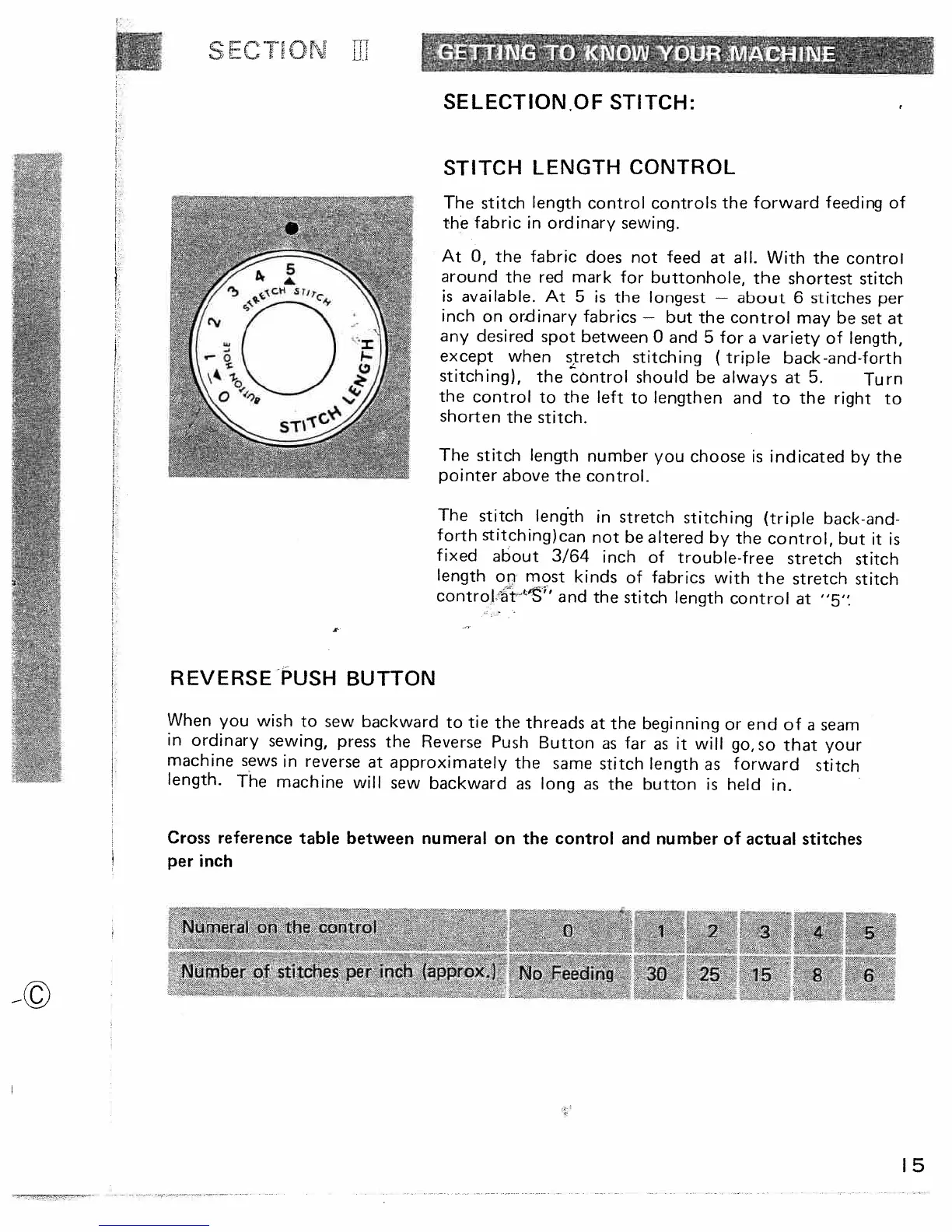
The
stitch
length
control
controls
the
forward
feeding
of
the
fabric
in
ordinary
sewing.
At
0,
the
fabric
does
not
feed
at
all.
With
the
control
around
the
red
mark
for
buttonhole,
the
shortest
stitch
is
available.
At
5
is
the
longest
about
6
stitches
per
inch
on
ordinary
fabrics
but
the
control
may
be
set
at
any
desired
spot
between
0
and
5
for
a
variety
of
length,
except
when
stretch
stitching
(
triple
back-and-forth
stitching),
the
control
should
be
always
at
5.
Turn
the
control
to
the
left
to
lengthen
and
to
the
right
to
shorten
the
stitch.
The
stitch
length
number
you
choose
is
indicated
by
the
pointer
above
the
control.
The
stitch
lenth
in
stretch
stitching
(triple
back-and-
forth
stitching)can
not
be
altered
by
the
control,
but
it
is
fixed
about
3/64
inch
of
trouble-free
stretch
stitch
length
on
most
kinds
of
fabrics
with
the
stretch
stitch
control
r
i’S”
and
the
stitch
length
control
at
“5’
When
you
wish
to
sew
backward
to
tie
the
threads
at
the
beginning
or
end
of
a
seam
in
ordinary
sewing,
press
the
Reverse
Push
Button
as
far
as
it
will
go,so
that
your
machine
sews
in
reverse
at
approximately
the
same
stitch
length
as
forward
stitch
length.
The
machine
will
sew
backward
as
long
as
the
button
is
held
in.
Cross
reference
table
between
numeral
on
the
control
and
number
of
actual
stitches
per
inch
Nimeraion
the
control
o
1
2
/
s
-.
4
/
>
Number
of
stitches
per
inch
(approx)
No
Feeding
30
25
15
8
6
REVERSE
PUSH
BUTTON
‘5

Table of Contents

Related product manuals