EasyManua.ls Logo

White 671 - Button Sewing

Default Icon
24 pages
Print Icon
To Next Page IconTo Next Page
To Previous Page IconTo Previous Page
Loading...
lever
gradually
to
the
left
toward
“5”
the
machine
will
sew
a
zigzag
seam
of
increasing
width,
depending
on
the
position
of
the
lever.
(F;g.
21)
When
sewing
buttonholes,
the
stopper
B”
will
be
found
useful,
This
stopper
serves
as
a
stop
for
the
lever
A
To
set
the
stopper
B
“,
loosen
the
stop
lock
“C
“,
move
the
stopper
to
the
desired
position,
tighten
the
stop
lock
C
Button
sewing
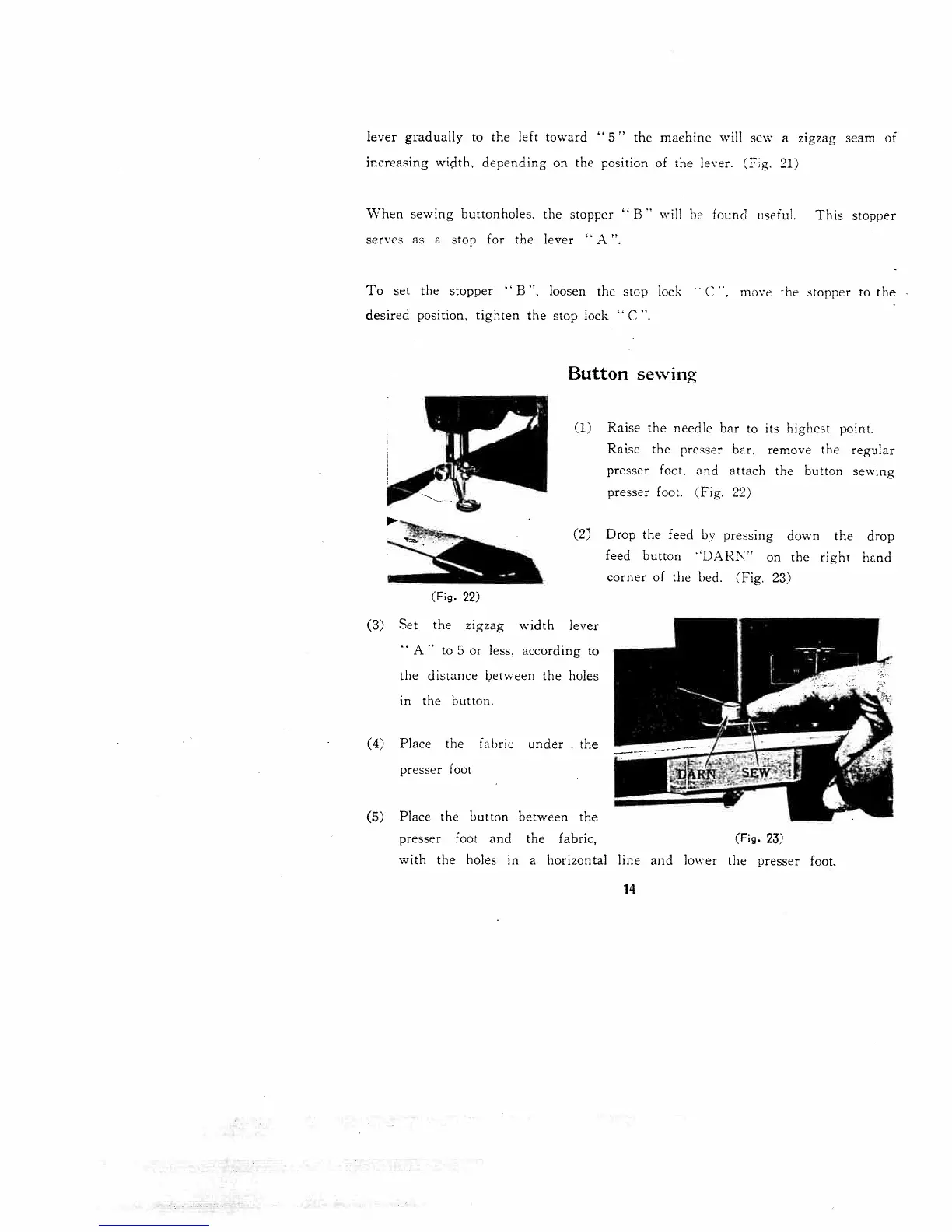
(1)
Raise
the
needle
bar
to
its
highest
point.
Raise
the
presser
bar,
remove
the
regular
presser
foot,
and
attach
the
button
sewing
presser
foot.
(Fig.
22)
(2)
Drop
the
feed
by
pressing
down
the
drop
feed
button
“DARN”
on
the
right
hand
corner
of
the
bed.
(Fig.
23)
(3)
Set
the
zigzag
width
lever
A”
to
5
or
less,
according
to
the
distance
between
the
holes
in
the
button.
(4)
Place
the
fabrw
under
-
the
presser
foot
(5)
Place
the
button
between
the
presser
foot
and
the
fabric,
with
the
holes
in
a
horizontal
line and
lower
the
presser
foot.
(Fg.
22)
(Fig.
23)
14

Related product manuals