EasyManua.ls Logo

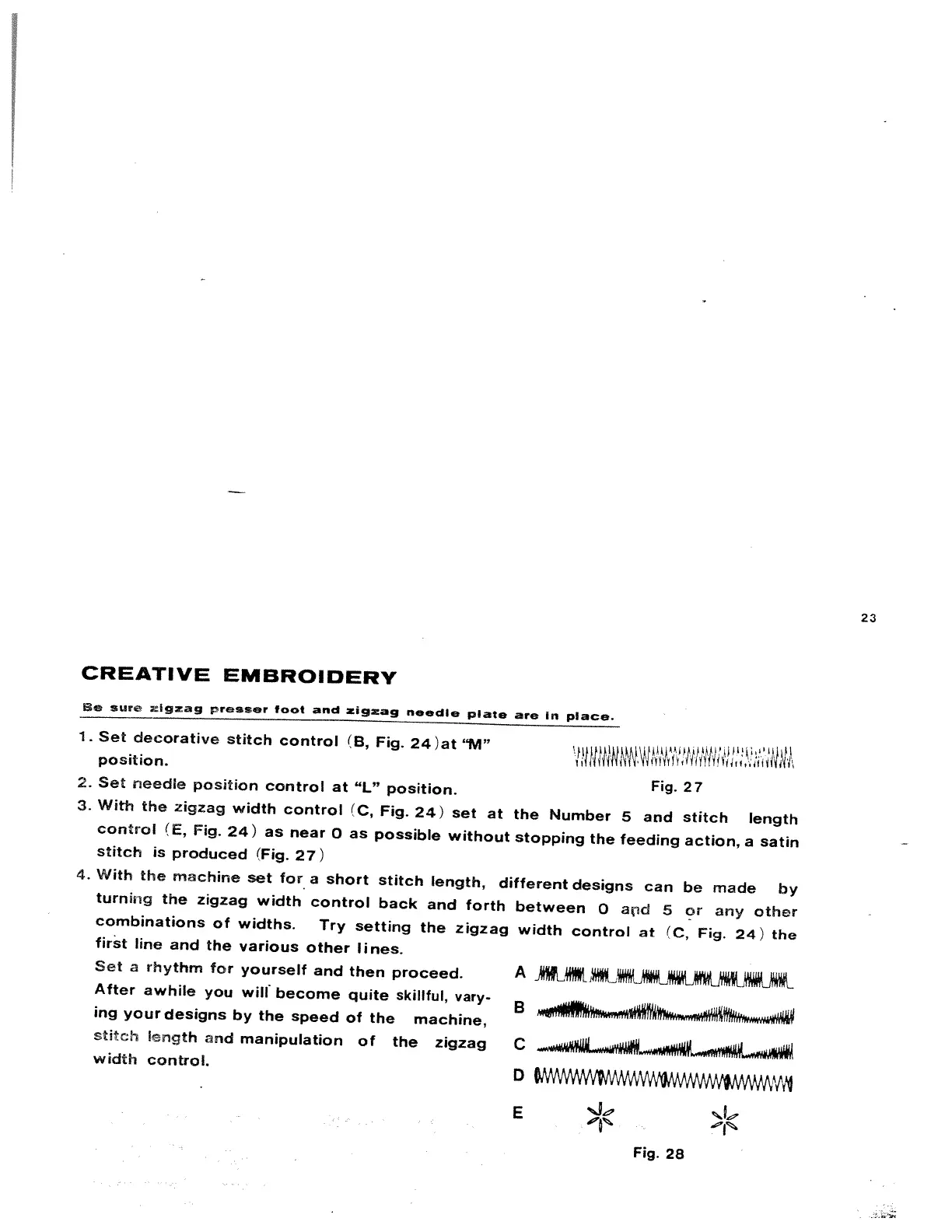
White 816 - Creative Embroidery; Satin Stitch Production

Default Icon
58 pages
Print Icon
To Next Page IconTo Next Page
To Previous Page IconTo Previous Page
Loading...
23
CREATIVE
EMBROIDERY
e
sure
zigzag
presser
foot
and
zigzag
needle
plate
are
In
place.
1
.
Set
decorative
stitch
control
(B,
Fig.
24
)
at
“M”
position.
2.
Set
needle
position
control
at
“L”
position.
Fig.
27
3.
With
the
zigzag
width
control
(C,
Fig.
24)
set
at
the
Number
5
and
stitch
length
control
(E,
Fig.
24)
as
near
0
as
possible
without
stopping
the
feeding
action,
a
satin
stitch
is
produced
(Fig.
27)
4.
With
the
machine
set
for
a
short
stitch
length,
different
designs
can
be
made
by
turning
the
zigzag
width
control
back
and
forth
between
0
aid
5
or
any
other
combinations
of
widths.
Try
setting
the
zigzag
width
control
at
(C,
Fig.
24)
the
first
line
and
the
various
other
lines.
Set
a
rhythm
for
yourself
and
then
proceed.
A
After
awhile
you
will
become
quite
skillful,
vary-
B
ing
your
designs
by
the
speed
of
the
machine,
stifth
frrigth
and
manipulation
of
the
zigzag
C
width
control.
o
wwwwyw
E
Fig.
28

Related product manuals