EasyManua.ls Logo

White S-9000AAB - Page 27

Default Icon
41 pages
Print Icon
To Next Page IconTo Next Page
To Previous Page IconTo Previous Page
Loading...
26
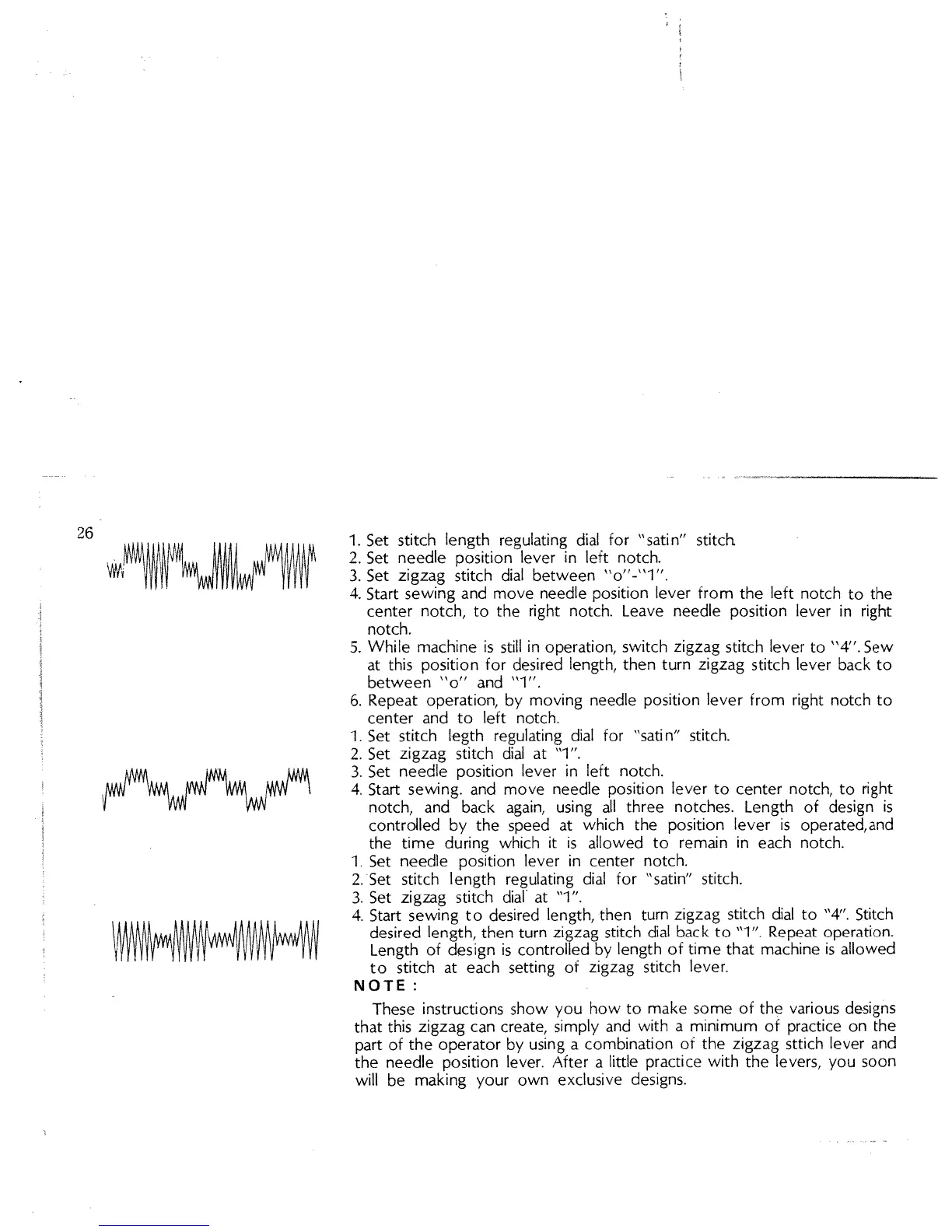
1.
Set
stitch
length
regulating
dial
for
“satin”
stitcft
2.
Set
needle
position
lever
in
left
notch.
3.
Set
zigzag
stitch
dial
between
“o”-”l”.
4.
Start
sewing
and
move
needle
position
lever from
the
left
notch
to the
center
notch,
to
the
right
notch.
Leave
needle
position
lever
in
right
notch.
5.
While
machine
is
still
in
operation,
switch
zigzag
stitch
lever to
“4”.
Sew
at
this
position
for
desired
length,
then
turn
zigzag
stitch
lever
back
to
between
“o”
and
“1”.
6.
Repeat
operation,
by
moving
needle
position
lever
from
right
notch
to
center
and
to
left
notch.
1.
Set
stitch
legth
regulating
dial
for
“satin”
stitch.
2.
Set
zigzag
stitch
dial
at
“1”.
3.
Set
needle
position
lever
in
left
notch.
4.
Start
sewing.
and
move
needle
position
lever
to
center
notch,
to
right
notch,
and
back
again,
using
all
three
notches.
Length
of
design
is
contrdled
by
the
speed
at
which
the
position
lever
is
operated,and
the
time
during
which
it
is
allowed
to
remain
in
each
notch.
1.
Set
needle
position
lever
in
center
notch.
2.Set
stitch
length
regulating
dial
for
“satin”
stitch.
3.
Set
zigzag
stitch
dial
at
“1”.
4.
Start
sewing
to
desired
length,
then
turn
zigzag
stitch
dial
to
“4”.
Stitch
desired
length,
then
turn
zigzag
stitch
dial
back
to
“1”.
Repeat
operation.
Length
of
design
is
controlled
by
length
of
time
that
machine
is
allowed
to
stitch
at
each
setting
of
zigzag
stitch
lever.
NOTE:
These
instructions
show
you
how
to
make
some
of
the
various
designs
that
this
zigzag
can
create,
simply
and
with
a
minimum
of
practice
on
the
part
of
the
operator
by
using
a
combination
of
the
zigzag
sttich
lever
and
the
needle
position
lever.
After
a
little
practice
with
the
levers,
you
soon
will
be
making
your
own
exclusive
designs.