EasyManua.ls Logo

White SM2000 - Page 32

White SM2000
64 pages
Print Icon
To Next Page IconTo Next Page
To Previous Page IconTo Previous Page
Loading...
Page
23
;4L.
lIFl
Section
4
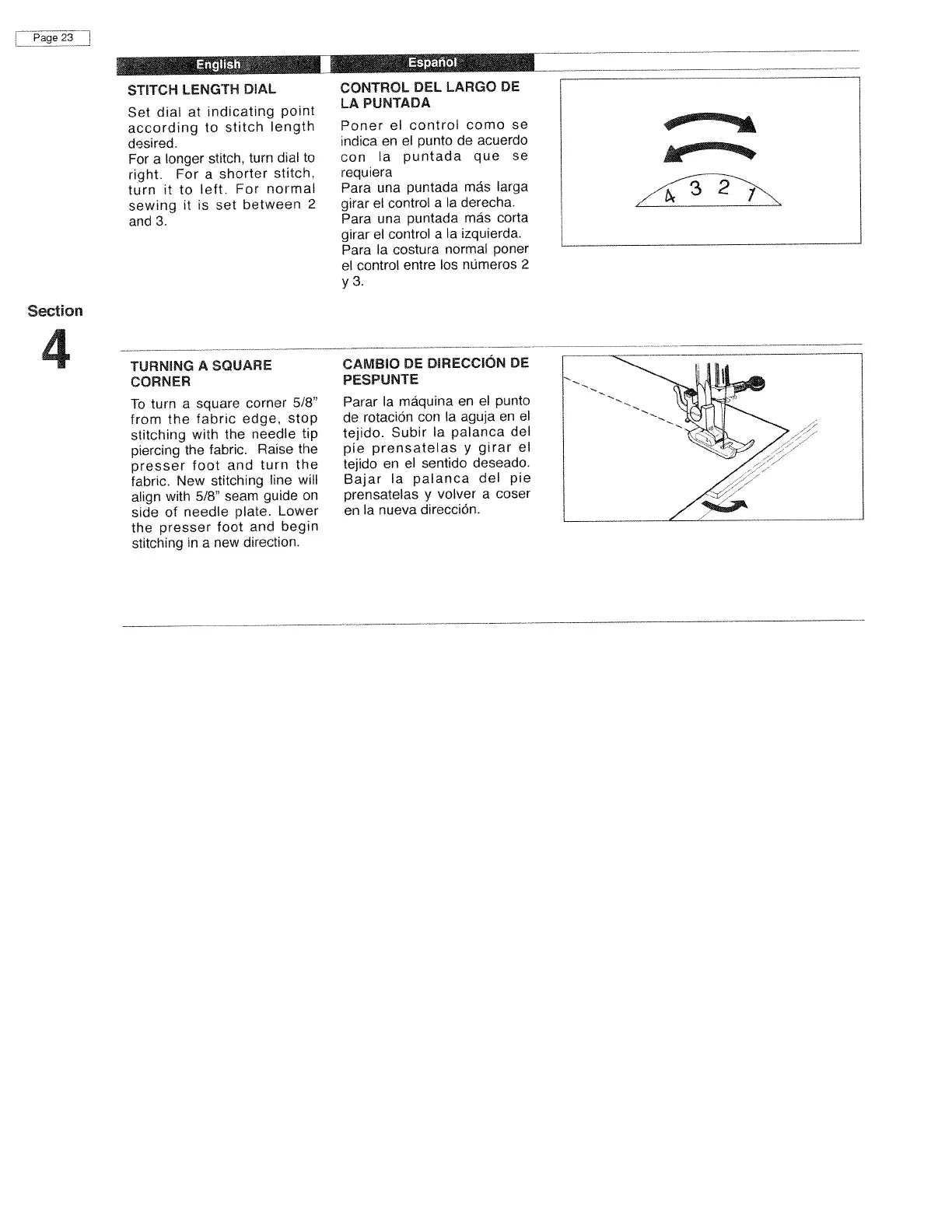
STITCH
LENGTH
DIAL
Set
dial
at
indicating
point
according
to
stitch
length
desired.
For
a
longer
stitch.
turn
dial
to
right.
For
a
shorter
stitch.
turn
it
to
left.
For
normal
sewing
it
is
set
between
2
and
3.
TURNING
A
SQUARE
CORNER
To
turn
a
square
corner
5/8”
from
the
fabric
edge,
stop
stitching
with
the
needle
tip
piercing
the
fabric.
Raise
the
presser
foot
and
turn
the
fabric.
New
stitching
line
will
align
with
5/8”
seam
guide
on
side
of
needle
plate.
Lower
the
presser
foot
and
begin
stitching
in
a
new
direction.
CONTROL
DEL
LARGO
DE
LA
PUNTADA
Poner
el
control
como
se
indica
en
el
punto
de
acuerdo
con
a
puntada
que
se
requiera
Para
una
puntada
más
larga
girar
el
control
a
Ia
derecha.
Para
una
puntada
mäs
corta
girar
el
control
a
Ia
izquierda.
Para
Ia
costura
normal
poner
el
control
entre
los
nümeros
2
y
3.
CAMBIO
DE
DIRECCION
DE
PESPUNTE
Parar
Ia
máquina
en
el
punto
de
rotaciOn
con
Ia
aguja
en
el
tejido.
Subir
Ia
palanca
del
pie
prensatelas
y
girar
el
tejido
en
el
sentido
deseado.
Bajar
Ia
palanca
del
pie
prensatelas
y
volver
a
coser
en
Ia
nueva
direcciOn.

Related product manuals