EasyManua.ls Logo

Wi-Tek WI-CPE511-Kit - User Manual

Default Icon
17 pages
Print Icon
To Next Page IconTo Next Page
Loading...
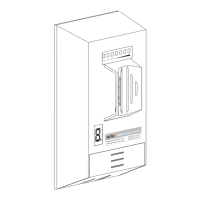
LED Display Wireless Transmitter for CCTV
2.4Ghz5Ghz300MbpsMIMOIP65
M
o
del
:
W
I-C
PE
5
11K
I
T P
OE
:
24V
=
0.
5
A
www.
wi
re
l
e
ss
-t
ek .c
om M
ade i n Chi
na
300Mbps
Wireless
T
ransmitter
Question and Answer IconNeed help?

Do you have a question about the Wi-Tek WI-CPE511-Kit and is the answer not in the manual?

Summary

Hardware Overview

Device Status Indicators

Control Elements Description

Hardware Connection Diagram

POE Adapter and Device Linking

Illustrates the connection setup using the POE adapter to the wireless bridge and network.

Point-to-Point (PTP) Setup

Configuring AP and CPE Modes for PTP

Instructions for setting one bridge to AP mode and another to CPE mode for PTP connection.

Point-to-Multipoint (PTMP) Setup

Hardware Installation - Mounting

Mounting Bracket and Pole Installation

Steps for attaching the bracket, mounting the device on a pole, and tightening.

Hardware Installation - Cabling

Software Settings - Device Discovery

Device Discovery and IP Configuration

Scan for device IP using Discovery Tool and configure host static IP address.

Software Settings - Interface Access

Web Browser Access and Login

Access the device via web browser and log in with default credentials.

Software Settings - Network Configuration

Software Settings - Wireless Configuration

Wi-Tek WI-CPE511-Kit Specifications

General IconGeneral
Wireless StandardsIEEE 802.11a/n
Ethernet Ports1 x 10/100Mbps
Wireless SecurityWPA-PSK/WPA2-PSK
Storage Temperature-40°C to 85°C
Data RateUp to 150Mbps
Operating Voltage12VDC
Power Supply12V DC, 1A
ModulationDSSS, OFDM
Operating Temperature-30°C to 70°C

Related product manuals