- 4 -
World Innovative Display Engineering
806-3, Yangcheng-ri, Ochang-myun,
Cheongwon-gun, Chungbuk, Korea
Tel : +82-43-219-2800, Fax: +82-43-219-2837
V05-O-24
M-Series with Matrox/Other Graphics Adaptor
Video Adaptor - Please install video adaptor and its drivers.
- For the installation details, please refer to the installation guide
provided by the hardware manufacturers.
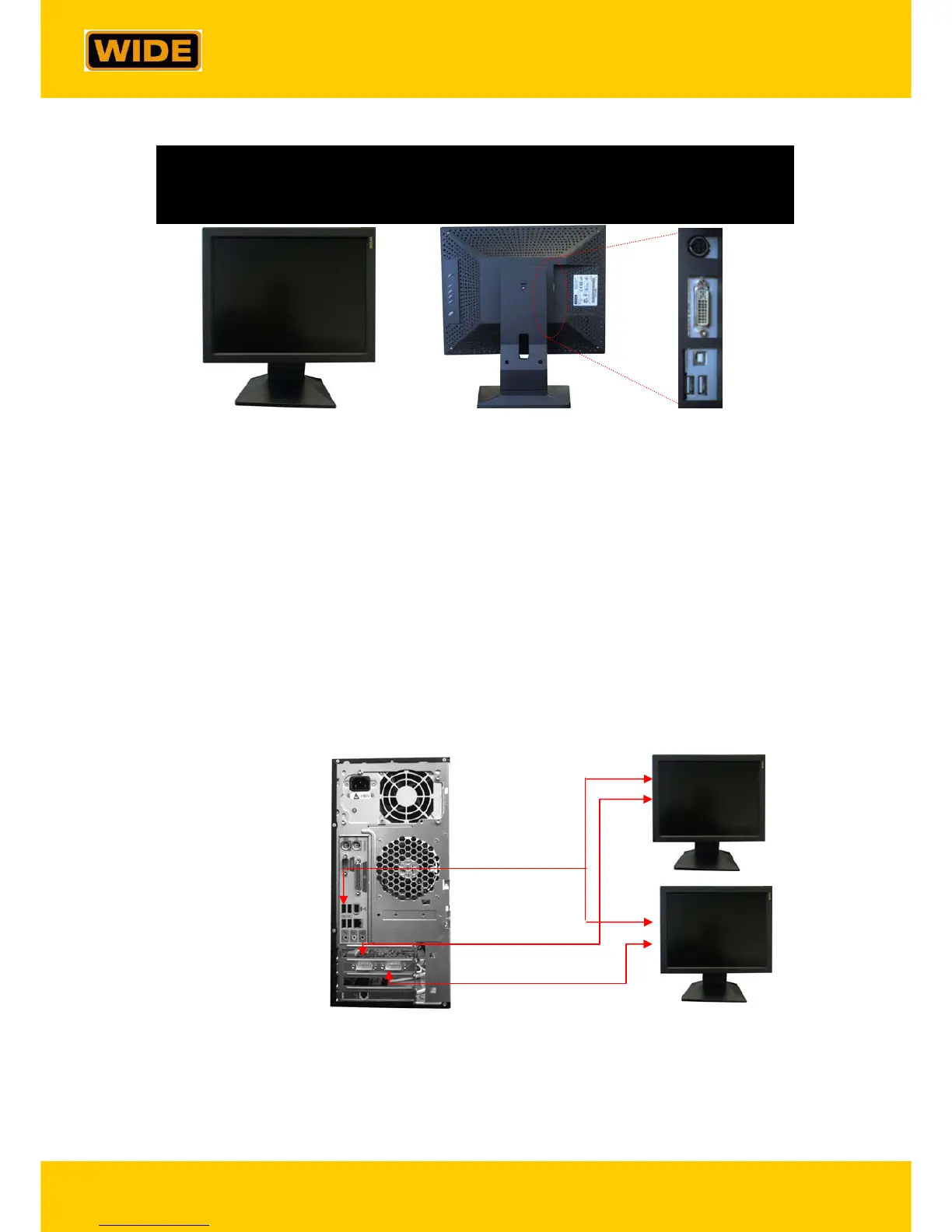
Connecting Cables - Please make all cable connections in Landscape mode. Connectors
are located on the side of the monitor. Please refer to the figure
above.
- Please connect power cable to the power adaptor connector.
- Please connect video cables to DVI-1 for Display 1 and DVI-2 for
Display 2.
※
For a single Display configuration, please use DVI-1.
Power
DVI-D
USB Up
USB Down
Display 1
Display 2
DVI-D 1
DVI-D 2
USB



 To Next Page