WB W I D E B A N D D 2 A F R C O N T R O L L E R
G A U G E
WB WIDEBAND 2020 – www.WIDE-BAND.com -
F A C E P L A T E / B E Z E L A S S E M B L Y A N D D I S A S S E M B LY
The O2 sensor should be exposed to free air for the first time calibration if needed.
Hold the button back of D2, and you will see display unit counting from 1 to 6.
Hold the button until you see 6 and release it to complete the calibration. This should
take less than 60 seconds.
Once it calibrated, the display reads 19.0 at gasoline settings. You can now connect the
O2 sensor onto the exhaust pipe.
For the factory settings, disconnect power, hold the switch while turning the power
on and wait for 3 blinks. You should re-calibrate after this action.
Faceplate / Bezel Assembly and Disassembly
The default gauge comes with a black faceplate and black bezel. There is a white
faceplate available as an accessory or an option. When you want to use D2 with
different fuel types or lambda scales, you can replace the faceplate accordingly to
lambda, diesel, E85, etc.
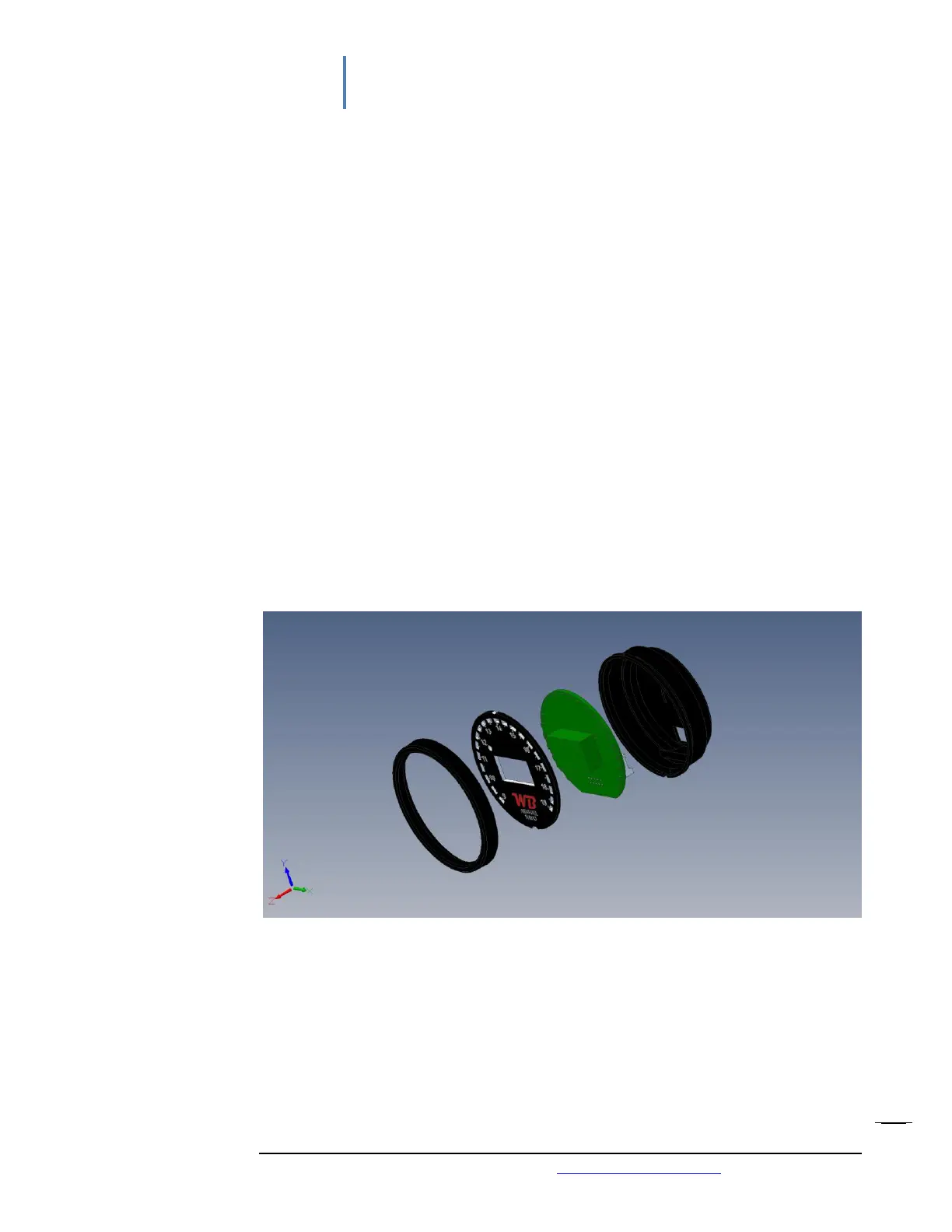
Disassemble is so easy since there are only four parts involves, as seen in the picture
below. They are a bezel, faceplate, PCB electronic board, and a case. No screws, no
buttons, or brackets are involved.
Just pop the bezel out first. Either push the faceplate out from the connector at the
back or pull it out from the front side via tweezers or small screwdriver. Take the PCB
board out when you need to replace it with a new one.


 To Next Page