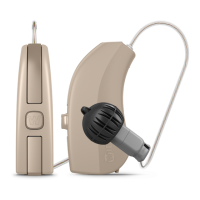
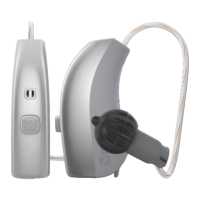
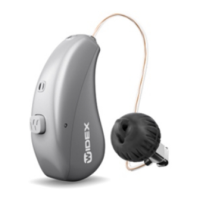
As a dedicated program button:
To change programs, just tap the button. To access and exit SmartToggle
programs, push and hold the push button down for more than one second
(this setting is optional). Once you have accessed the SmartToggle pro-
gram, you can change among the different Zen styles selected for you by
short taps on the button.
As a dedicated sound adjustment button:
Tap the button on your right hearing aid if you’d like more audibility and
more volume. If you need to decrease the volume or you’d like more com-
fort, tap the button on your left hearing aid.
A long push on either of your hearing aids will mute and unmute the sound
(this setting is optional).
As a combined program and sound adjustment button:
If you have this option, tap the button on your right hearing aid if you’d like
more audibility and more volume. If you need to decrease the volume or if
you’d like more comfort, just tap the button on your left hearing aid. A long
push on either of your hearing aids will change programs.
If you only have one hearing aid, a short tap will change programs and a
long tap will allow you to access the SmartToggle programs.
NOTE
You can also use your App for changing programs and adjusting the sound in
your hearing aids.
16


 To Next Page