Version 1.0
6 FAQ
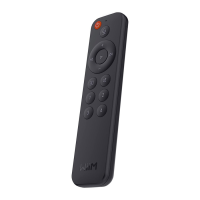
If you experience problems with the remote streamer, try these solutions first:
● What can I do if I cannot find remote from the App?
o Ensure your remote is powered with two “AAA” batteries. There’s no battery in the
new remote.
o Restart the remote by unplugging the batteries and insert these again.
o Press and hold the “Source” and “Mute” buttons at the same time for two seconds.
o Go to the WiiM Home App, select the Device tab > Tap the device setting gear
icon > Remote to add it again.
● What can I do if my device doesn’t take the voice command?
o Please make sure other buttons in your remote work.
o Please move closer to your paired WiiM Mini or WiiM Pro device.
o Please try some short commands to see if it works.
● Besides Alexa, does it support Siri or Google voice assistant?
o No, the remote only supports Amazon Alexa voice assistant.
SUPPORT
If you are unable to resolve your issue, please send us a ticket through the app or send us
an email about the issue you’re experiencing.
WiiM Home App: Settings > Feedback, Settings > FAQ
Website: wiimhome.com/support
Email: support@wiimhome.com
Product User Guides: wiimhome.com/support
RESETTING WIIM VOICE REMOTE
Press and hold “Source” and “Mute” buttons at the same time for two seconds. It’ll erase
all paired history.


 To Next Page