6 7
GETTInG STARTED
CHARGING YOUR TABLET
WARNING: The battery comes partially charged. You must
completely charge the battery before using your tablet for
the first time. After the first charge you may use your device
while charging.
CAUTION: When charging your tablet, make sure to use
only the charger that came with your tablet.
1. Plug the micro-USB to USB cable into the
power adapter.
2. Plug the other end of the micro-USB to
USB cable into the micro-USB port at the
bottom of your tablet.
3. Plug the charger into an electrical outlet to
start charging the battery.
LED INDICATOR
The LED Indicator located on the front side
of your tablet will notify you of the status of
your tablet’s battery.
LED STATE BATTERY LEVEL (%)
GREEN
(when connected to charger)
approx. 100%
RED
(when connected to charger)
0% to under 100%
INSTALLING A MEMORY CARD
Your tablet includes an expandable microSD
card slot that allows you to add extra storage.
To insert a Memory Card:
1. Open the memory card slot cover.
2. Insert the memory card into the memory
card slot. Press the memory card in until it
is fully inserted.
3. Close the memory card slot cover.
If you need to remove the SD card:
1. Open the memory card slot cover.
2. Gently press the SD card in and then
release. The card will pop out of the slot.
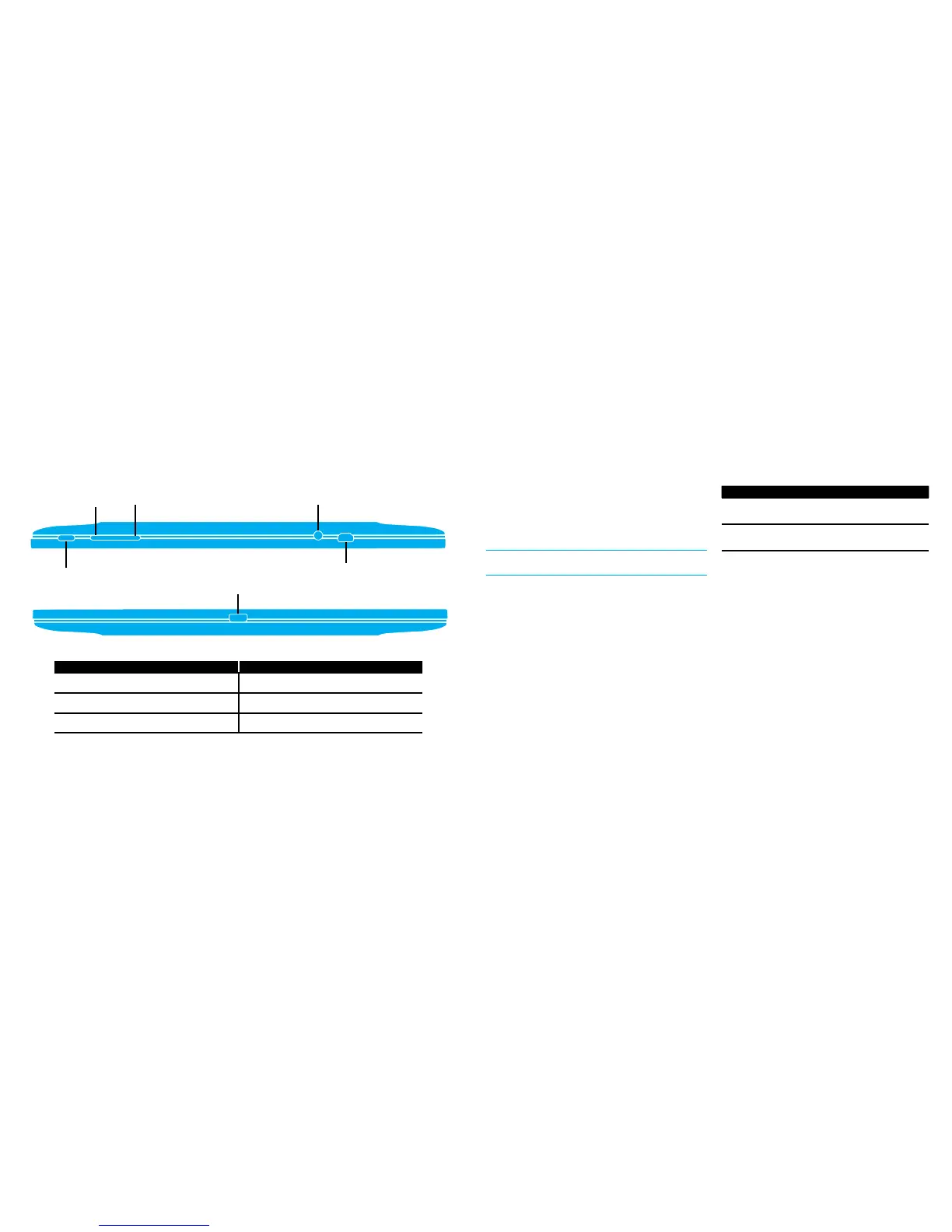
SIDE vIEWS
# FEATURE
1 POWER BUTTON
2 VOLUME DOWN
3 VOLUME UP
TOP SIDE
BOTTOM SIDE
1
2
3
4
5
6
# FEATURE
4 3.5MM HEADPHONE/MIC JACK
5 HDMI OUTPUT
6 MICROUSB CHARGING PORT


 To Next Page