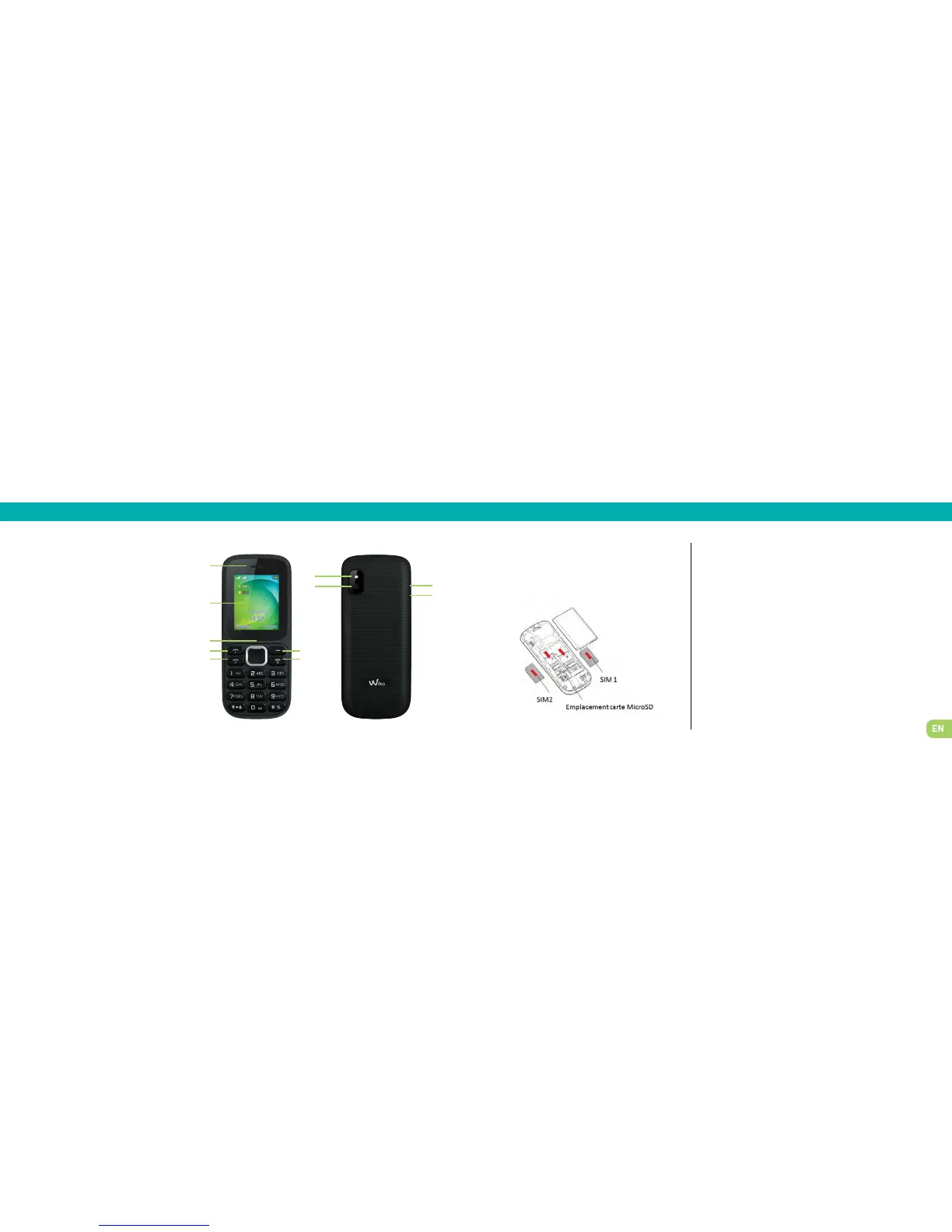
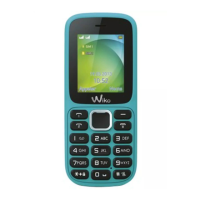
Receiver
LCD screen
Centre selection key and naviga-
tion keys (upper key : torch)
SIM 1 call
SIM 2 call
Back button
Call end/On-Off
LED torch
Camera lens
USB connector
3.5 mm jack
1. Getting to know your phone
1
2
3
4
5
6
7
8
9
10
11
1
2
3
4
5
6
7
8
10
9
11
2. Setting up
Installing the SIM card Charging your phone
To remove the battery cover, press down and push
upwards. Insert the SIM cards as shown in the fol-
lowing diagram.
Your phone is powered by a rechargeable battery.
To attain maximum performance, a new battery needs to be fully
charged and discharged three times. Once the battery is fully char-
ged, disconnect the charger.
When the charger is connected, a flashing cylindrical icon indi-
cates the battery level. When the icon stops flashing, your battery
is fully charged. The battery may heat up when charging.
Note : Only use manufacturer-approved phone batteries, chargers
and accessories; the use of other accessories may damage your
phone!


 To Next Page