25
Google Photos
Using the Google Photos app, you can view photos and watch videos that you’ve taken,
downloaded, or copied onto your storage card or phone memory. For pictures that are
on your storage card or phone memory, you can do basic editing such as rotating and
cropping.
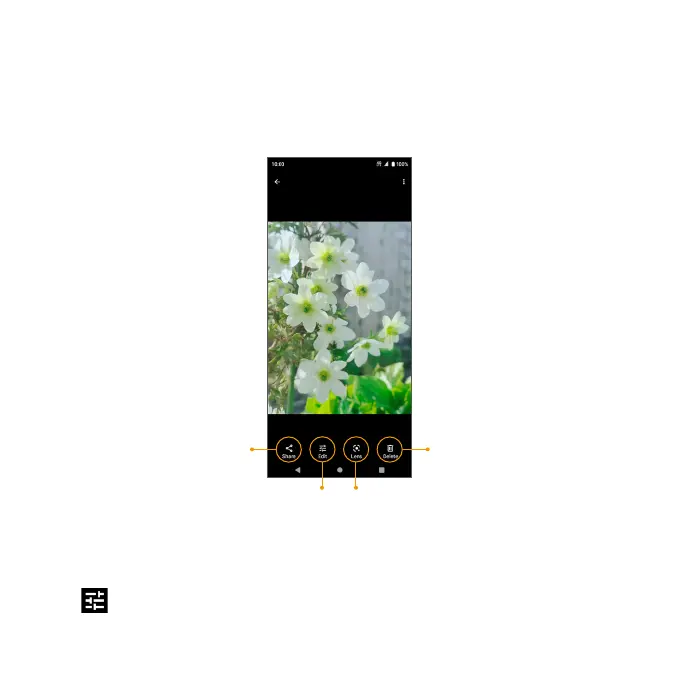
Share photo
Delete photo
Search using Google Lens
Edit photo
Edit photos
1. From the Home screen, swipe up to access Apps and tap Google Photos.
2. Tap the picture you want to edit.
3. Tap
to access the Edit screen.
4. When nished, tap Save copy to save a copy of your photo.


 To Next Page