11
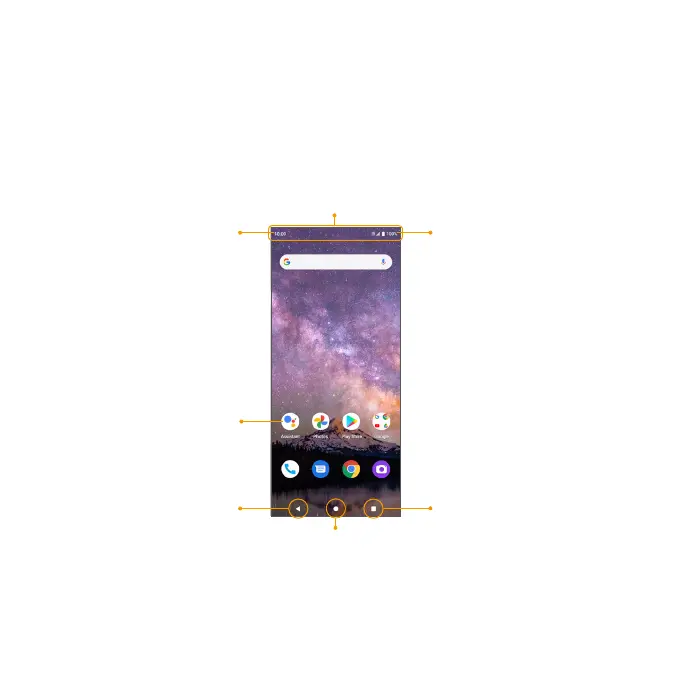
Home screen
The Home screen is the staing point for your phone’s applications, functions, and
menus. You can customize your Home screen by adding application icons, shocuts,
folders, and more.
Your Home screen extends beyond the initial screen. To add a new Home screen, drag an
app icon to the right edge of the main screen and release the icon.
Status area
App icons
Notication area
Home buon
Back buon Recent Apps buon
Status bar
App list
All installed apps can be accessed and launched from the Apps list. From the Home
screen, swipe up to access the Apps list.


 To Next Page