5 February, 2024 2 Rev. A-14
ATTACH/DETACH - ATTACH/DETACH THE G24 MOUNT
TO/FROM THE WILCOX FAMILY OF SHROUDS
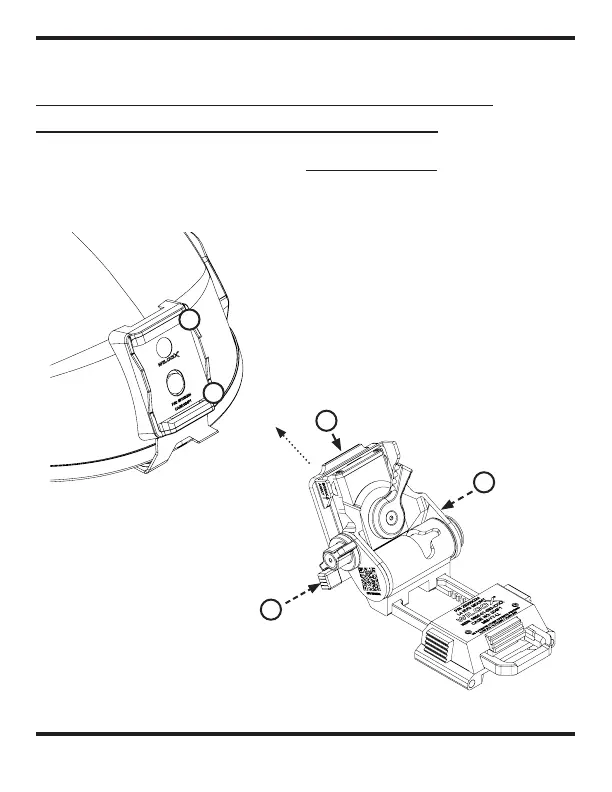
ATTACH MOUNT
Push (1) to allow the release
mechanism to accept the
mount into the shroud.
Position the mount on an angle
to insert the interface lip (2)
into the interface receiver (3).
1
5
2
WILCOX
ONE-HOLE SHROUD
DEPICTED
3
4
CONFIGURATION



 To Next Page