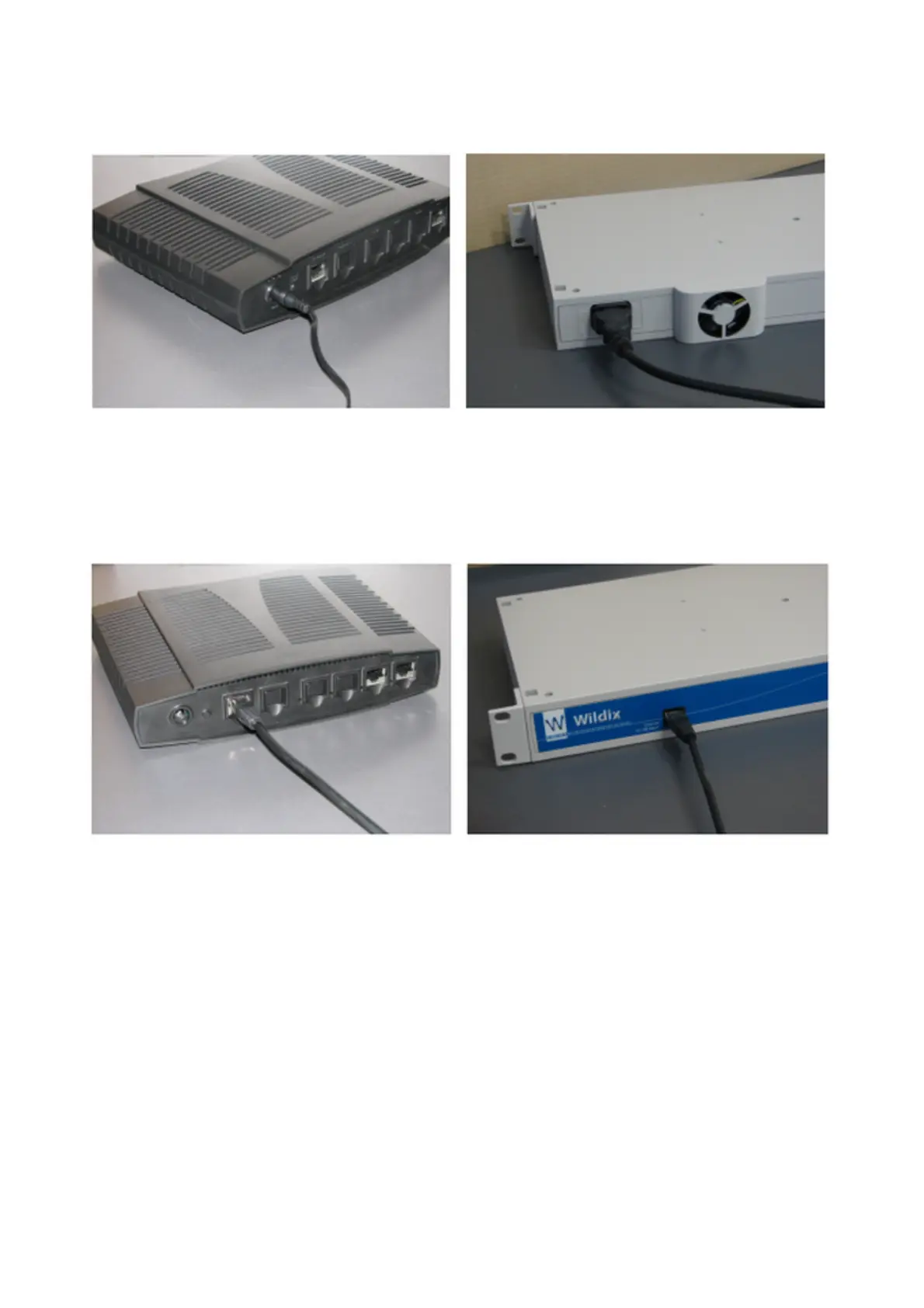
1. Connection to power supply
Connect the gateway using the power supply (for W04FXS) or the cable provided, as it is
shown on the picture.
2. Connection to Ethernet
The ports for connecting to the Ethernet are situated on the rear panel of W04FXS and on
the front panel of other models, find the port marked as Ethernet 10/100 BaseT, used as a
WAN port and configured in DHCP client mode.
Connect the cable as it is shown on the picture.
•
the gateway should be connected via Ethernet cable to the same network as the PBX or an
external DHCP server (for instance its Router)
•
as soon as the DHCP server assigns an IP address to the gateway, you can pass to the next
step of the gateway configuration
•
In case the PBX is used as a DHCP server, the gateway is detected on the network
automatically
•
In case an external DHCP server is used, check the list of the active leases to detect the IP
address assigned to the gateway
W04FXS-W08FXS-W16FXS-W24FXS Quick Installation Guide 3


 To Next Page