Use
3
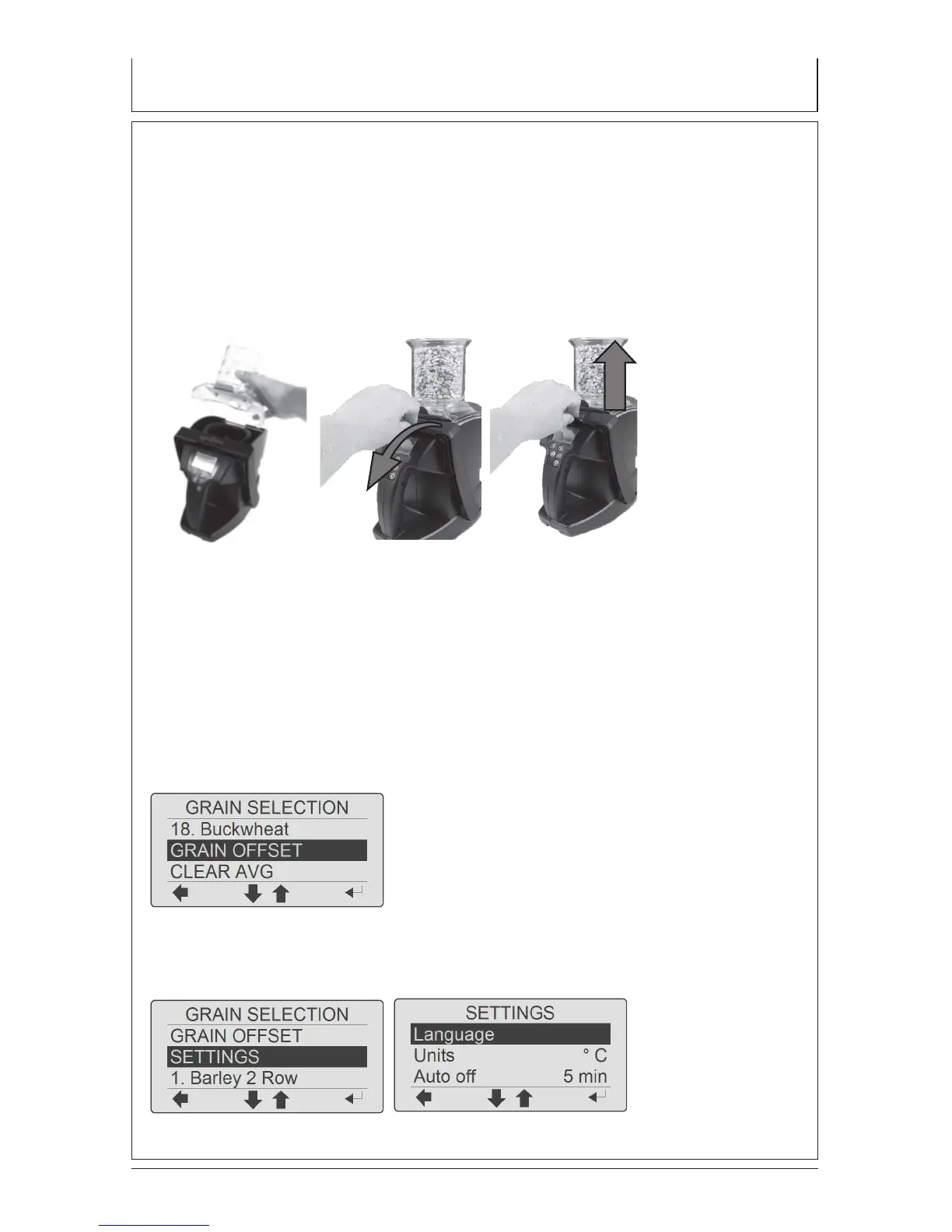
3. Ensure hopper slider is pushed in to keep grain from dropping. Fill hopper
to the rim with sample.
4. Pull slider and the grain will evenly ow into the test cell.
5. Remove hopper when prompted. Level the grain by pushing the handle in
steady motion towards the back of the unit and back removing excess grain.
6. When the handle is back to starting position, the meter will automatically
start measuring. Results will appear on the screen within seconds.
FUNCTIONS AND SETTINGS
Settings and functions can be browsed and modied at the settings menu
GRAIN OFFSET
Each grain can be individually adjusted by 10.0% in increments of 0.1% to match
the results of an elevator tester
LANGUAGE
Select preferred language


 To Next Page