4
Use
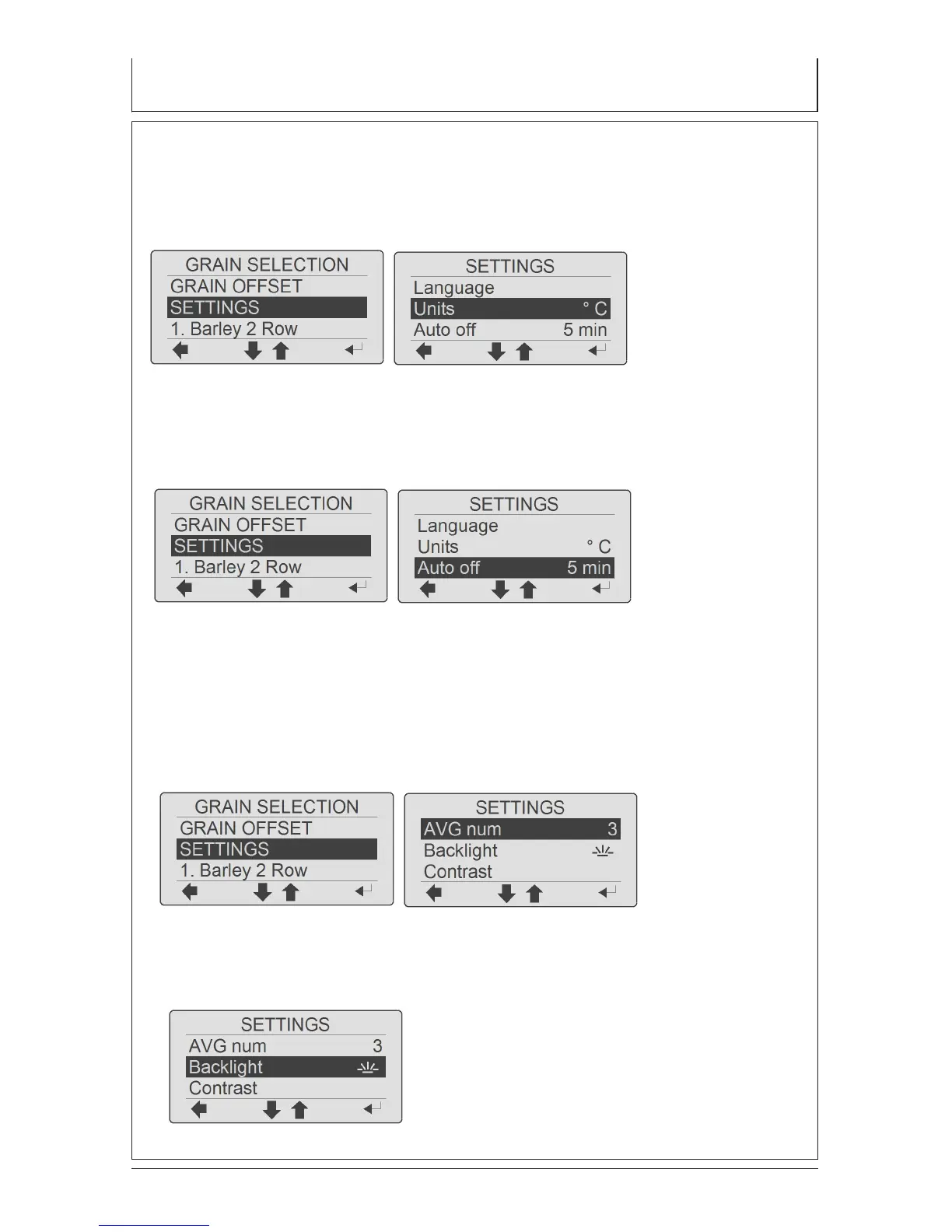
UNIT
Select preferred weight (kg/hl or lb/Bu) and temperature units (Celsius or Fahr-
enheit). When the temperature units are changed from Fahrenheit to Celsius the
test weight units are also changed
AUTO OFF
The meter will turn off automatically after a selected time (30s, 1min,
5min, 10min, 20min)
AVERAGE CALCULATION
The meter automatically calculates the average of the previous measure-
ments. In settings menu you can adjust the number of results (3, 6 or 9
measurements) for the average calculation. The average can also be
reset.
BACKLIGHT ON/OFF
To extend battery life you can turn display backlight off.


 To Next Page