Swift 2 X User Manual | English
11
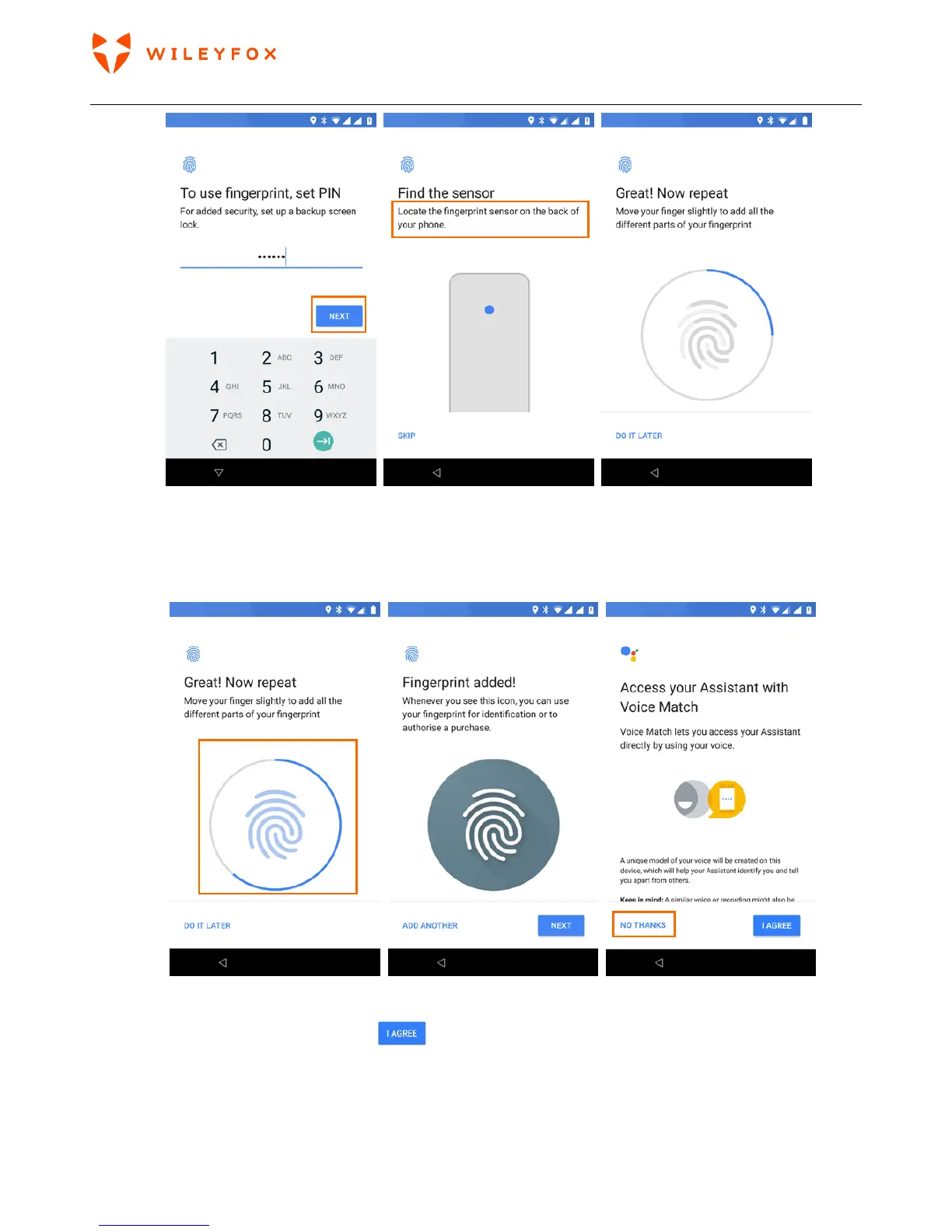
Please make sure you repeatedly place your finger on the fingerprint scanner on the back and do not stop until the Blue
outlined circle is full. When all is done you will see the message ‘Fingerprint Added!’ and will have the option to set voice
recognition services.
You can skip that option and set it later if you’d like to.
If you decide to go forward, please tap
and follow the instructions on the screen. (see images
below)


 To Next Page