Swift 2 X User Manual | English
54
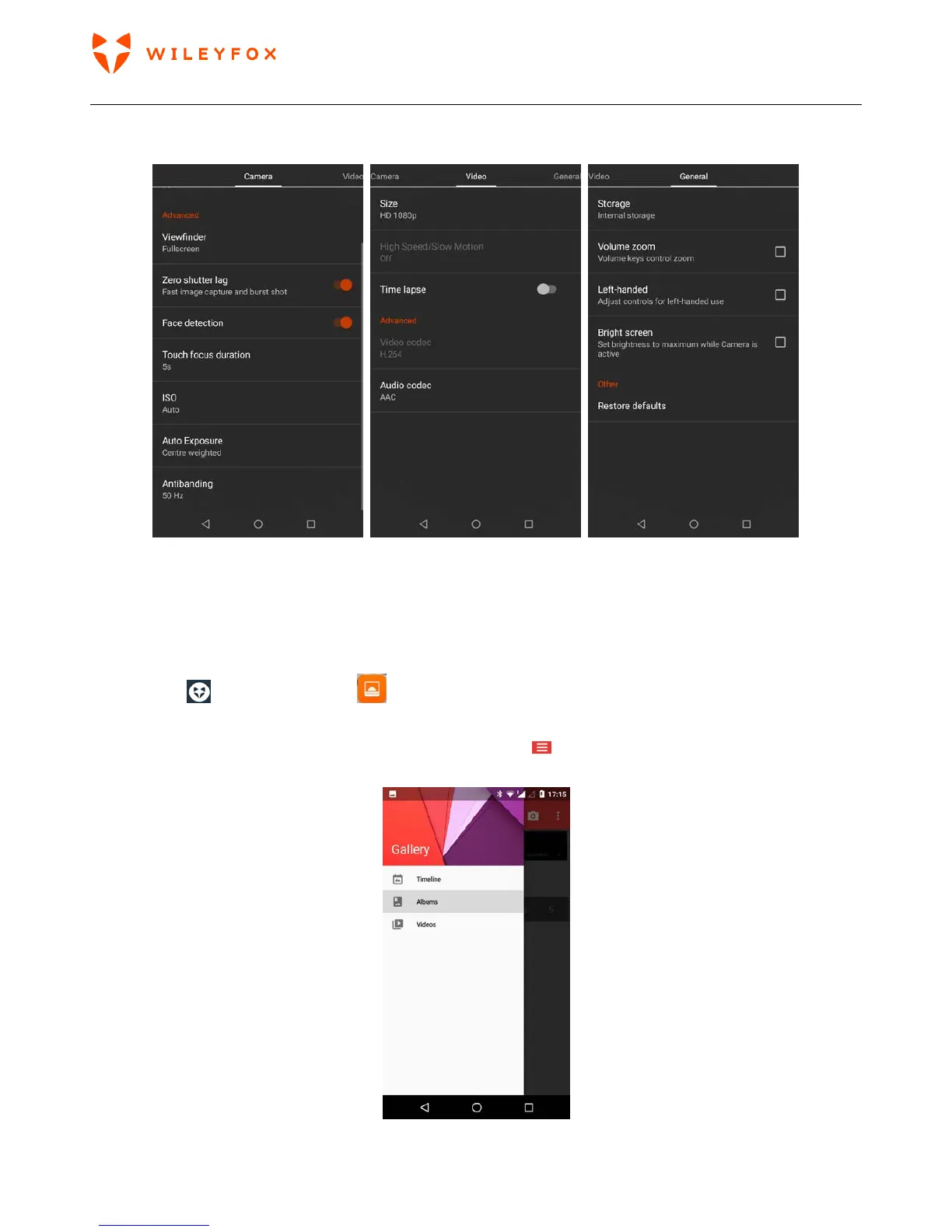
4. Camera Settings – These are advanced settings divided in three; Camera, Video, General. Please
scroll up and down to access all options.
7.5 Photos/Gallery
The Gallery App gives you instant access to all the photos on your phone.
To open Photos from the:
• Camera app. Click on the image on the bottom right of the screen.
• Apps Tray . Touch Gallery app .
The Gallery app makes it easy to back up your photos and videos, organize them, and share.
You can access the Gallery views by touching the Menu icon
and select how to preview your
photos/videos.



 To Next Page