Swift 2 X User Manual | English
22
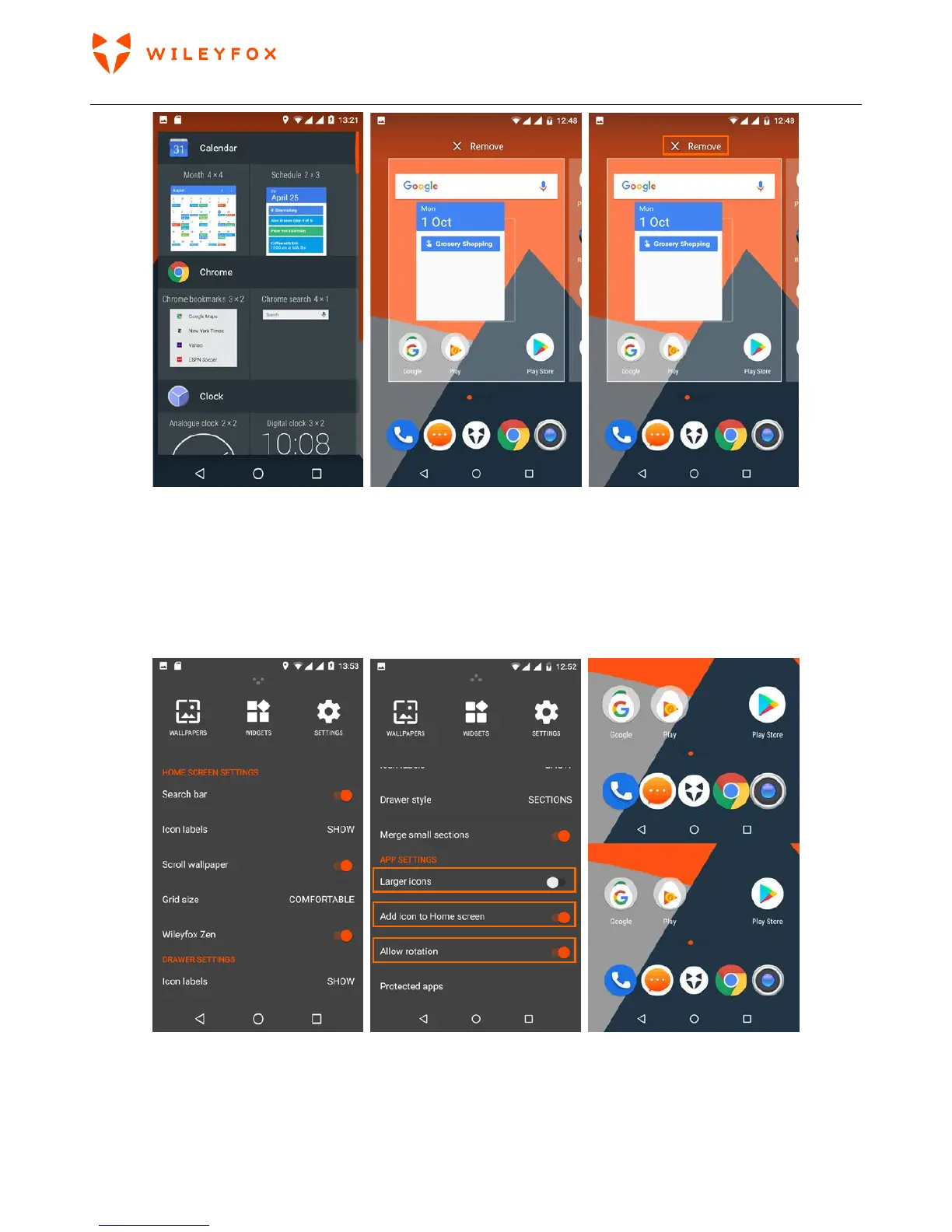
Settings – There 3 general sections; Home screen settings, Drawer settings and App settings. You can modify and
personalize your home screen from here. Note: You can make the Icons on your home screen larger
by turning On
the Larger icons option. Or allow your Home Screen to rotate from a Portrait to a landscape view. (see
images below)
Landscape and Portrait view - below. Please note that screen rotation option is for your home screen only
and does not affect the screen rotation capabilities when you have an App opened.


 To Next Page