Swift 2 X User Manual | English
42
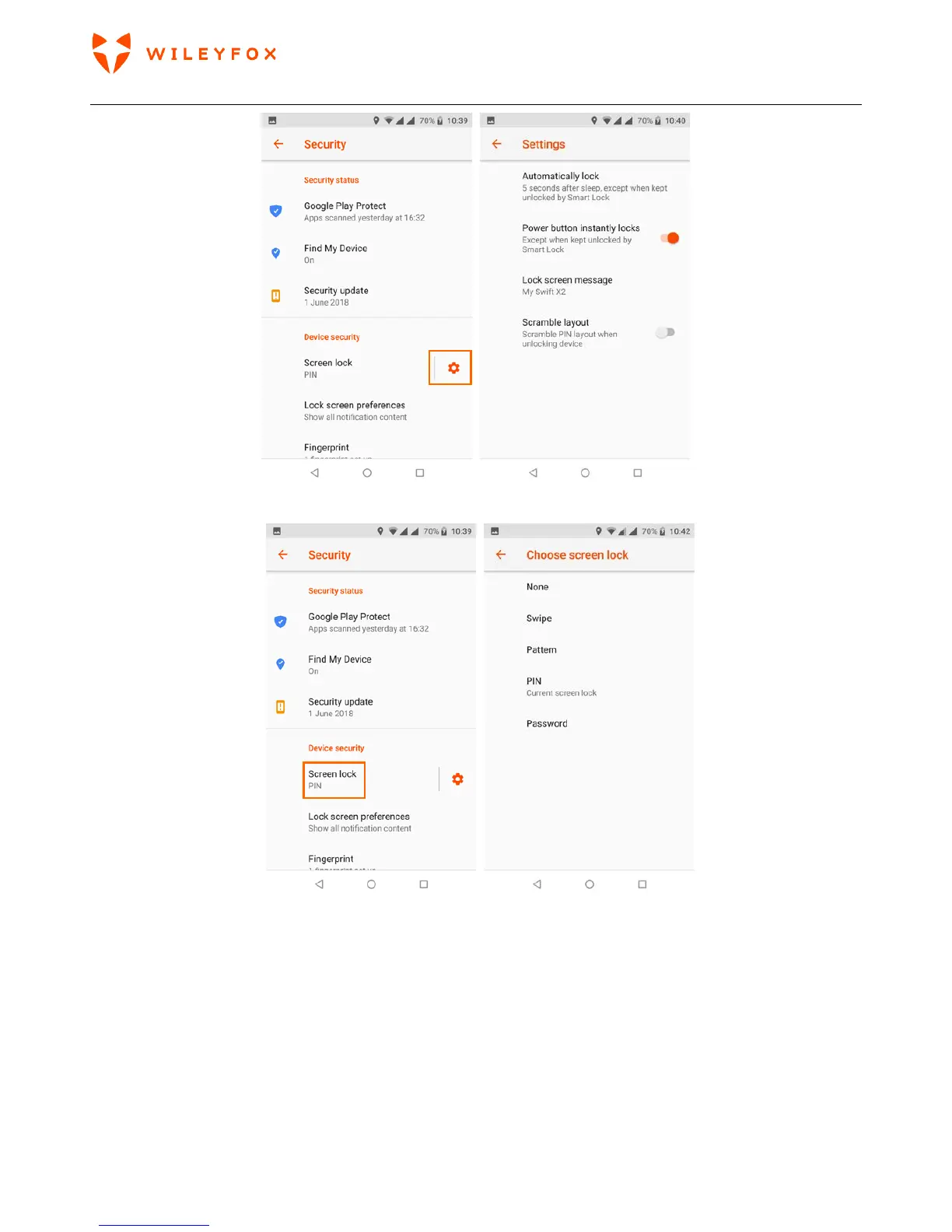
b) you can select the type of lock you prefer and follow the instructions on the screen.
Even when your screen is locked, you can still perform certain activities.
• Quick Settings: Swipe down from the top of the screen to see Quick Settings.
• Camera: Swipe from right to left on your screen or swipe away from the camera icon in the bottom right
corner to open the Camera.


 To Next Page