Swift 2 X User Manual | English
57
As you edit events, they’re synced automatically across all the places you need them.
To change the Calendar view, touch the menu and choose Schedule, Day, Week, or Month.
To read or edit event details, touch the event from any Calendar view.
When a notification of the event arrives just before the meeting starts, swipe down the notification shade.
Then swipe using one finger to expand the notification if necessary.
To add new event please tap the Create new icon
and follow the instructions. You can choose
between Goal, Reminder or Event.
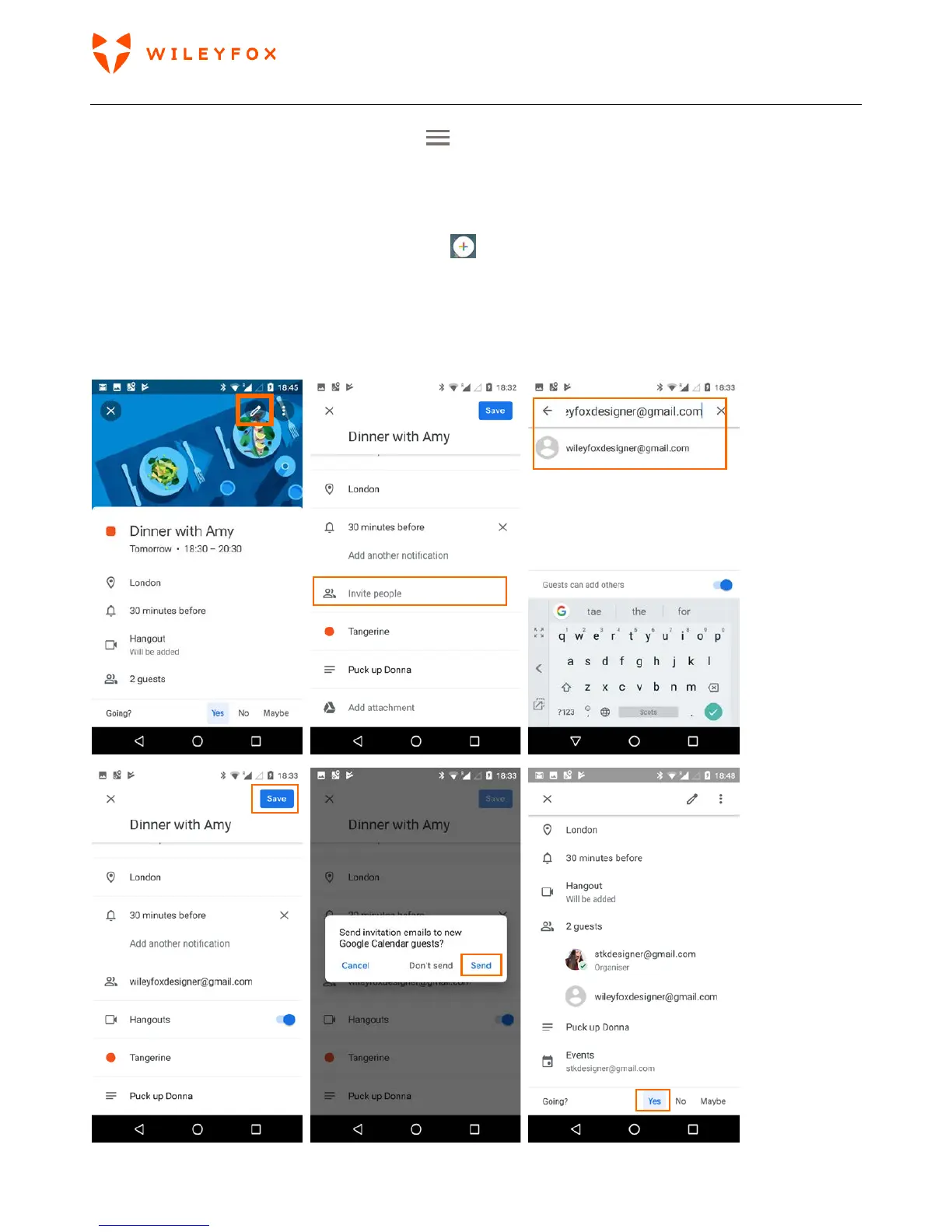
You can send an email out to invite people either when you create an event or later you can edit the event
and add people. Open an existing Event and tap Edit and follow the instructions below. Don’t forget to
confirm your attendance too. (see images below)


 To Next Page