OPERATION INSTRUCTIONS(continued)
MICROWAVE COOKING
1. Press Time Cook pad.
2. Press number pad to enter desired cooking time. The maximum number can be entered is 99 minutes and
99 seconds.
3. Press Power pad once and then use the number pads to enter the power level.
4. Press START/+30 Sec. pad.
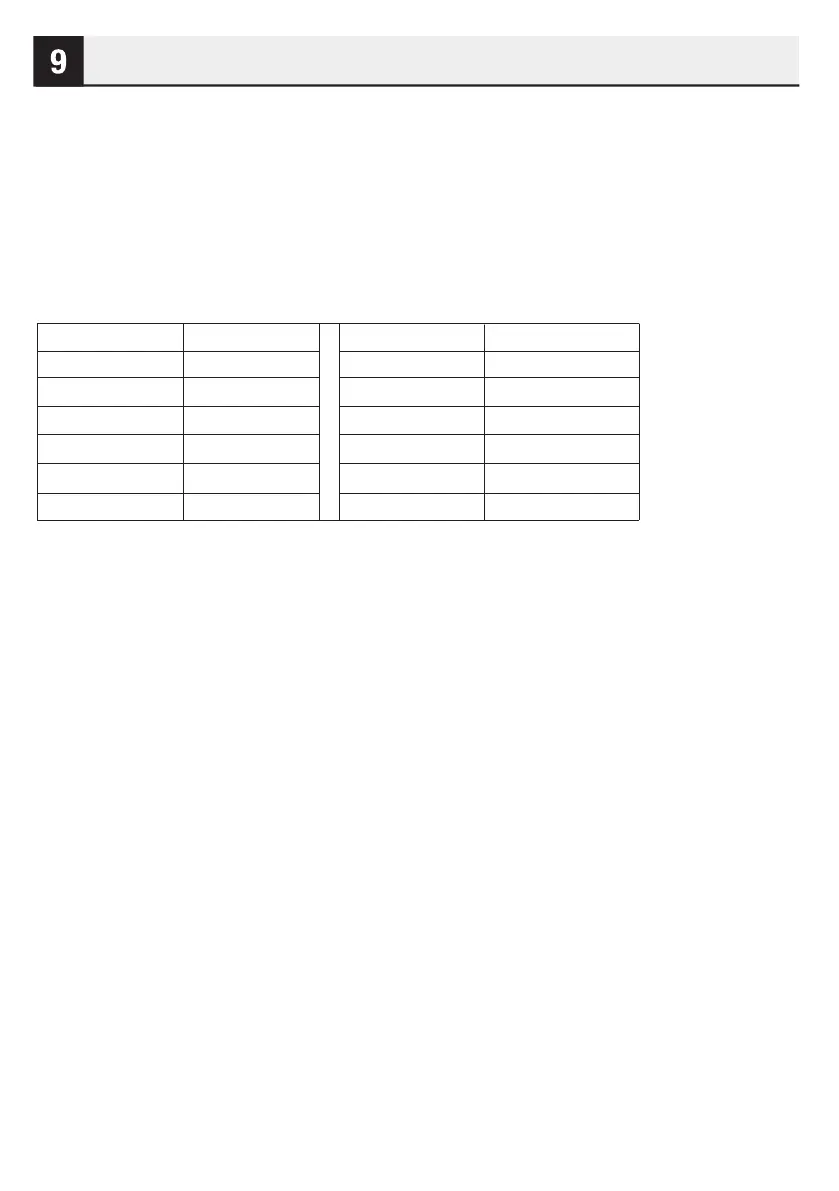
Use single digit to adjust a cooking power level:
NOTE: During cooking, press Power pad to check the cooking power level for 5 seconds, and you can adjust
the cooking power level by touching number pad within 5 seconds.
SETTING TIME DEFROST
1. Press Time Defrost pad.
2. Enter desired defrosting time by touching correct number pads. The longest time you can set is 99 minutes
and 99 seconds.
3. Press START/+30 Sec. pad.
NOTE: During defrosting, the oven will pause and sound beep to remind user to turn the food over, after that,
press START/+30 Sec. to resume. You can check the power level during defrosting by pressing Power pad.
MULTI-STAGE COOKING
Your oven can be programmed for up to 2 automatic cooking sequences.
Suppose you want to set the following cooking program.
1. In standby mode, press Time Cook pad once and enter the cooking time by number pads.
2. Press Power pad to set the power level. Do not touch START/+30 Sec.
3. Repeat the steps above to input the second cooking program.
4. Press START/+30 Sec. to start.
NOTE: Only microwave functions for multi-cooking stage settings, you can set a maximum of two microwave
cooking programs.
Press number Power (Display)
1,0 100%(P10)
9 90%(P-9)
8 80%(P-8)
7 70%(P-7)
6 60%(P-6)
5 50%(P-5)
Press number Power(Display)
4 40%(P-4)
3 30%(P-3)
2 20%(P-2)
1 10%(P-1)
0 0%(P-0)
7



 To Next Page