3
Contact Wilson Electronics’s Technical Support Team with any questions at 866-294-1660
Or email: tech@wilsonelectronics.com Hours: 7am to 6 pm mountain standard time.
3 4
Contact Wilson Electronics’s Technical Support Team with any questions at 866-294-1660
Or email: tech@wilsonelectronics.com Hours: 7am to 6 pm mountain standard time.
Installing a Wilson Electronics Signal Booster
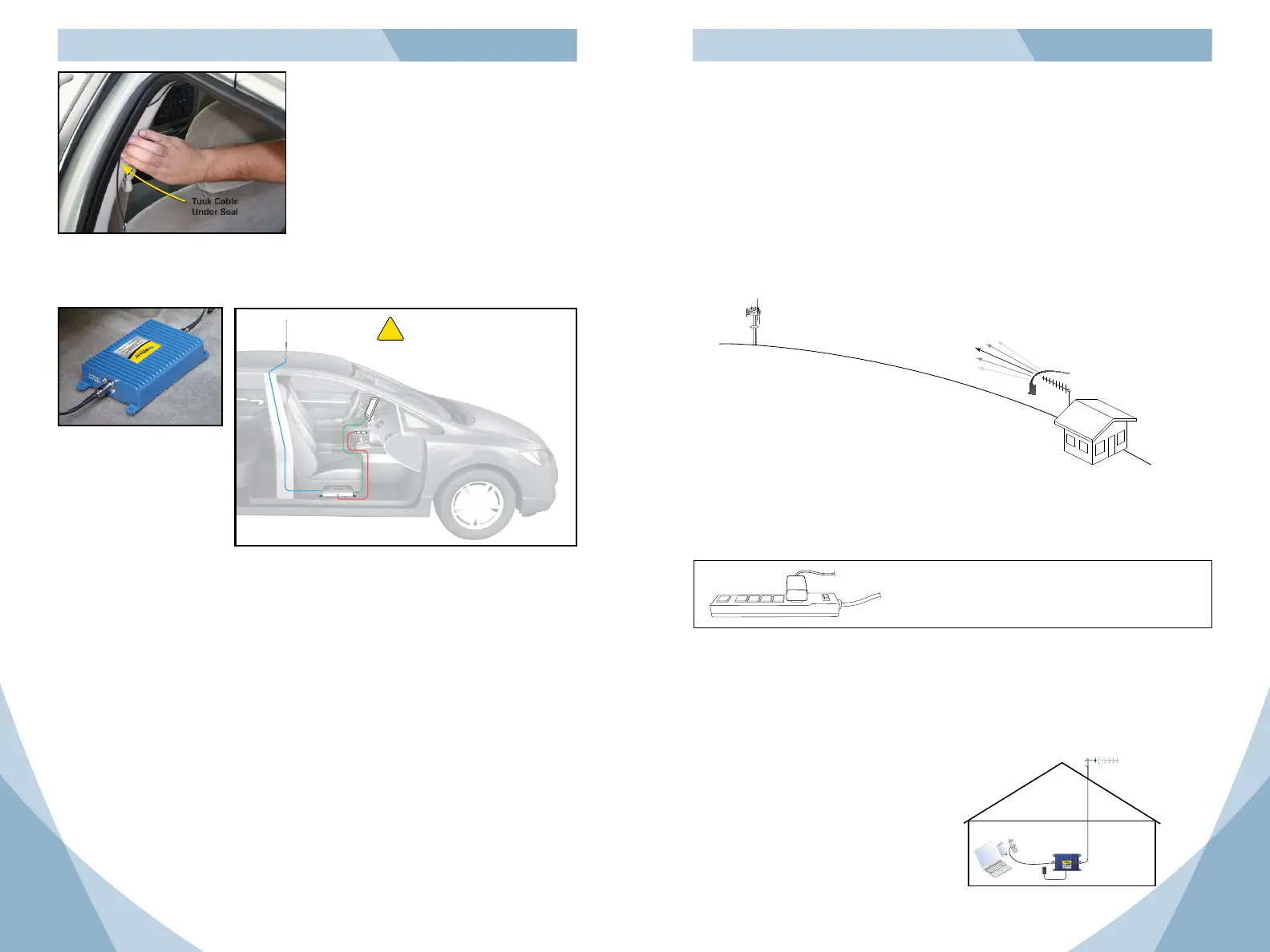
Select a location to install the Signal Booster that is away from excessive heat, direct
sunlight, moisture and that has proper ventilation.
Outside
Antenna
Signal
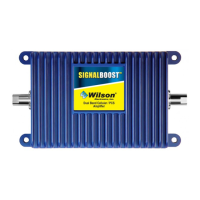
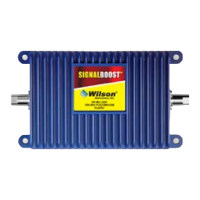
Booster
DC Power
Supply
Cell Phone
Warning: Do not plug in the DC power
supply until the Outside Antenna and
external adapter cables are attached to
the Signal Booster.
!
Tuck Cable
Under Seal
Note: See RF Safety Warnings (p. 5)
The antenna cable is small enough
to easily tuck under the door seal or
plastic molding.
In-Vehicle
Recommended installation
locations for in-vehicle are:
under the seat, in the trunk,
under the dash.
Run the cable from the
Outside Antenna and attach
it to the connector labeled
“Outside Antenna” on the
Signal Booster.
Installing a Wilson Electronics External Adapter
An external adapter is required to connect the cell phone or cellular data card to the Signal
Booster. The external adapter is cell phone/data card-specic and may be purchased
through a local retailer. Refer to Wilson Electronics Adapter Guide to identify the right
adapter for your cell phone or cellular data card. The adapter guide is available through a
local retailer or at www.WilsonElectronics.com. The external adapter plugs into the included
antenna extension cable and directly into a socket on the cell phone or cellular data card.
The external adapter and the included extension cable are long enough to reach the Signal
Booster location. This allows for ease and convenience of use.
Run the extension cable from the external adapter and attach it to the connector labeled
“Cellular Phone or Data Card” on the Signal Booster.
Note: Depending on your specific cell phone, the adapter socket may be located beneath
a rubber plug.
In-Building
Installing a Wilson Electronics Outside Antenna – In-Building
Select a location on the roof of the building to install the Outside Antenna that has the most
unobstructed line of sight to the cell tower.
Follow the specific antenna installation instructions included with the Outside Antenna.
Lightning protection is recommended for all in-building installations. (sold separately) Take
extreme care to ensure neither you nor the antenna come in contact with any electrical power
lines.
A Yagi antenna must be installed horizontally with the elements vertical and the drip hole
on the bottom. Ensure there are three feet of clearance in all directions surrounding the
antenna.
To obtain maximum performance, the antenna should point toward the cell tower. Follow
the instructions included with the Outside Antenna.
Cell Tower
RF Signal
Yagi Antenna
NOTE: See RF Safety Warnings (page 5)
Installing a Wilson Electronics Signal Booster
Select a location to install the Signal Booster that is away from excessive heat, direct
sunlight, moisture and that has proper ventilation. Ensure the Signal Booster is installed
within six feet of where the cell phone or cellular data card will be used (to accommodate
the six-foot adapter extension cable). Run the cable from the Outside Antenna and attach it
to the connector labeled “Outside Antenna” on the Signal Booster. Connect the AC/DC power
supply (included in 811200) to the power input labeled “12V DC” on the Signal Booster.
Recommended installation locations for
in-building are near a power outlet and on
a wall or on the ceiling.
Installing Lightning Protection (sold separately)
Install the Lightning Surge Protector (LSP) close to the Signal Booster. Attach the cable
from the Outside Antenna to the surge protector, using a short length of low loss cable;
attach one end to the LSP and the other to the Outside Antenna connector on the Signal
Booster. Attach a ground wire (not included) to the LSP. Lightning Surge Protector (sold
separately). May be purchased at www.WilsonElectronics.com or 800-204-4104.
Wilson
®
Electronics recommends that all AC power
supplies for home electronics be plugged into a
Surge Protector Power Strip.


 To Next Page
 Loading...