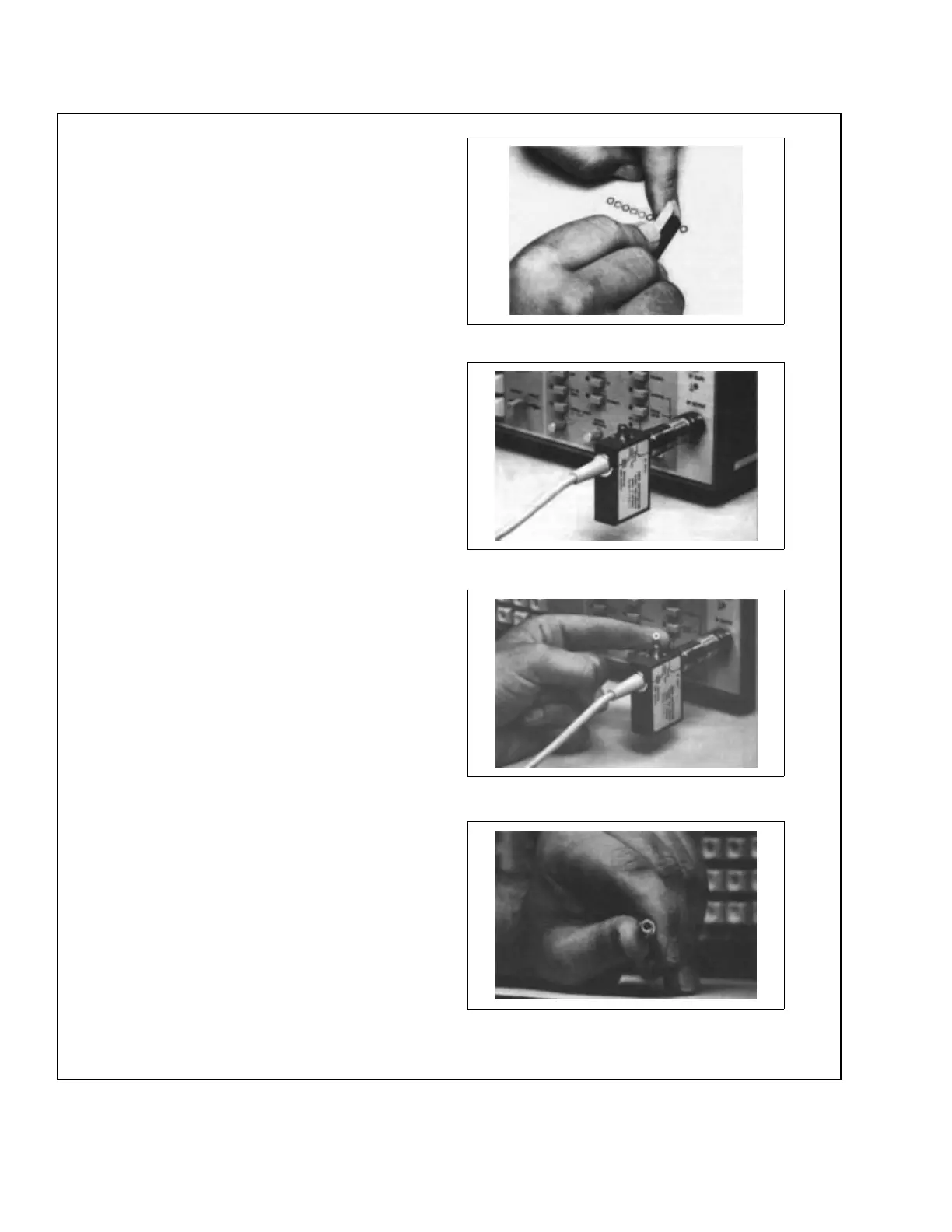
Step1. Separate a single WSMA connector
compensation washer and trim
away the interconnecting tabs.
Step 2. Connect the 560-98SF50 SWR
Autotester input port to the signal
source RF output port, and loosely
tighten connector. Orient the
WSMA female connector (test port)
up.
Step 3. Insert the compensation washer
into the opening of the WSMA fe-
male connector, as shown.
Step 4. Connect beaded end of the air line
per application. Tilt the air line
horizontally. At unbeaded end, cen-
ter the inner conductor with the cen-
ter of the connector opening.
Figure 9. Example for Using Compensation Washer with WSMA Connectors (1 of 2)
12 SWR OMM



 To Next Page