Picture Menu included Function
¦¦£
ª©ª
«
¨
¨
¢
«
Standard/music/movie/Sports/User Adjust the soundSound Mode
Sound
Menu included
Function
O WiMjUS
Picture
Picture Mode
Color temperature
Aspect Ratio
Noise Reduction
Projection Mode
Reduce Display
Note:
Menu included
Standard/Soft/User/Vivid
Medium/warm/User/Cool
Off/Low/Middle/High/Default
Front/Front on Desk/Front on
Ceiling/ Rear on ceiling
10096-75%
Esupport@wimius.com
Function
4 image mode to adjust the
"Contrast/Brightness/Color
/Sharpness" of the image
4 image mode to adjust the
color temperature
Aspect ratio let you configure
how images are displayed
Adjust picture noise
Choose the projection methods,
flip the imag
Reduce the size of projection
sue
-During the video playback, when you press the menu button to make the setting, a
menu box will pop up, you need to press the 0k button again to make the video screen
and the menu screen on the same interface.
-The menu of "Reduce Display" shows grey when there is no video play.
-If the menu icon is gray, it means that this option is not adjustable.
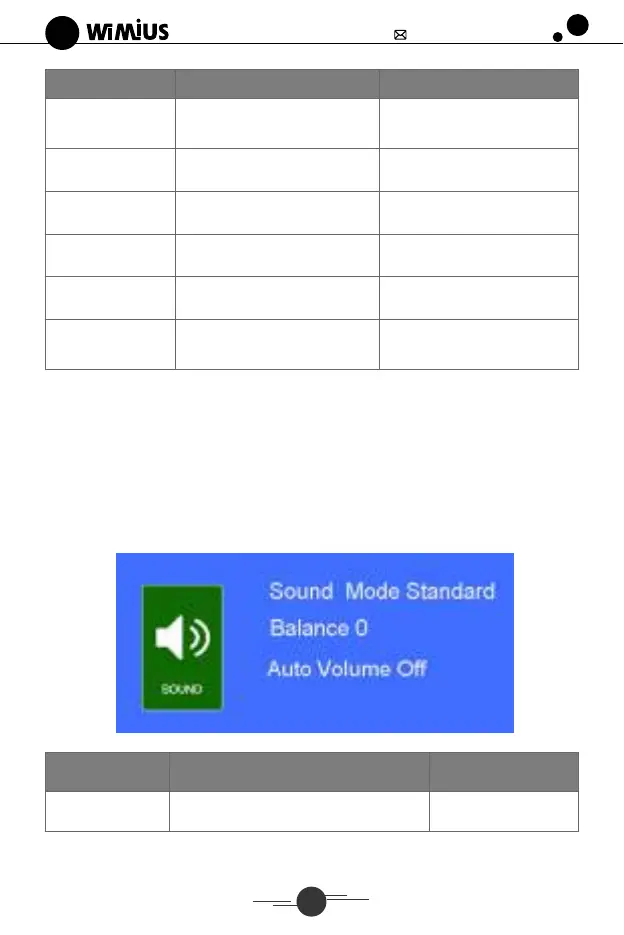
2. Sound Menu
Sound Modo Standard
Balance O
Off
Sound
Sound Mode
Menu included
Standard/music/movie/Sports/User
14
Function
Adjust the sound


 To Next Page
 Loading...