ENEN
support@wimius.com
01 02 03 04 05 06 07 08 09 10 11 12 13 14 15 16 17 18
19 20 21 22 23 24 25 26 27 28 29 30 31 32 33 34 35 36
37 38 39 40 41 42 43 44 45 46 47 48 49 50 51 52 53 54
55 56 57 58 59 60 61 62 63 64 65 66 67 68 69 70 71 72
73 74 75 76 77 78 79 80 81 82 83 84 85 86 87 88 89 90
91 92 93 94 95 96 97 98 99 100 101 102 103 104 105 106 107 108
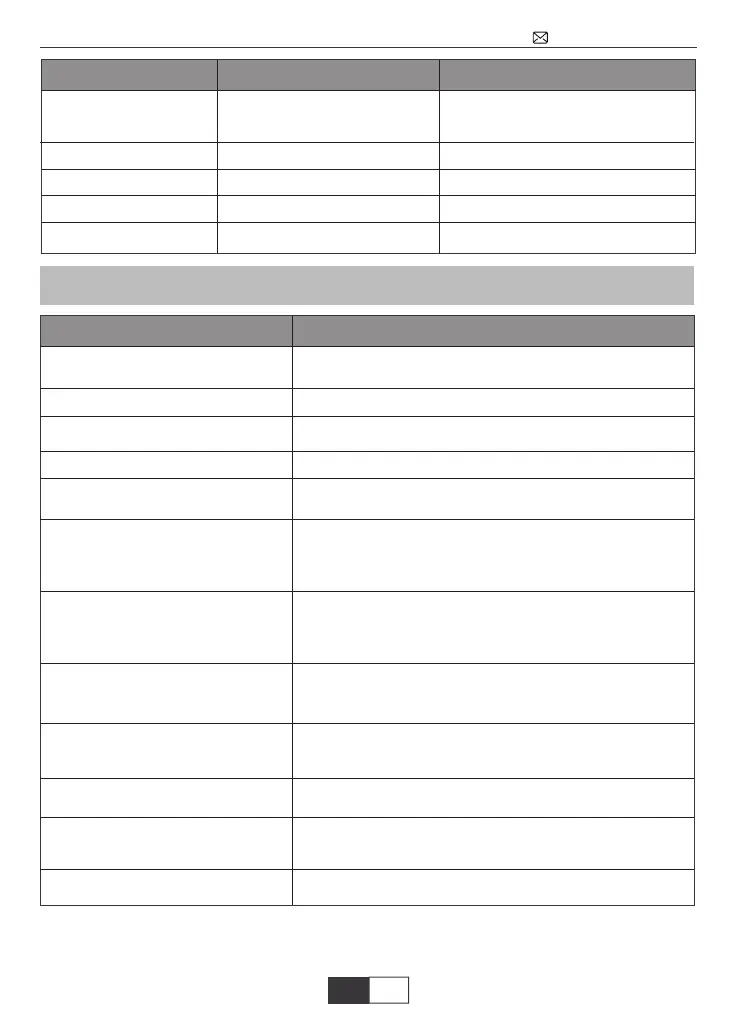
FAQ
OSD Language
Restore Factory Default
Blending
OSD Duration
Software update (USB)
Change the language
Restore all settings to default setting
Adjust the transparency the picture
Set the menu duration time
Solve the jerky/lag issue
Reset
Off/Low/Middle/High
Off/5s/10s/15s
Update software
Menu included Option
Function
English, French, German, Italian,
Spanish, Japanese. 20 several
language
Questions
Can’t play video in App Netflix, Hulu,
Amazon Prime
Those APPs are limited with HDCP. This model doesn’t
support this function. So it can’t support these APPs.
Email us at support@wimius.com for a video to clean it.
· Please check whether the network of your phone is well.
· Make the distance of phone and projector within 1 meters.
Email us at support@wimius.com for solutions
· The power cable not connected well.
· The power button on the back of the projector is off.
· The remote control's batteries are depleted.
· Something obstructing the signal between the remote
and IR.
· Strong light on IR directly.
· Is the channel set-up correct?
· Is there input signal?
· Is the input cable plugged well or in the wrong position?
· Under PC mode, is the refresh rate > 75 KHz?
· Input cables connected right?
· Volume at minimum or on Mute.
· Turn off the dolby of the input devices.
· Is there a barrier around the ventilation?
· Low voltage or big voltage fluctuations.
· Check the over-heat protection system.
· Re-plug the device.
· Check if the device is broken.
Please contact support@wimius.com
· The format of the video is right?
· Files are broken?
· Device is broken?
Black spot, dust on the screen
Wifi connection is not stable
Indicator light is off when plug
into power supply
Press the power button on the
remote control and the projector
does not turn on
No image on the screen
Picture right, no sound
It will shut off automatically after
turn on for a while
Can't find devices when connect-
ed with hard drive or flash drive?
Can't play the movies
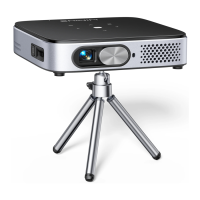
Could you recommend a ceiling
mount for it?
Can’t connect with bluetooth speaker
Contact us
Website: www.wimius.com
Email : Support@wimius.com
Function



 To Next Page