EasyManua.ls Logo

Wimius K7 - FAQ

Wimius K7
25 pages
Print Icon
To Next Page IconTo Next Page
To Previous Page IconTo Previous Page
Loading...
support01@wimius.com
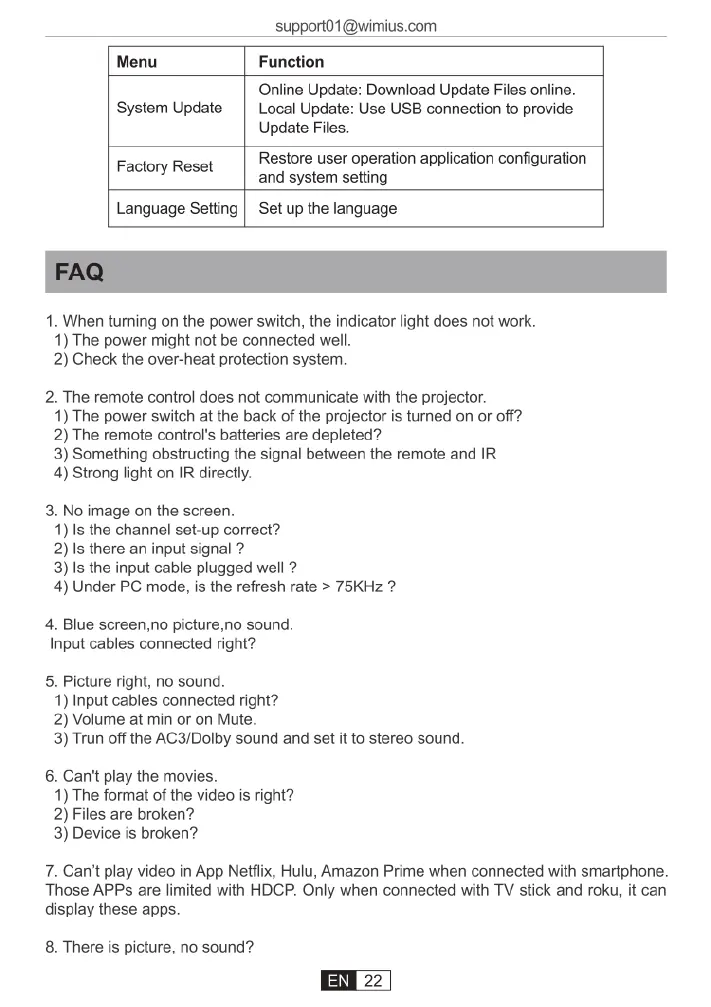
Menu
Function
Online
Update:
Download
Update
Files
online.
System
Update
|
Local
Update:
Use
USB
connection
to
provide
Update
Files.
Restore
user
operation
application
configuration
Factory
Reset
and
system
setting
Language
Setting
|
Set
up
the
language
1.
When
turning
on
the
power
switch,
the
indicator
light
does
not
work.
1)
The
power
might
not
be
connected
well.
2)
Check
the
over-heat
protection
system.
2.
The
remote
control
does
not
communicate
with
the
projector.
1)
The power
switch
at
the
back
of
the
projector
is
turned
on
or
off?
2)
The
remote
control's
batteries
are
depleted?
3)
Something
obstructing
the
signal
between
the
remote
and
IR
4)
Strong
light
on
IR
directly.
3.
No
image
on
the
screen.
1)
Is
the
channel
set-up
correct?
2)Is
there
an
input
signal
?
3)Is
the
input
cable
plugged
well
?
4)
Under
PC
mode,
s
the
refresh
rate
>
75KHz
2
4.
Blue
screen,no
picture,no
sound.
Input
cables
connected
right?
5.
Picture
right,
no
sound.
1)
Input
cables
connected
right?
2)
Volume
at
min
or
on
Mute.
3)
Trun
off
the
AC3/Dolby
sound
and
set
it
to
stereo
sound.
6.
Can't
play
the
movies.
1)
The
format
of
the
video
is
right?
2)
Files
are
broken?
3)
Device
is
broken?
7.
Can't
play
video
in
App
Netflix,
Hulu,
Amazon
Prime
when
connected
with
smartphone.
Those
APPs
are limited
with
HDCP.
Only
when
connected
with
TV
stick
and
roku,
it
can
display
these
apps.
8.
There
is
picture,
no
sound?

Related product manuals