EasyManua.ls Logo

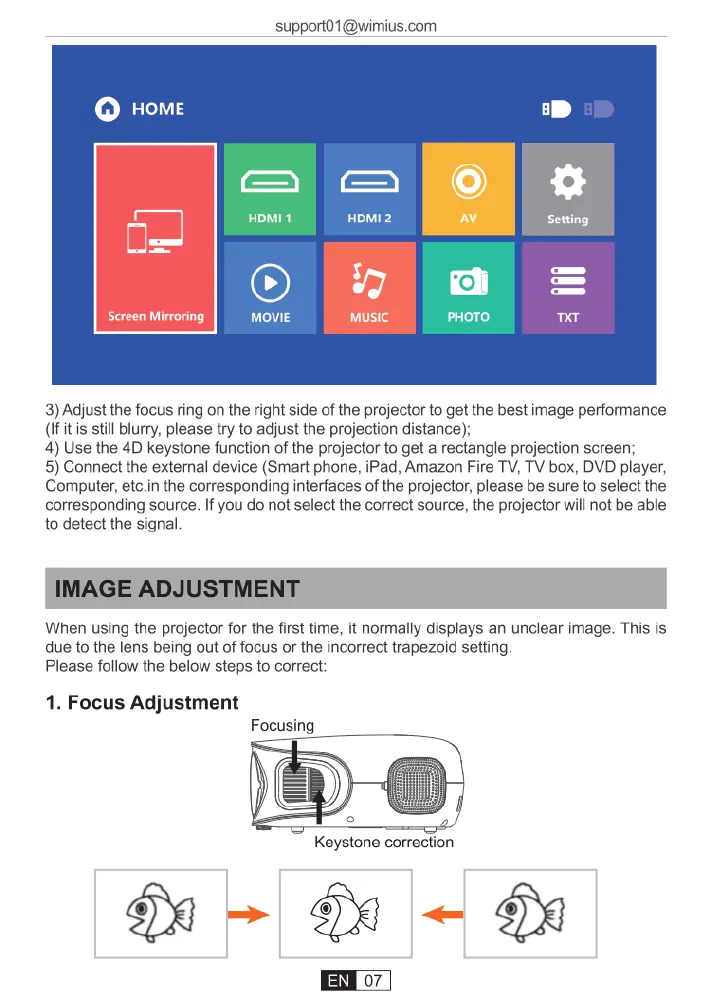
Wimius K7 - IMAGE ADJUSTMENT; Focus Adjustment

Wimius K7
25 pages
Print Icon
To Next Page IconTo Next Page
To Previous Page IconTo Previous Page
Loading...
support01@wimius.com
3)
Adjust
the
focus
ring
on
the
right
side
of
the
projector
to
get the
best
image
performance
(If
it
s
still
blurry,
please
try
to
adjust
the
projection distance);
4)
Use
the
4D
keystone
function
of
the
projector
to
get
a
rectangle
projection
screen;
5)
Connect
the
external
device
(Smart phone,
iPad,
Amazon
Fire
TV,
TV
box,
DVD
player,
Computer,
etc.in
the
corresponding
interfaces
of
the
projector,
please
be
sure
to
select
the
corresponding
source.
If
you
do
not
select
the
correct
source,
the
projector
will
not
be
able
to
detect
the
signal
IMAGE
ADJUSTMENT
When
using
the
projector
for
the
first
time,
it
normally
displays
an
unclear
image.
This
is
due
to
the
lens
being
out
of
focus
or
the
incorrect
trapezoid
setting
Please
follow
the
below
steps
to
correct
1.
Focus
Adjustment
Focusi

Related product manuals