EasyManua.ls Logo

Wimius P64 - Horizontal and Vertical Keystone; Automatic Keystone and Focus

Wimius P64
31 pages
Print Icon
To Next Page IconTo Next Page
To Previous Page IconTo Previous Page
Loading...
[
supportol@wimius.com
r
[
————
-l
>
5%
Other
Settings
ke
At
3k
Rt
L
_I
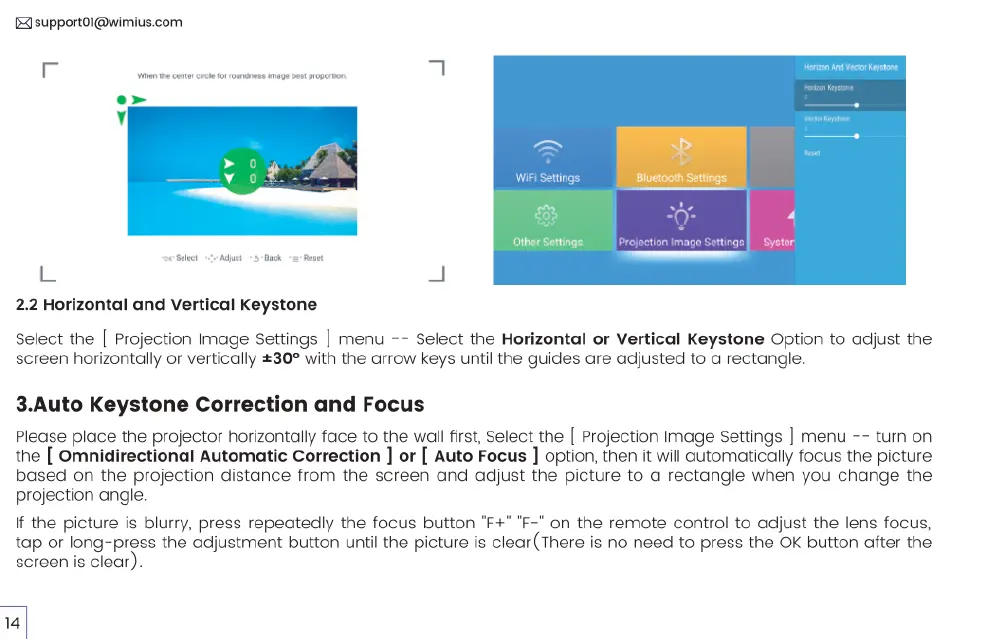
2.2
Horizontal
and
Vertical
Keystone
Select
the
|
Projection
Image
Settings
|
menu
-~
Select
the
Horizontal
or
Vertical
Keystone
Option
to
adjust
the
screen
horizontally
or
vertically
£30°
with
the
arrow
keys
until
the
guides
are
adjusted
to
a
rectangle.
3.Auto
Keystone
Correction
and
Focus
Please
place
the
projector
horizontally
face
to
the
walll
first,
Select
the
[
Projection
Image
Settings
|
menu
-~
turn
on
the
[
Omnidirectional
Automatic
Correction
]
or
[
Auto
Focus
]
option,
then
it
will
automatically
focus
the
picture
based
on
the
projection
distance
from
the
screen and
adjust
the
picture
to
a
rectangle
when
you
change
the
projection
angle.
If
the
picture
is
blurry,
press
repeatedly
the
focus
button
"F+"
'F-"
on
the
remote
control
to
adjust
the
lens
focus,
tap
or
long-press
the
adjustment
button
until
the
picture
is
clear
(There
is
no
need
to
press
the
OK
button
after
the
screen
is
clear).

Related product manuals