Inserting a storage card
Your tablet supports micro-SD cards with storage space
64G (Max). You can insert the micro SD card and pull it out
without powering down the tablet. To do so, follow the steps
below.
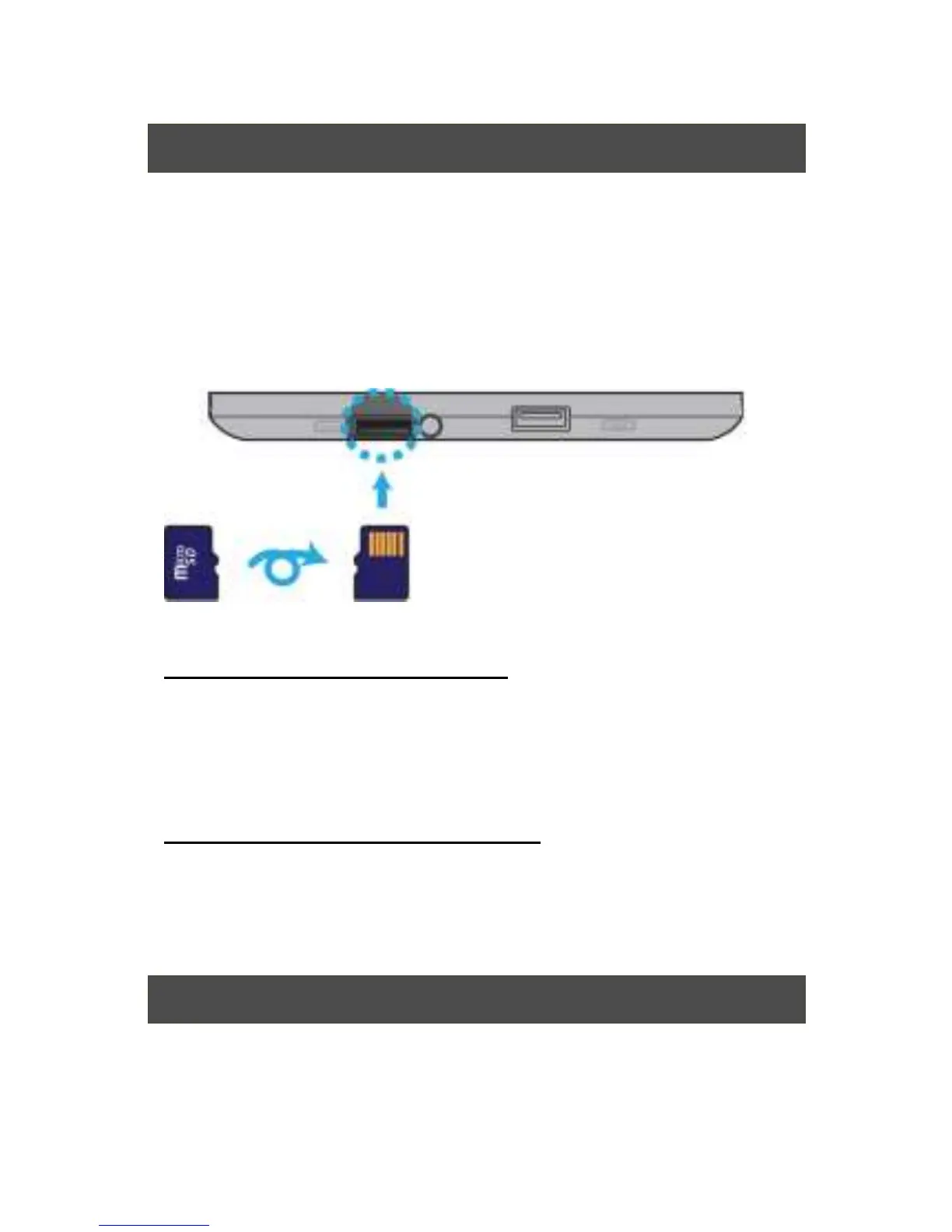
Install your Micro SD Card
1. Hold your tablet with front side up.
2. Insert your micro SD card in the direction as shown.
Remove your Micro SD Card
1. Push and release the micro SD card. This will
unlock the card.
2. Pull out the micro SD card.
Specifications


 To Next Page