13
3. Operating WINBOT
OFF
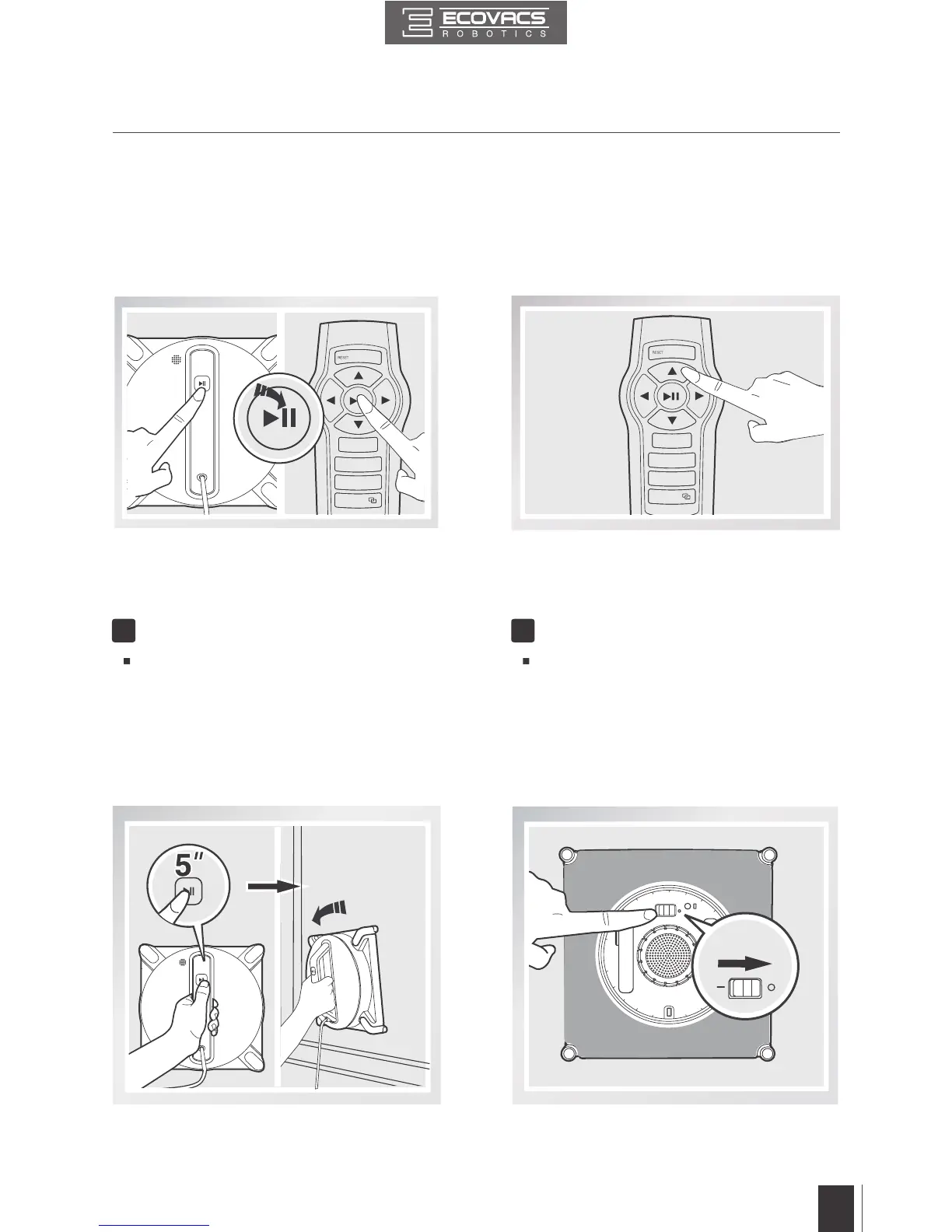
3.8 Pause
Pause WINBOT during cleaning by pressing
the START/PAUSE button on the robot or on
the Remote Control.
Direct WINBOT to move forward, backward, left
and right using the Direction Control Buttons on
the Remote Control when Paused. WINBOT
cleans when the Direction Control Buttons are
used.
3.9 Stop
When WINBOT completes its cleaning cycle, it returns to the place it started and beeps.
Remove WINBOT Power OFF
1 2
Grasp the robot’s Handle. Press and
hold the START/PAUSE Button on the
robot for approximately 5 seconds and
the fan will stop. Remove WINBOT from
the window. Polish away any marks left
on the glass from the robot’s removal
with the provided Finishing Cloth.
Move the Power Switch to the “
o
” position.


 To Next Page