Windcrest
PROG RAM MER
YES
1
2
3
4
5 6
7 8 9 0
#
NO
CANCEL
ENTERTEST
CHECK
SET
RESET
Volume
HL
Voice
Switching
Windcrest
Connections
Connect Mains via the 3 way connectors. Use Cable Ties to secure the wires together and ensure no wire “whiskers”.
Connect the wires to the Autodialler Main Unit and then connect the Battery.
NB: The Power supply unit has been designed to supply power only for the Autodialler and no extra power is available for additional equipment.
Over loading may damage the power supply.
Remove
Screws
E
L
N
Battery Check
+Ve Supply
0V Return
To Autodialler
Main Unit
Mains Supply
Fused 2A
LV
+
0V
12v Battery
Connection
2 off 12V
Batteries
MAINS
HIGH
VOLTAGE
Test
Programming
Keypad on the
back of the unit
SA100 Power Supply
Windcrest
Tel: 0208 795 0333
Fax: 0208 795 0444
Page 2/5
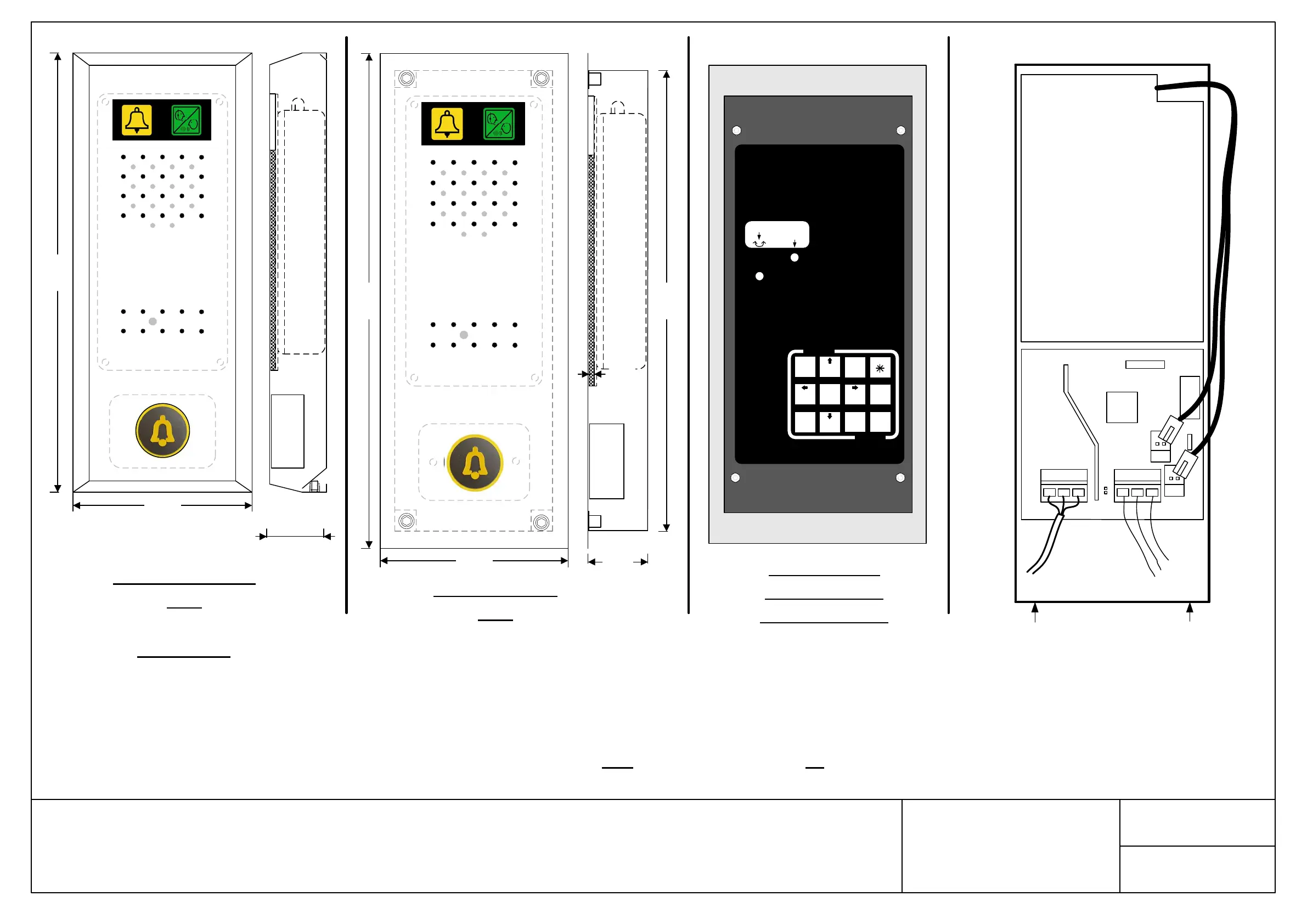
SA1000 System with built in Push button
280mm
40.0mm
MAX
110mm
Windcrest
PRESS BUTTON FOR
3 SECONDS, IF
UNOBTAINABLE,
PRESS BUTTON
AGAIN.
Surface Mounted
Unit
290mm
40mm
3mm
110mm
Windcrest
270mm
PRESS BUTTON FOR 3
SECONDS, IF
UNOBTAINABLE,
PRESS BUTTON
AGAIN.
Flush Mounted
Unit


 To Next Page