11
OPTIONAL VEN111I DUAL BLOWER KIT IS FOR USE WITH UIX2916S.
NOTE: SINGLE BLOWER FROM UIX2916S IS REQUIRED TO COMPLETE VEN111I DUAL BLOWER KIT.
UIX3816S ALREADY INCLUDES A DUAL BLOWER.
Installation – VEN111I Dual Blower Kit
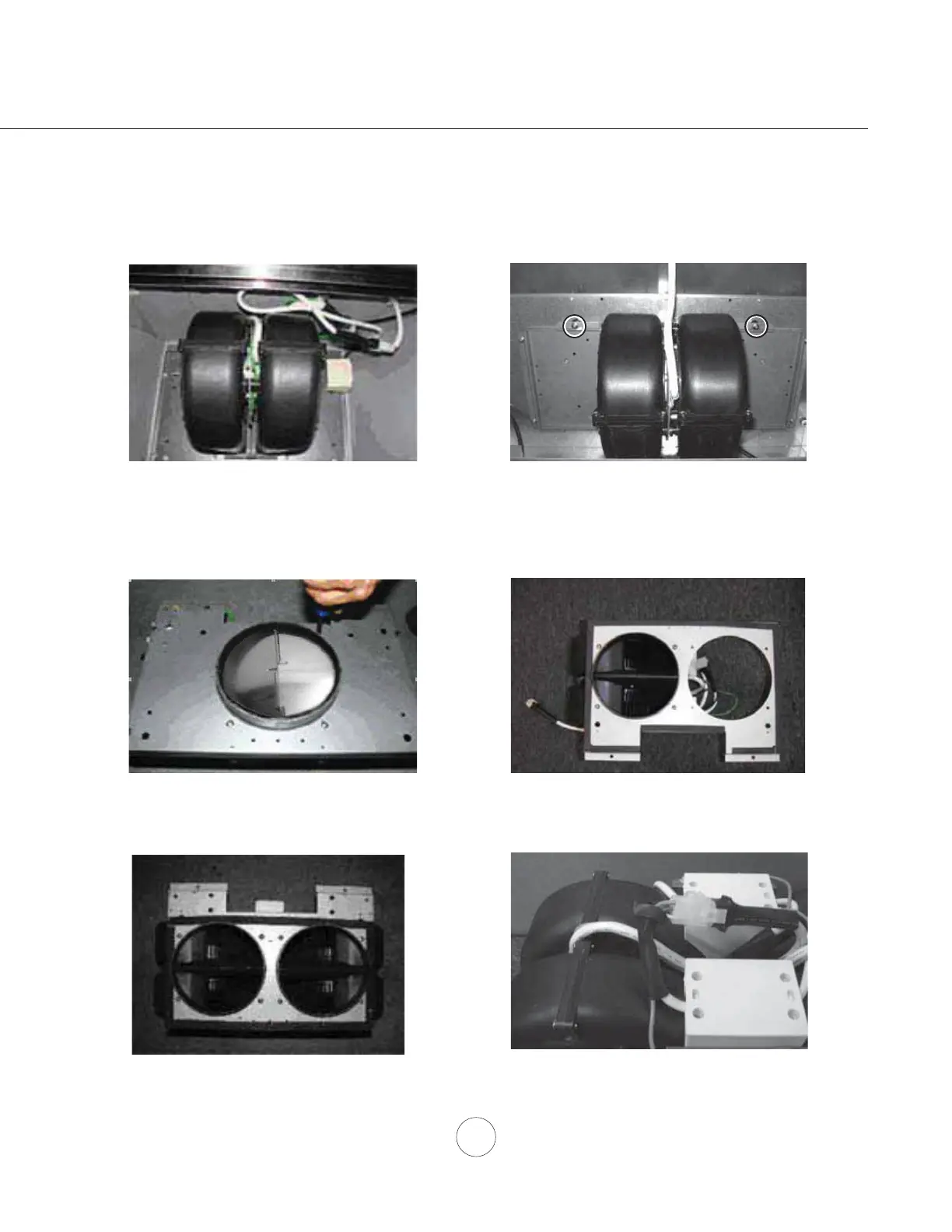
6. Connect 9 pin male molex connector from blower
to 9 pin female molex connector on dual blower
capacitor box.
1. Disconnect single blower wire from inside of
the insert.
2. Remove support screw from top of insert near
the back. Remove 2 screws holding blower plate
to insert and pull blower towards front of hood to
release from internal bracket.
3. Unscrew (4) screws holding blower to blower
plate and remove blower. Remove metal damper
from blower. Discard single blower plate.
4. Picture of VEN111I dual blower kit.
5. Use the blower removed from the single blower
plate and install it into the dual blower plate.



 To Next Page