07
CONTROLS
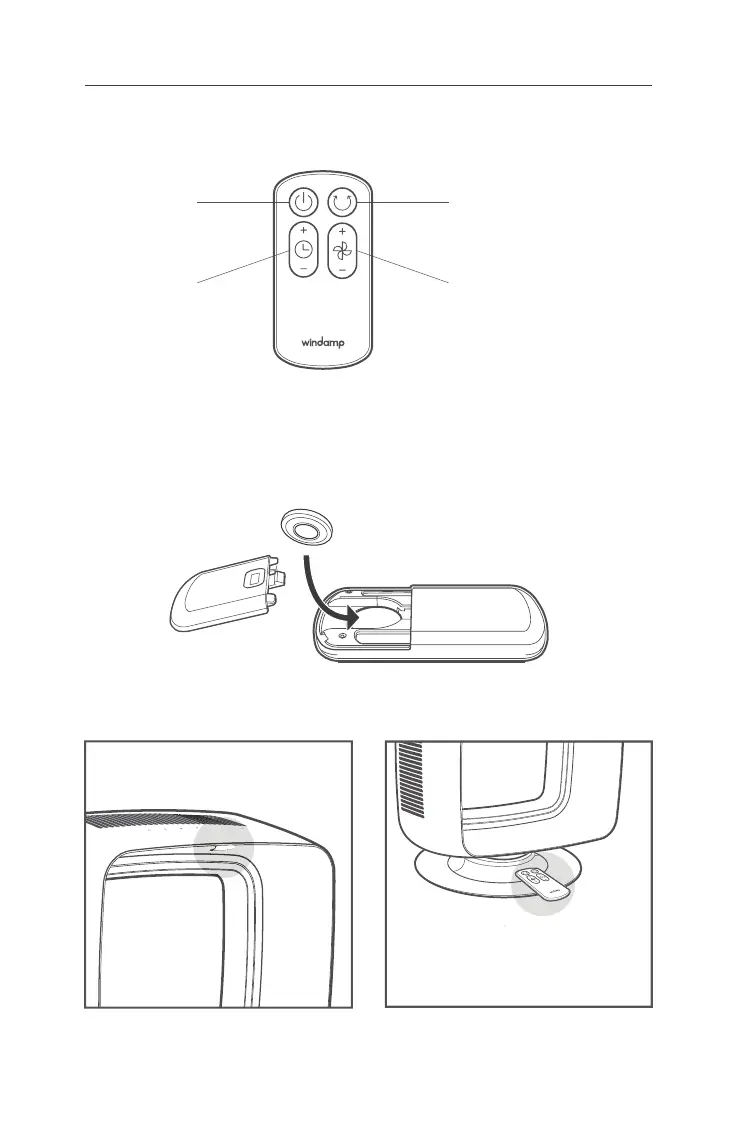
Remove the battery cover by sliding downward, and insert the battery (CR2025) into
the remote control in direction of arrow.
Remote Control Battery
Remote Control Instructions
Power
Turns on/off the fan
Oscillation
Turns on/off the oscillation
Wind Volume
Controls the wind volume
Timer
Adjusts the time
Attach remote control to marked top of
base part with the top facing up.
Use the remote control facing to IR receiver
of head part.
Place Magnetic Remote ControlRemote Control Operation


 To Next Page