
 Need help?
Do you have a question about the Windmill AC and is the answer not in the manual?
Explains warning and caution symbols used throughout the guide.
Minimizes risk of property damage, serious injury, or death during installation.
Ensures no damage to property or unit during installation and operation.
Minimizes risk of property damage, serious injury, or death related to electrical power.
Details on outlet requirements and power information for the AC unit.
Explains the power cord's current detection device and its test/reset functions.
Minimizes risk of property damage, serious injury, or death during operation.
Ensures safe operation, especially regarding children and unit placement.
Covers delayed start, fan mode behavior, power loss, and temperature settings.
Highlights risks of fire/explosion with R32 refrigerant and necessary precautions.
Details on safe handling, storage, and disposal of the unit and its refrigerant.
Explains FCC rules compliance, potential interference, and mitigation measures.
Identifies the module and FCC ID incorporated into the device.
Details FCC limits for RF exposure and recommended installation distance.
Warns that unauthorized modifications can void user's authority to operate the equipment.
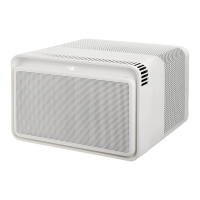
Diagram labeling the exterior parts of the Windmill AC unit.
Illustrates locations of model/serial numbers and safety/disposal information.
Details the remote control buttons and the unit's control panel functions.
Explains the temperature display, fan display, and Cool/Eco modes.
Covers Fan mode, Wi-Fi indicator, degree symbol, and important operating notes.
Highlights default Eco mode operation and the fading display feature for reduced light.
Instructions on battery replacement, operating range, and warnings for the remote control.
Step-by-step guide to cleaning the antimicrobial filter and its replacement.
Crucial safety warning to power off and unplug the AC before changing the filter.
Instructions for cleaning the AC exterior and proper storage procedures.
Warning against cleaning the interior and reiterates unplugging the AC.
Provides five tips to lower environmental footprint and energy bills.
Information on the one-year limited warranty and how to register the AC unit.
The Windmill AC is a window air conditioner designed to make your home more comfortable. This owner's guide provides essential information for safe installation, operation, and maintenance of your new AC unit.
The Windmill AC is a home appliance that cools and dehumidifies your living space. It features multiple operating modes: Cool, Eco (Energy Saver), and Fan. In Cool mode, the unit actively cools the room to your desired set temperature, and you can select from high, medium, low, or auto fan speeds. The fan runs continuously in this mode, unless set to auto, in which case it only runs when the AC is cooling. Eco mode is the default and most energy-efficient setting, designed to save on your energy bill. In this mode, the compressor turns off once the desired temperature is reached, and the fan runs periodically to monitor the room temperature. If the room temperature rises above your set temperature, the compressor will reactivate to cool the room. Fan mode allows you to run the fan only, without the compressor, offering high, medium, or low fan speeds. Auto fan speed is not available in Fan mode. The unit displays the room temperature in Fan mode, and the set temperature cannot be adjusted.
The AC unit is equipped with a display that shows the room temperature and, when adjusted, the set temperature. It also indicates the current fan speed. The display is designed to fade away after 60 seconds to minimize light disturbance, especially during sleep. A power indicator light within the power button remains on to show the unit is running. The display can be reactivated by pressing any button. For complete darkness, the power indicator light can be turned off by holding the "mode" button for 5 seconds.
The Windmill AC can be controlled via the unit's control panel, a remote control, or the Windmill app. The control panel includes buttons for Power, Mode, Fan, Filter, Wifi, and Set Temperature (up/down). The remote control mirrors these functions, allowing you to turn the AC on/off, change modes, adjust fan speed, and set the temperature from a distance of up to 25 feet. The remote uses a CR2032 3 Volt Lithium Coin Cell Battery, which should not be recharged.
To connect the unit to the Windmill app, hold down the Wifi button for 5 seconds. The Wifi indicator light will flash for 60 seconds during the pairing process and will remain lit upon successful connection. If pairing fails, the light will stop flashing after 60 seconds.
The unit incorporates a 3-minute delayed start in Cool or Eco mode if it's turned on and off quickly. This feature protects the compressor from overheating and prevents the circuit breaker from tripping. The fan will still operate during this delay. When switching to Fan mode, the compressor may continue to run for approximately 2 minutes, allowing for a quick return to Cool or Eco mode if desired. If power is lost due to an outage, the AC will restart in the mode it was in before shutting off. The temperature can be set between 60 and 80 degrees Fahrenheit, and the AC will maintain the desired temperature within approximately 2 degrees Fahrenheit in a well-insulated room of 375 square feet or smaller.
Regular maintenance is crucial for the efficiency and longevity of your Windmill AC. The unit features a clean filter indicator, which is a degree symbol that changes from white to orange after 250 hours of operation, signaling that it's time to clean or change the filter. To reset this indicator, hold down the filter button for 5 seconds until it beeps and the degree symbol returns to white.
Cleaning the antimicrobial filter is a straightforward process:
For cleaner air, a removable activated carbon filter is also included, which helps remove odors, smoke, and volatile organic compounds (VOCs). More information on this and subscription options can be found on the Windmill website.
The exterior parts of the AC can be cleaned with warm water and a mild liquid dishwashing detergent using a soft wash cloth. When wiping the display and buttons, use a dry part of the cloth and be careful to avoid getting water or detergent near them. Harsh cleaning products should not be used. It is important to power off and unplug the AC before any cleaning. The inside of the AC unit should only be cleaned by authorized personnel.
For storage, carefully remove the AC from the window according to the Installation Guide. Store it in its original packaging or use a plastic cover or bag. Ensure the unit is stored in a safe place where it cannot be punctured or damaged, and avoid storing it in rooms with open flame appliances (like furnaces or gas water heaters) or electrical heaters. If the unit is damaged, it should be fixed before storage.
To maximize airflow and energy efficiency, ensure there is nothing blocking the air flow around your Windmill AC, both inside and outside your home. Insulating windows to prevent air gaps and running heat-generating appliances during cooler parts of the day can also contribute to lower energy consumption. Placing the AC in a window that receives less direct sun can also improve its efficiency.
The remote control battery should be removed if the AC will not be used for a while to prevent potential leakage. Avoid placing or storing the remote in areas of extreme heat or humidity. The remote control contains button/coin cell batteries, which can be dangerous if swallowed by children, so it should be kept out of their reach.
 General
| Energy Efficiency | Energy Star Certified |
|---|---|
| Refrigerant | R32 |
| Operating Voltage | 115 V |
| Operating Frequency | 60 Hz |
| Air Flow | 200 CFM |
| Smart Features | Wi-Fi Enabled |

 To Next Page
