7
CARBON BRUSH REPLACEMENT
1. Disconnect power cord from power source.
2. To access the vac motor, remove the
screws that attach the main cover to the
head assembly and set the cover to one
side.
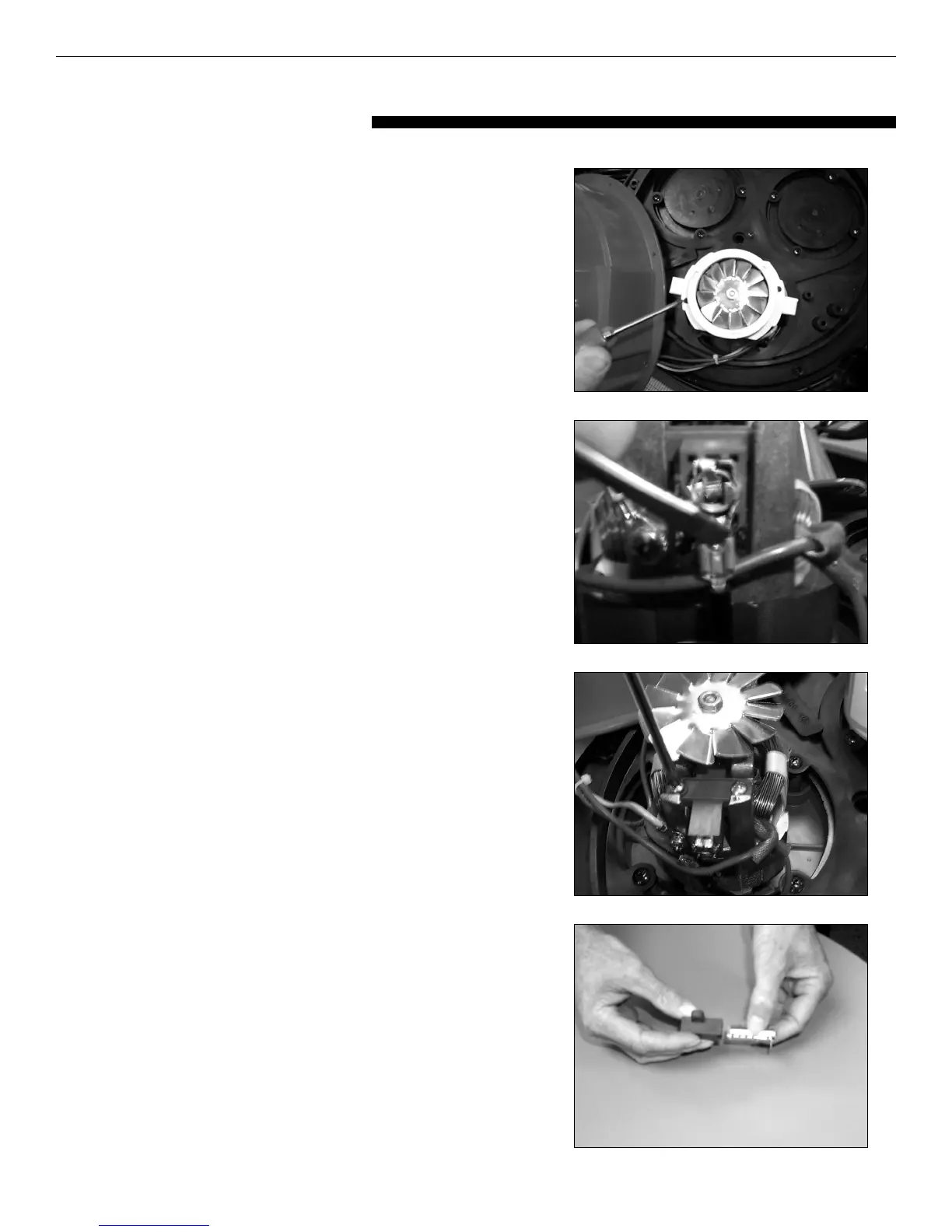
3. Remove the motor cover by removing two
screws. See Figure 1
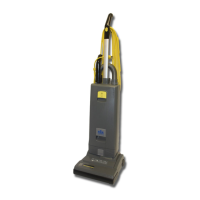
4. Remove the wire terminal from carbon
brush housing. See Figure 2
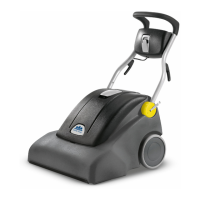
5. Remove the carbon brush assembly by
removing the 2 screws that attach it to the
vac motor. See Figure 3
6. Inspect armature commutator. If it is
extremely pitted, grooved or not concentric
then the motor will need to be replaced or
sent to a qualified service center.
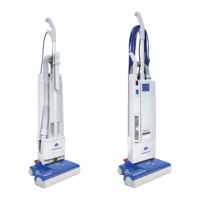
7. Slide the yellow brush housing from plastic
holder. See Figure 4
8. Reverse steps 7 through 4 to install new
brush and housing (part number
S8TOEG845 120 V - S8TOGB839 230 V)
9. Repeat steps 4 through 8 for the other
carbon brush.
10. Reverse steps 3 and 2 for re-assembly.
11. Test for proper operation
SERVICING THE VAC MOTOR
Fig. 1
Fig. 2
Fig. 3
Fig. 4





 To Next Page