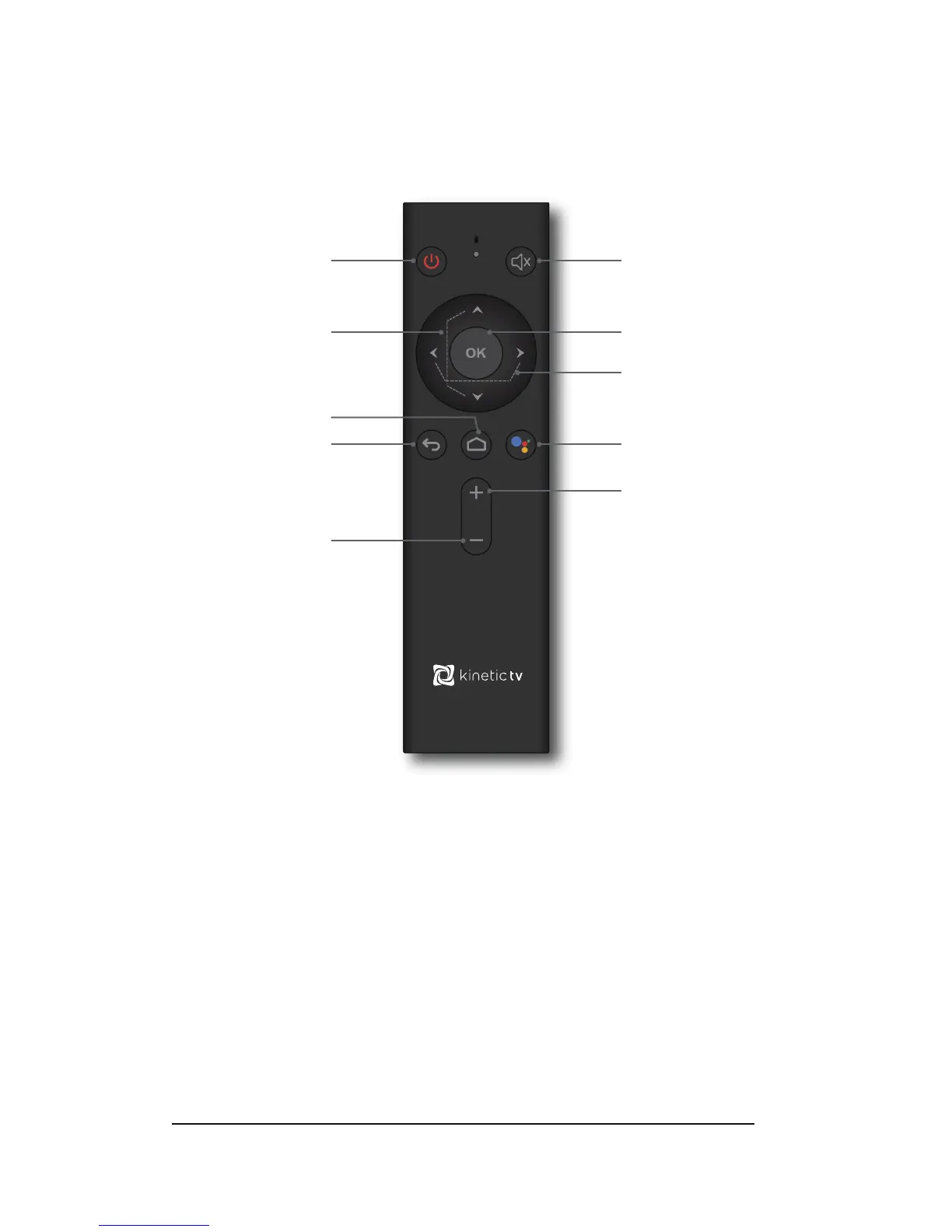
Remote Control
Instruct ions
Indicator Light: Press any key and indicator light flashes
【Note】The indicator light will flash quickly when the
remote batteries are low,
please replace the batteries
with approved Alkaline models.
Bluetooth Pairing: Press the “OK” and “Volume- (down)” keys together on your
Remote Control for 10 seconds;
Voice Search: Press the “Bluetooth Voice” key and begin speaking the
topic you are searching on.
Standby On/Off
Up/Down
Direction Key
HOME Page
Back/Exit
Volume -
Mute
Enter/Confirm
L/R Direction Key
Bluetooth Voice
Volume +


 To Next Page